

Macro Timeline Studio
Install latest/stable of Macro Timeline Studio
Ubuntu 16.04 or later?
Make sure snap support is enabled in your Desktop store.
Install using the command line
sudo snap install macro-timeline-studioDon't have snapd? Get set up for snaps.
Details for Macro Timeline Studio
Package name
- macro-timeline-studio
License
- MIT
Last updated
- Yesterday - latest/stable
Websites
Contact
External link warning
You are about to open
Do you wish to proceed?
Report a Snap Store violation
Report Macro Timeline Studio for a Snap Store violation
Snap Store Violation Report submitted successfully
Thank you for your report. Information you provided will help us investigate further.
Error submitting report
There was an error while sending your report. Please try again later.
Share this snap
Generate an embeddable card to be shared on external websites.
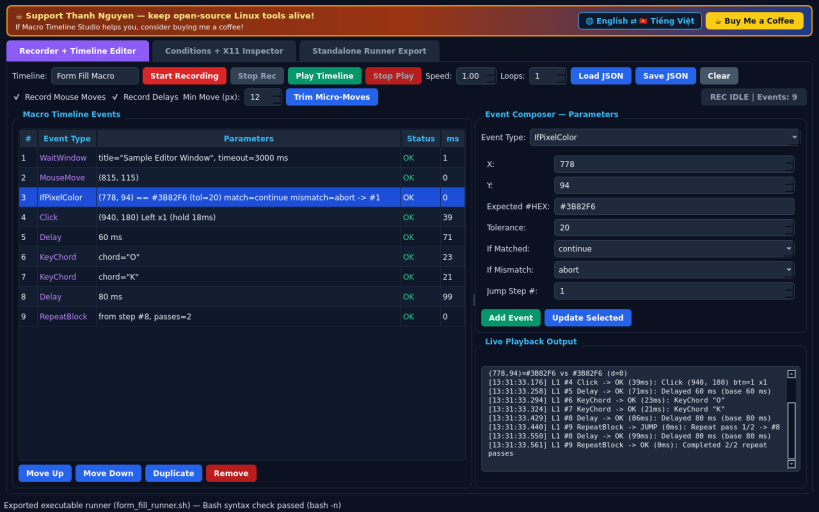
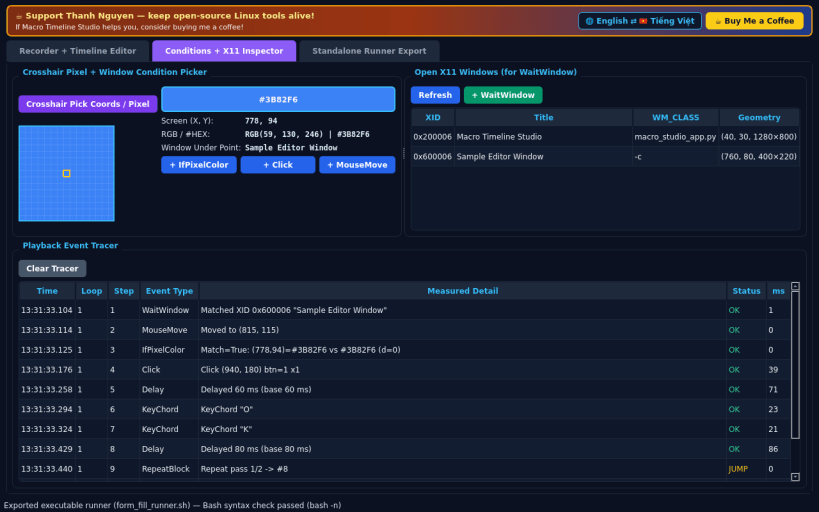
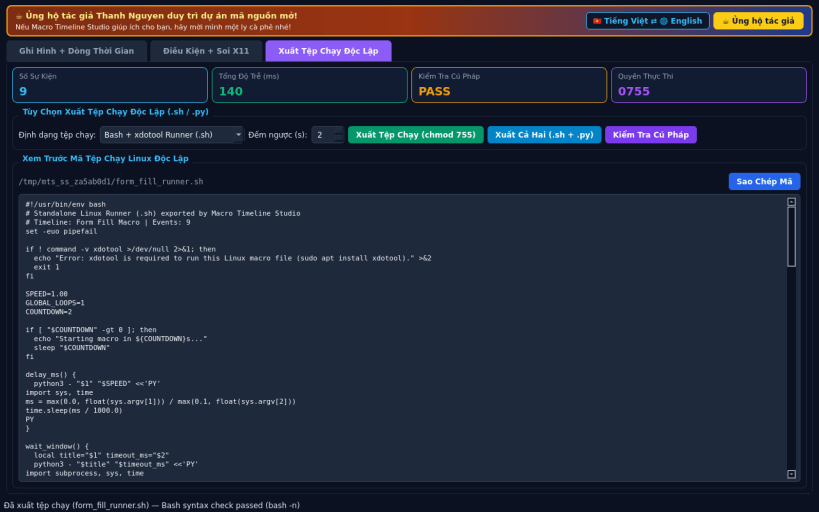
X11 macro recorder, timeline editor and standalone Linux runner exporter
A lightweight Linux X11 desktop utility inspired by JitBit Macro Recorder. Disclaimer: This project is an independent open-source tool and is not affiliated with, sponsored by, or endorsed by JitBit Software. Event recording, playback, pixel conditionals, and window waits require an X11 or XWayland session.
FEATURES
- Live X11 Mouse and Keyboard Recorder: record pointer motion, clicks, key chords, and real millisecond delays cleanly without elevated privileges.
- Structured Timeline Editor and Playback Engine: add, reorder, trim, or edit MouseMove, Click, KeyChord, Delay, WaitWindow, IfPixelColor, and RepeatBlock items, and replay timelines with adjustable speed and repeat count.
- Standalone Linux Runner Exporter: generate self-contained runnable Linux files (standalone Linux runner (.sh / .py) with chmod 755) for direct terminal or desktop playback, plus portable JSON timeline save and load.
SUPPORT & DONATE
- Created by Thanh Nguyen — https://buymeacoffee.com/thanhnv128b
| Revision | Channel | Version | Build | Commit | Download SBOM |
|---|
The build and commit information is derived from build infrastructure records.
Install Macro Timeline Studio on your Linux distribution
Choose your Linux distribution to get detailed installation instructions. If yours is not shown, get more details on the installing snapd documentation.


