

Markdown PDF Publisher
Install latest/stable of Markdown PDF Publisher
Ubuntu 16.04 or later?
Make sure snap support is enabled in your Desktop store.
Install using the command line
sudo snap install markdown-pdf-publisherDon't have snapd? Get set up for snaps.
Details for Markdown PDF Publisher
Package name
- markdown-pdf-publisher
License
- MIT
Last updated
- Yesterday - latest/stable
Report a Snap Store violation
Report Markdown PDF Publisher for a Snap Store violation
Snap Store Violation Report submitted successfully
Thank you for your report. Information you provided will help us investigate further.
Error submitting report
There was an error while sending your report. Please try again later.
Share this snap
Generate an embeddable card to be shared on external websites.
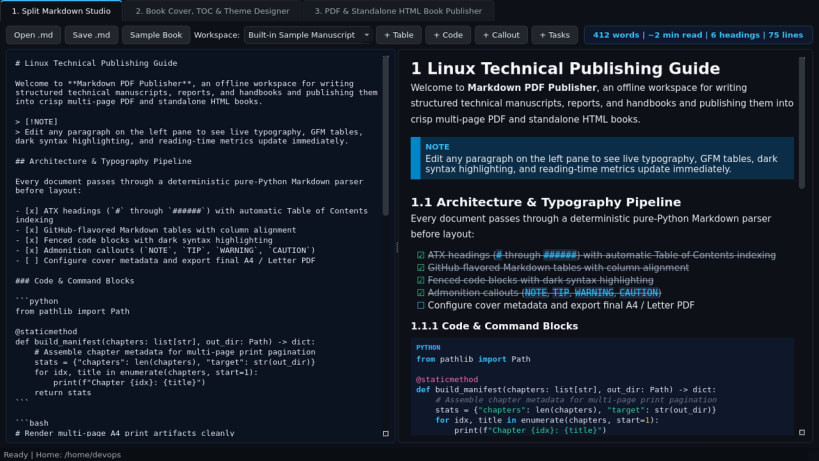
Split Markdown studio, book cover/TOC designer, and multi-page PDF exporter
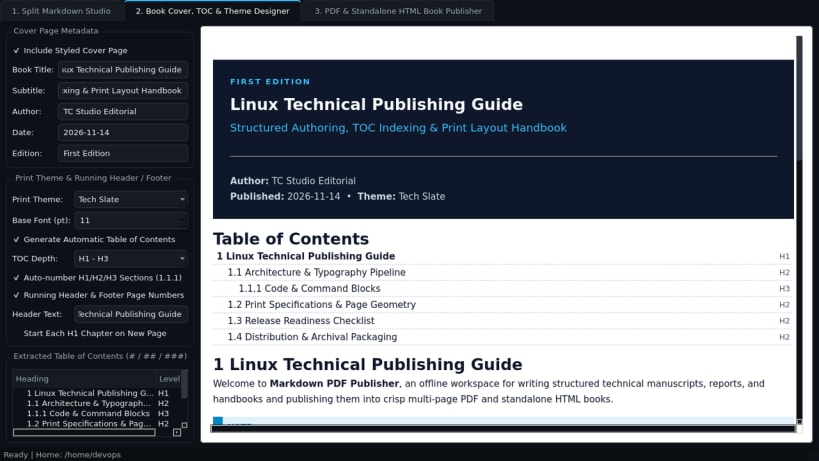
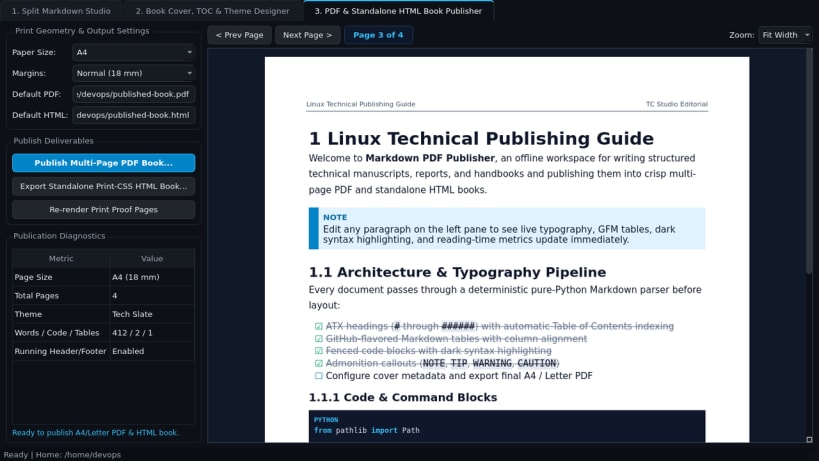
Markdown PDF Publisher is a desktop Markdown authoring studio, book layout designer, and multi-page PDF / standalone HTML book publisher for Linux. Designed for technical writers, documentation authors, and researchers, it combines a live split-pane Markdown editor with automatic Table of Contents extraction, custom cover pages, print-ready typography themes, and vector PDF output.
Key Features:
- Split Markdown Studio: Live dual-pane Markdown editor and rich HTML preview supporting ATX headings, GFM tables, blockquotes, fenced code blocks with dark syntax styling, callout admonitions, task checkboxes, and live word and reading-time counters.
- Book Cover, TOC & Theme Designer: Configurable book cover page (title, subtitle, author, date), automatic Table of Contents built from headings, running header and footer page numbers, and three print themes (Academic Serif, Modern Sans, Tech Slate).
- PDF & Standalone HTML Book Publisher: Renders multi-page A4 or Letter PDF books via Qt print layout and exports self-contained print-CSS HTML books with anchor navigation.
Disclaimer: Markdown PDF Publisher is an independent open-source project by TC Studio and is not affiliated with, endorsed by, or sponsored by Typora.
| Revision | Channel | Version | Build | Commit | Download SBOM |
|---|
The build and commit information is derived from build infrastructure records.
Install Markdown PDF Publisher on your Linux distribution
Choose your Linux distribution to get detailed installation instructions. If yours is not shown, get more details on the installing snapd documentation.


