

Markdown Slide Deck
Install latest/stable of Markdown Slide Deck
Ubuntu 16.04 or later?
Make sure snap support is enabled in your Desktop store.
Install using the command line
sudo snap install markdown-slide-deckDon't have snapd? Get set up for snaps.
Details for Markdown Slide Deck
Package name
- markdown-slide-deck
License
- MIT
Last updated
- Today - latest/stable
Websites
Contact
External link warning
You are about to open
Do you wish to proceed?
Report a Snap Store violation
Report Markdown Slide Deck for a Snap Store violation
Snap Store Violation Report submitted successfully
Thank you for your report. Information you provided will help us investigate further.
Error submitting report
There was an error while sending your report. Please try again later.
Share this snap
Generate an embeddable card to be shared on external websites.
Create, theme, present, and export Markdown slide decks offline
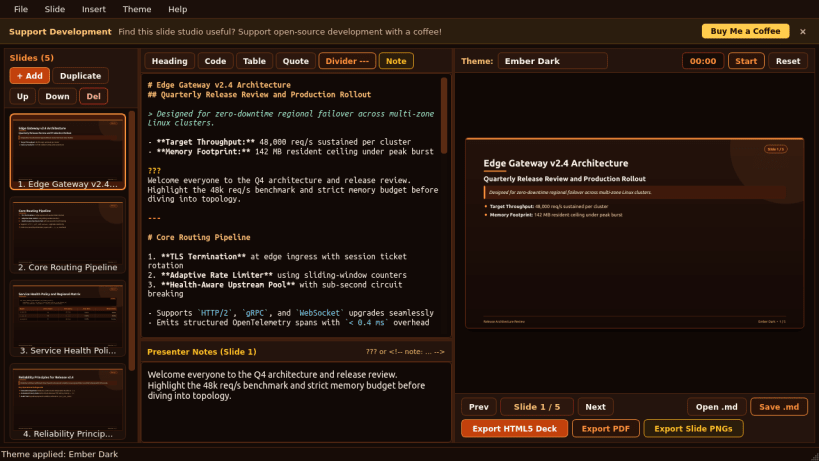
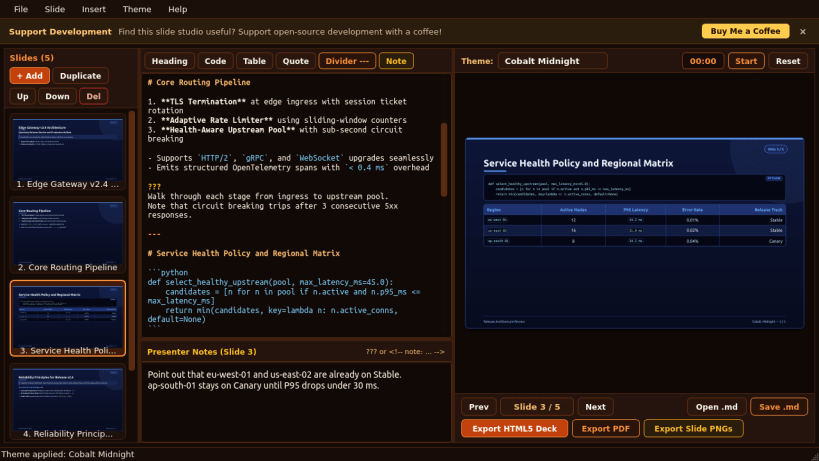
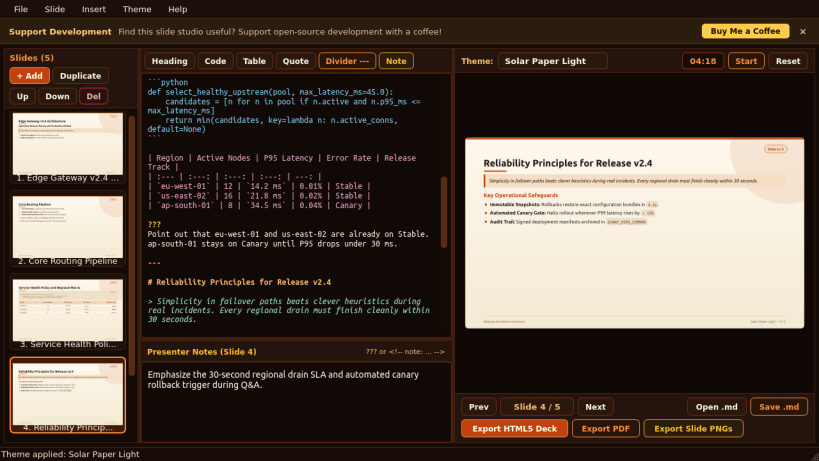
Markdown Slide Deck is a fast, offline presentation studio for Linux desktops that turns plain Markdown documents into crisp 16:9 slide decks with live preview, presenter notes, and multi-format export.
Key features:
- Markdown Deck Parser and 16:9 Vector Canvas: Split slides cleanly on --- dividers and attach per-slide presenter notes with ??? or HTML note comments. Renders headings, styled inline text, bullet and numbered lists, blockquotes, GFM tables, and fenced code blocks with high-DPI typography.
- Six Built-in Visual Themes: Switch instantly between Ember Dark, Nordic Slate, Cobalt Midnight, Solar Paper Light, Emerald Studio, and Mono Charcoal.
- Slide Sorter, Notes, and Timer: Reorder, duplicate, add, or remove slides from the visual thumbnail sorter, write speaker notes alongside your deck, and track rehearsal pacing with the built-in presentation timer.
- Standalone Exports: Export decks as self-contained HTML5 slide shows, multi-page widescreen PDFs, high-resolution PNG slide images, or .md files.
| Revision | Channel | Version | Build | Commit | Download SBOM |
|---|
The build and commit information is derived from build infrastructure records.
Install Markdown Slide Deck on your Linux distribution
Choose your Linux distribution to get detailed installation instructions. If yours is not shown, get more details on the installing snapd documentation.











