

Maze Blast Tactics
Install latest/stable of Maze Blast Tactics
Ubuntu 16.04 or later?
Make sure snap support is enabled in your Desktop store.
Install using the command line
sudo snap install maze-blast-tacticsDon't have snapd? Get set up for snaps.
Details for Maze Blast Tactics
Package name
- maze-blast-tactics
License
- MIT
Last updated
- Yesterday - latest/stable
Websites
Contact
External link warning
You are about to open
Do you wish to proceed?
Report a Snap Store violation
Report Maze Blast Tactics for a Snap Store violation
Snap Store Violation Report submitted successfully
Thank you for your report. Information you provided will help us investigate further.
Error submitting report
There was an error while sending your report. Please try again later.
Share this snap
Generate an embeddable card to be shared on external websites.
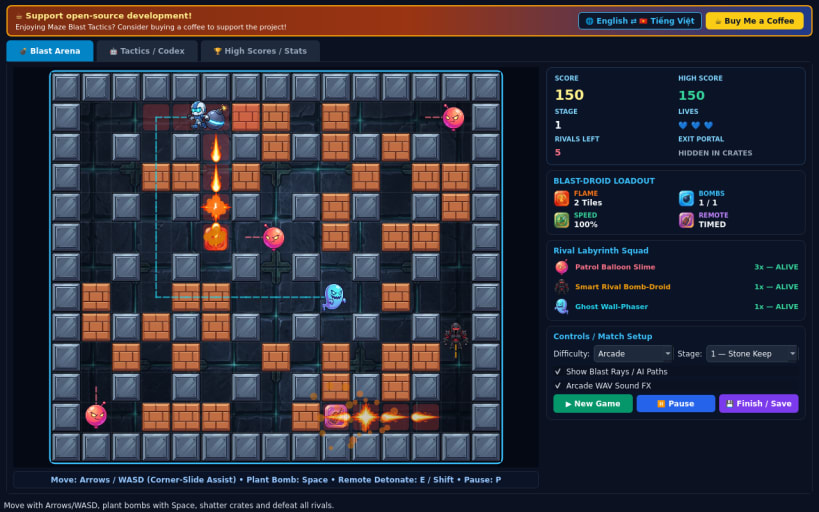
Tactical 2D grid maze bomber game with chain blasts, upgrades, and rival AI
A fast-paced 2D tactical maze bomber game for Linux inspired by Bomberman, featuring custom-illustrated cel-shaded 2D sprites, destructible brick barriers, chain-detonating energy bombs, power-up pickups, synthesized 16-bit PCM WAV sound effects, and intelligent rival bots that flee blast lanes.
Disclaimer: This project is an independent open-source game and is not affiliated with, sponsored by, or endorsed by Konami.
FEATURES
- Grid Blast Tactics & Corner-Slide Assist: smooth 60 FPS movement with edge-rounding assist around steel checkerboard pillars, chain-detonating bombs, and optional Remote Detonator trigger (E or Shift).
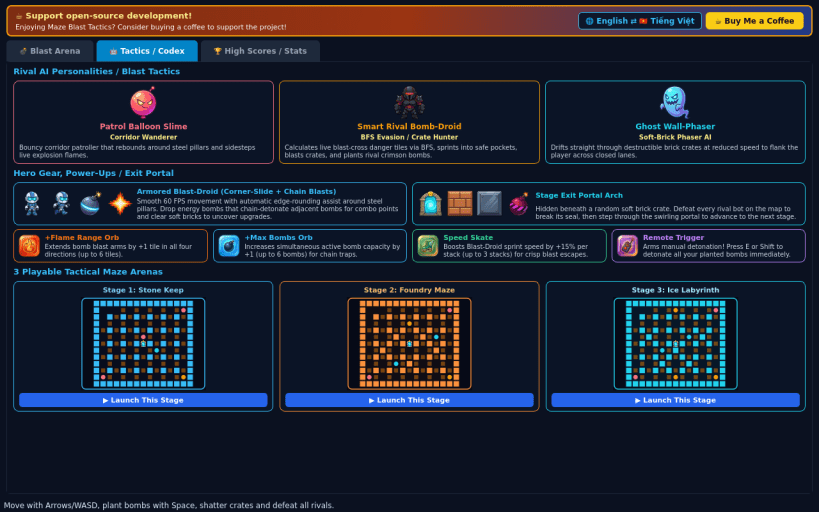
- Power-Ups & Exit Portal: shatter soft brick crates to uncover +Flame Range orbs, +Max Bombs orbs, Speed Skates, Remote Detonators, and the locked Exit Portal that opens once every rival bot is defeated.
- Three Distinct Rival AIs: Patrol Balloon Slime, Smart Rival Bomb-Droid AI (BFS blast-tile evasion and tactical crate blasting), and Ghost Wall-Phaser.
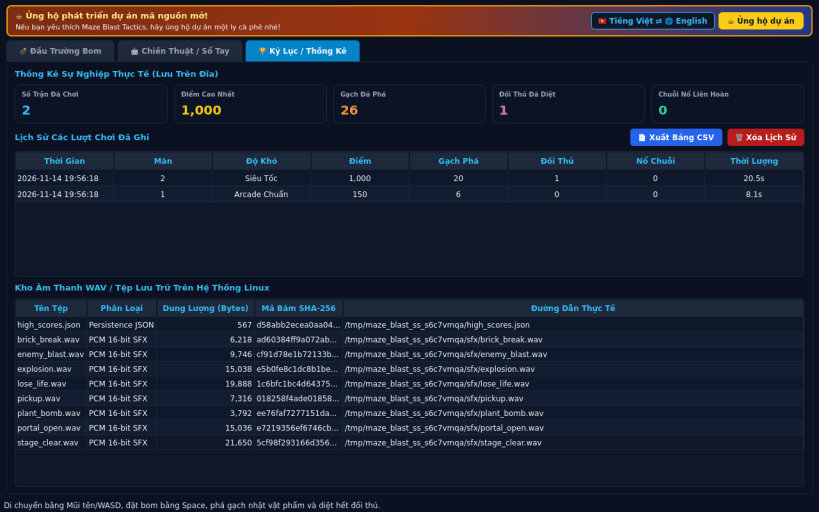
- 3 Stages & 3 Difficulty Tiers: Stone Keep, Foundry Maze, and Ice Labyrinth across Casual, Arcade, and Turbo speeds, with local high-score history, CSV export, and English / Vietnamese UI toggle.
SUPPORT & DONATE
- Open-source development support: https://buymeacoffee.com/thanhnv128b
| Revision | Channel | Version | Build | Commit | Download SBOM |
|---|
The build and commit information is derived from build infrastructure records.
Install Maze Blast Tactics on your Linux distribution
Choose your Linux distribution to get detailed installation instructions. If yours is not shown, get more details on the installing snapd documentation.


