

Media Format Converter (media-format-converter-pro)
Install latest/stable of Media Format Converter
Ubuntu 16.04 or later?
Make sure snap support is enabled in your Desktop store.
Install using the command line
sudo snap install media-format-converter-proDon't have snapd? Get set up for snaps.
Details for Media Format Converter
Package name
- media-format-converter-pro
License
- MIT
Last updated
- Yesterday - latest/stable
Report a Snap Store violation
Report Media Format Converter for a Snap Store violation
Snap Store Violation Report submitted successfully
Thank you for your report. Information you provided will help us investigate further.
Error submitting report
There was an error while sending your report. Please try again later.
Share this snap
Generate an embeddable card to be shared on external websites.
Media Format Converter - all-in-one video, audio & image converter
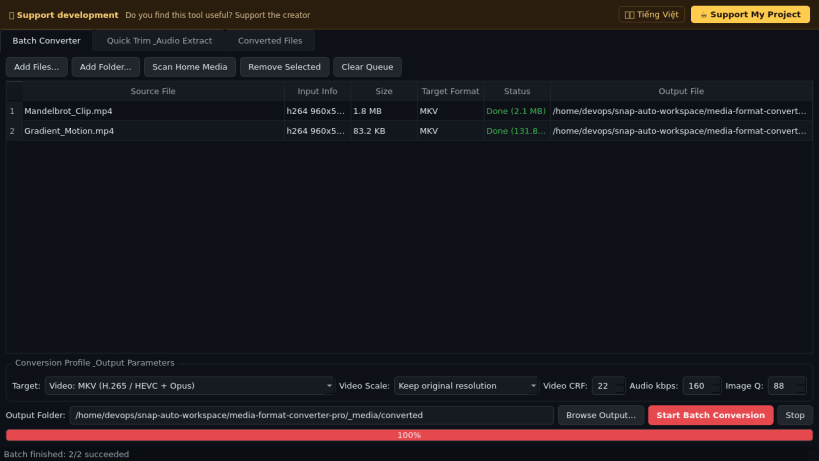
An all-in-one batch converter for video, audio, and image files on Linux. A lightweight Linux alternative to Format Factory for everyday media conversion.
Key features built on bundled FFmpeg and Pillow:
- Video batch conversion to MP4 (H.264 + AAC), MKV (H.265/HEVC + Opus), WebM (VP9 + Opus), AVI (MPEG-4 + MP3), and animated GIF with configurable resolution scaling and CRF quality.
- Audio extraction and conversion to MP3, lossless FLAC, Opus, Ogg Vorbis, WAV PCM, and M4A (AAC).
- Image batch conversion between PNG, JPEG, WebP, BMP, and TIFF with adjustable quality.
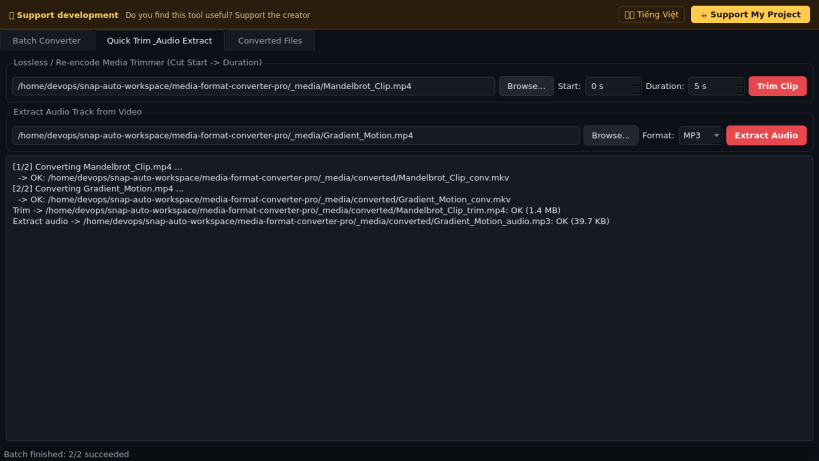
- Quick media trimmer (cut start/duration) and one-click audio track extractor with live log output.
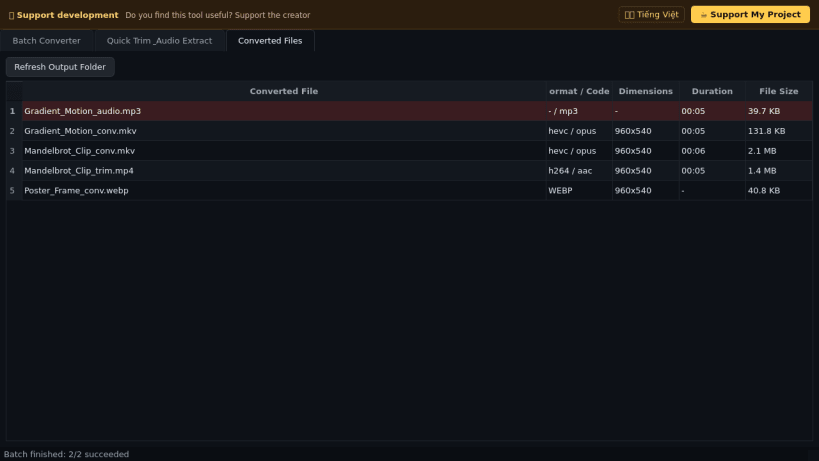
- Converted Files browser inspecting real output codecs, dimensions, duration, and file sizes.
Disclaimer: This project is an independent open-source tool and is not affiliated with, sponsored by, or endorsed by Free Time or the owners of Format Factory.
| Revision | Channel | Version | Build | Commit | Download SBOM |
|---|
The build and commit information is derived from build infrastructure records.
Install Media Format Converter on your Linux distribution
Choose your Linux distribution to get detailed installation instructions. If yours is not shown, get more details on the installing snapd documentation.


