

mediasfu
Install latest/stable of mediasfu
Ubuntu 16.04 or later?
Make sure snap support is enabled in your Desktop store.



Details for mediasfu
Package name
- mediasfu
License
- MIT
Last updated
- 20 May 2026 - latest/stable
Websites
Contact
Report a bug
External link warning
You are about to open
Do you wish to proceed?
Report a Snap Store violation
Report mediasfu for a Snap Store violation
Snap Store Violation Report submitted successfully
Thank you for your report. Information you provided will help us investigate further.
Error submitting report
There was an error while sending your report. Please try again later.
Share this snap
Generate an embeddable card to be shared on external websites.
Video conferencing, webinars, broadcasts, VoIP calls, and collaboration
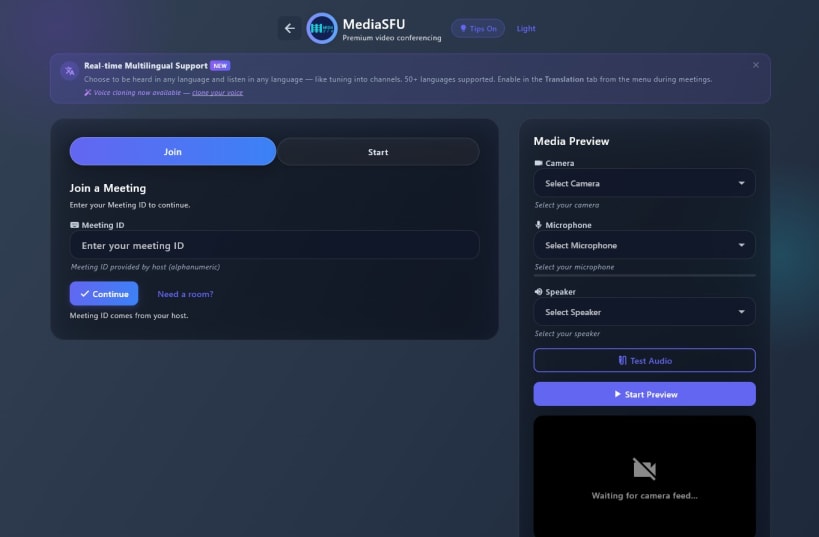
MediaSFU is an all-in-one communication and collaboration platform. Host conferences, webinars, broadcasts, and chat rooms. Make VoIP and SIP calls. Share your screen, collaborate on a real-time whiteboard, schedule events, manage contacts, and more — all from one app.
Event Types:
- Conferences — multi-party video/audio meetings
- Webinars — presenter-focused with audience controls
- Broadcasts — one-to-many live streaming
- Chat Rooms — text-based collaboration
Communication:
- HD video and audio with adaptive quality
- VoIP and SIP calling
- In-call chat and messaging
Collaboration:
- Screen sharing
- Real-time collaborative whiteboard
- Breakout rooms
Management:
- Calendar and event scheduling
- Contact management
- Call recordings and playback
- Campaigns
- AI voice cloning
Learn more at https://mediasfu.com
| Revision | Channel | Version | Build | Commit | Download SBOM |
|---|
The build and commit information is derived from build infrastructure records.
Install mediasfu on your Linux distribution
Choose your Linux distribution to get detailed installation instructions. If yours is not shown, get more details on the installing snapd documentation.











