

melonDS
Install latest/stable of melonDS
Ubuntu 16.04 or later?
Make sure snap support is enabled in your Desktop store.



Details for melonDS
Package name
- melonds
License
- GPL-3.0
Last updated
- 12 September 2022 - latest/stable
- 17 October 2022 - latest/edge
Websites
Contact
External link warning
You are about to open
Do you wish to proceed?
Report a Snap Store violation
Report melonDS for a Snap Store violation
Snap Store Violation Report submitted successfully
Thank you for your report. Information you provided will help us investigate further.
Error submitting report
There was an error while sending your report. Please try again later.
Share this snap
Generate an embeddable card to be shared on external websites.
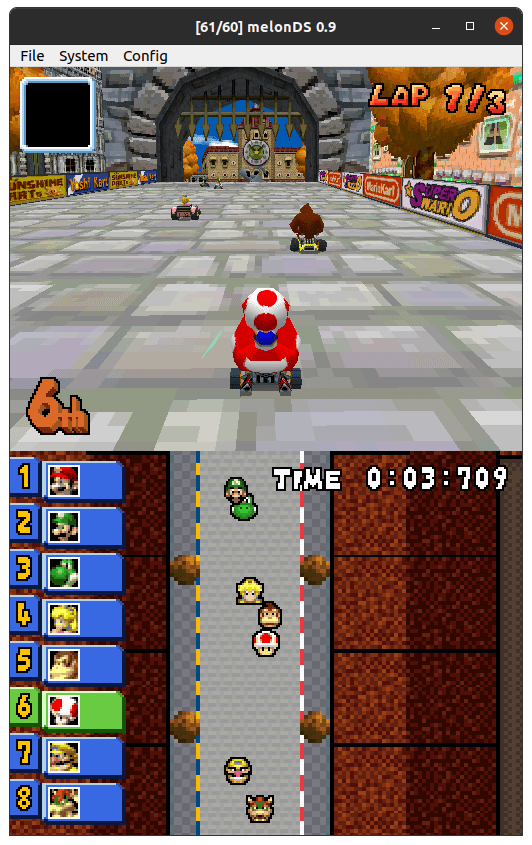
Nintendo DS and DSi emulator
melonDS aims at providing fast and accurate Nintendo DS emulation. While it is still a work in progress, it has a pretty solid set of features:
- Nearly complete core (CPU, video, audio, ...)
- OpenGL renderer, 3D upscaling
- RTC, microphone, lid close/open
- Joystick support
- Savestates
- Various display position/sizing/rotation modes
- Work-in-progress Wi-Fi emulation for online connectivity and local multiplayer
- Experimental emulation of the Nintendo DSi
- and more are planned!
Note: BIOS and firmware files dumped from a real DS or DSi console are required to use melonDS.
--
Disclaimer: This snap is not necessarily endorsed or officially maintained by the upstream developers.
- Upstream Project: http://melonds.kuribo64.net/
- snapcraft.yaml Build Definition: https://github.com/Nightmayr-snaps/melonds-snap/blob/master/snap/snapcraft.yaml
Please report any bugs/issues with this snap here: https://github.com/Nightmayr-snaps/melonds-snap/issues
| Revision | Channel | Version | Build | Commit | Download SBOM |
|---|
The build and commit information is derived from build infrastructure records.
Install melonDS on your Linux distribution
Choose your Linux distribution to get detailed installation instructions. If yours is not shown, get more details on the installing snapd documentation.











