
Modern Tabbed Terminal
Install latest/stable of Modern Tabbed Terminal
Ubuntu 16.04 or later?
Make sure snap support is enabled in your Desktop store.
Install using the command line
sudo snap install modern-tabbed-terminalDon't have snapd? Get set up for snaps.
Details for Modern Tabbed Terminal
Package name
- modern-tabbed-terminal
License
- MIT
Last updated
- Today - latest/stable
Websites
Contact
External link warning
You are about to open
Do you wish to proceed?
Report a Snap Store violation
Report Modern Tabbed Terminal for a Snap Store violation
Snap Store Violation Report submitted successfully
Thank you for your report. Information you provided will help us investigate further.
Error submitting report
There was an error while sending your report. Please try again later.
Share this snap
Generate an embeddable card to be shared on external websites.
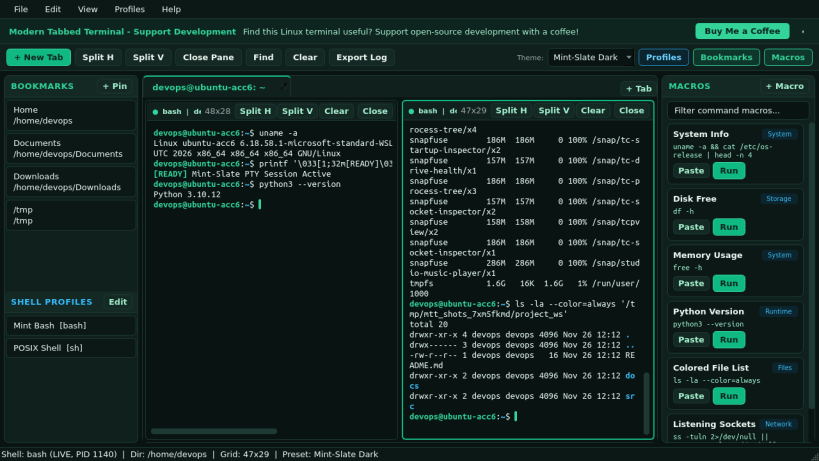
Tabbed Linux terminal console with split panes, ANSI colors, and macros
Modern Tabbed Terminal is a fast, keyboard-centric Linux shell console built with PyQt5, native POSIX PTY sessions, and a responsive Mint-Slate Dark UI. Work across multiple tabs and horizontal or vertical split panes while keeping directory bookmarks, shell profiles, and reusable command macros one click away.
Key features:
- Multi-Tab and Split-Pane Linux PTY Console: Launch interactive bash or sh sessions inside genuine Linux pseudo-terminals with automatic window resize signaling, non-blocking buffered output, and clean teardown.
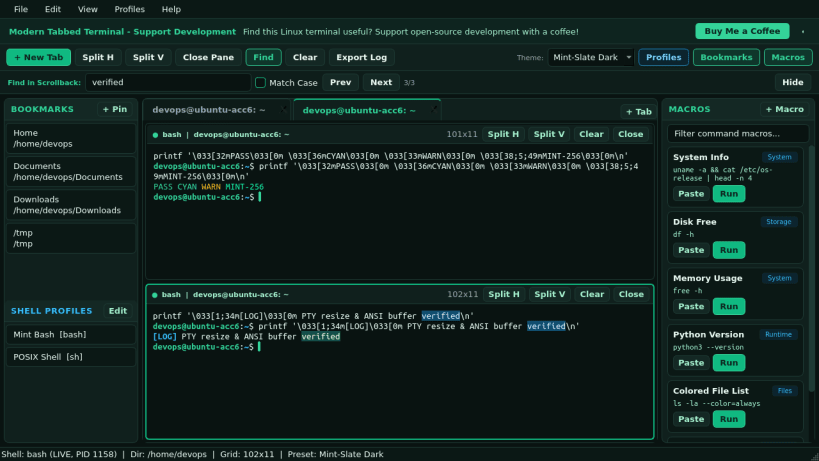
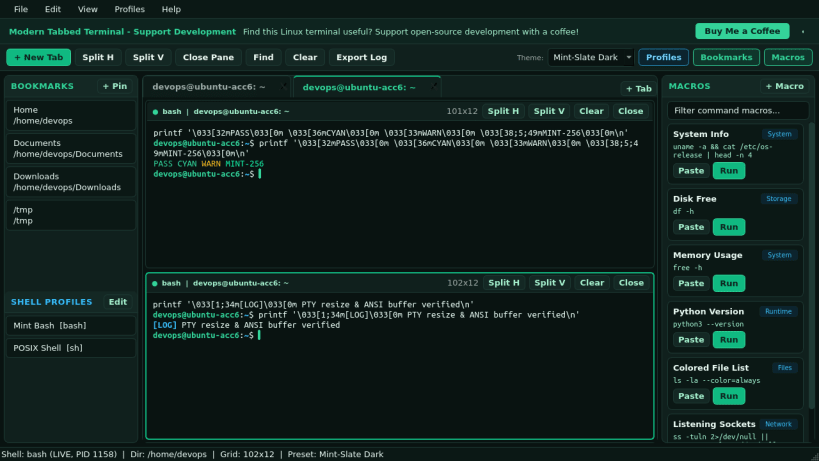
- ANSI and VT100 Color Renderer: Display 16-color, 256-color, and 24-bit RGB terminal output, carriage-return progress updates, alternate screens, and full keyboard escape forwarding including interrupts and arrow keys.
- Configurable Shell Profiles: Save custom profiles in user storage with preferred shell binary, starting folder, color preset, and font size.
- Directory Bookmarks and Command Macros: Jump rapidly to pinned folders from the left sidebar or paste and run reusable command macros from the right drawer.
- Scrollback Search and Transcript Export: Find text across terminal scrollback with live match navigation and export clean plain-text or color-preserved HTML session transcripts.
| Revision | Channel | Version | Build | Commit | Download SBOM |
|---|
The build and commit information is derived from build infrastructure records.
Install Modern Tabbed Terminal on your Linux distribution
Choose your Linux distribution to get detailed installation instructions. If yours is not shown, get more details on the installing snapd documentation.











