

Multi-Host Ping Monitor
Install latest/stable of Multi-Host Ping Monitor
Ubuntu 16.04 or later?
Make sure snap support is enabled in your Desktop store.
Install using the command line
sudo snap install multi-host-ping-monitorDon't have snapd? Get set up for snaps.
Details for Multi-Host Ping Monitor
Package name
- multi-host-ping-monitor
License
- MIT
Last updated
- Today - latest/stable
Report a Snap Store violation
Report Multi-Host Ping Monitor for a Snap Store violation
Snap Store Violation Report submitted successfully
Thank you for your report. Information you provided will help us investigate further.
Error submitting report
There was an error while sending your report. Please try again later.
Share this snap
Generate an embeddable card to be shared on external websites.
Multi-Host Ping Monitor - Live Latency, Loss and Jitter for Many Hosts
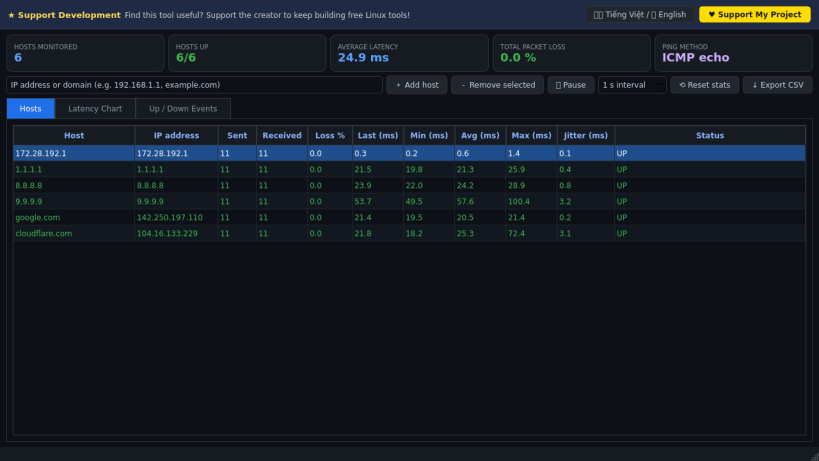
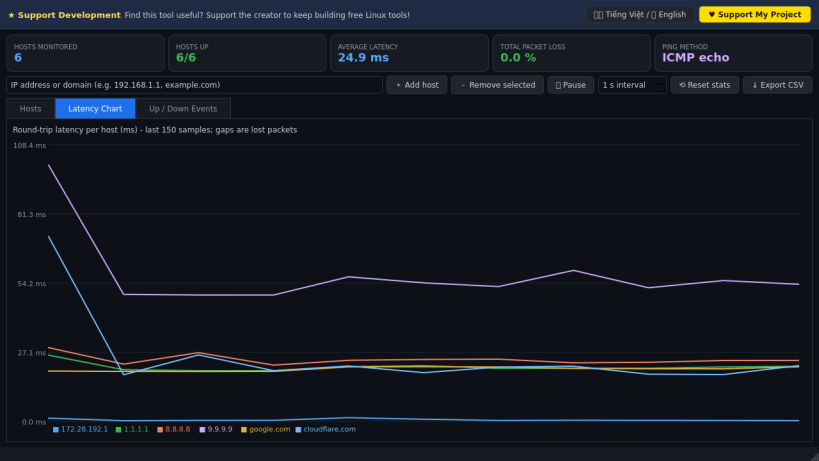
Multi-Host Ping Monitor continuously pings many IP addresses and domain names at once and plots their round-trip latency live. A lightweight Linux alternative to PingInfoView for monitoring several hosts, packet loss and jitter.
Pings are real: unprivileged ICMP echo requests (falling back to the system ping command or a TCP connect round-trip time when ICMP sockets are not allowed). Default hosts include your real default gateway read from /proc/net/route plus well-known public resolvers; you can add or remove any host and the list is remembered.
Key Features:
- Hosts table with sent/received, loss %, last/min/avg/max latency, jitter and UP/DOWN status.
- Live multi-host latency chart; lost packets appear as gaps.
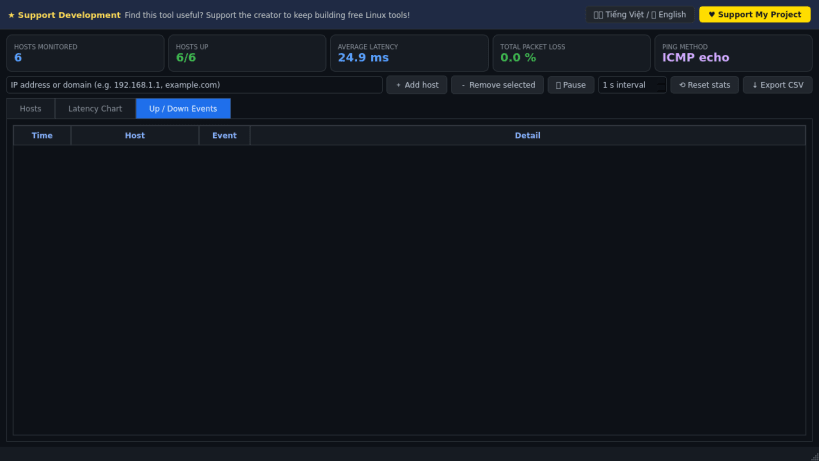
- Up/Down event log with timestamps (DOWN after 3 consecutive timeouts).
- Adjustable interval, pause/resume, reset statistics and CSV export.
- Bilingual donate banner (Vietnamese / English).
Disclaimer: This project is an independent open-source tool and is not affiliated with, sponsored by, or endorsed by NirSoft.
| Revision | Channel | Version | Build | Commit | Download SBOM |
|---|
The build and commit information is derived from build infrastructure records.
Install Multi-Host Ping Monitor on your Linux distribution
Choose your Linux distribution to get detailed installation instructions. If yours is not shown, get more details on the installing snapd documentation.


