

Mutagen Sync Manager
Install latest/stable of Mutagen Sync Manager
Ubuntu 16.04 or later?
Make sure snap support is enabled in your Desktop store.
Install using the command line
sudo snap install mutagen-sync-managerDon't have snapd? Get set up for snaps.
Details for Mutagen Sync Manager
Package name
- mutagen-sync-manager
License
- unset
Last updated
- 15 September 2026 - latest/stable
- 15 September 2026 - latest/beta
Websites
Source code
External link warning
You are about to open
Do you wish to proceed?
Report a Snap Store violation
Report Mutagen Sync Manager for a Snap Store violation
Snap Store Violation Report submitted successfully
Thank you for your report. Information you provided will help us investigate further.
Error submitting report
There was an error while sending your report. Please try again later.
Share this snap
Generate an embeddable card to be shared on external websites.
A modern desktop app for managing Mutagen file synchronization
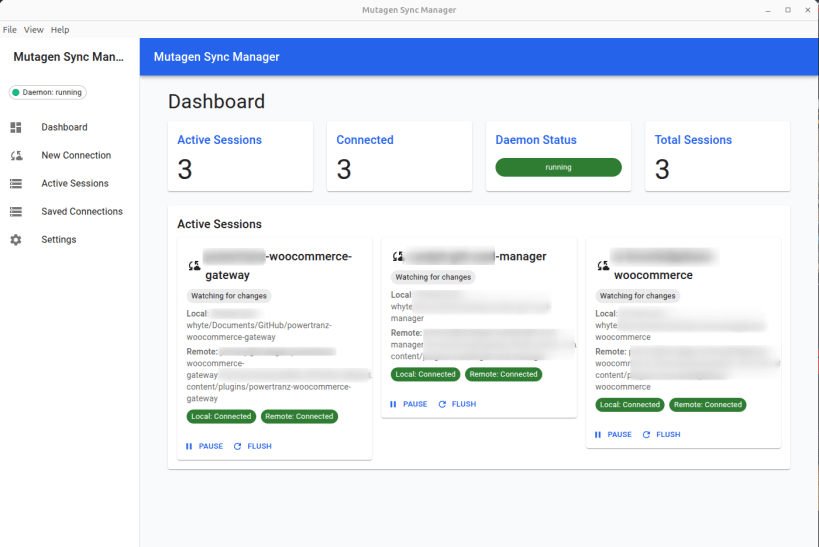
Mutagen Sync Manager is a modern desktop application for managing Mutagen file synchronization sessions with an intuitive graphical interface.
Seamlessly sync files between your local machine and remote servers via SSH.
Key Features:
- Easy Connection Setup - Configure SSH connections with automatic key management and host configuration
- Real-time Monitoring - Watch sync status, conflicts, and connection health at a glance
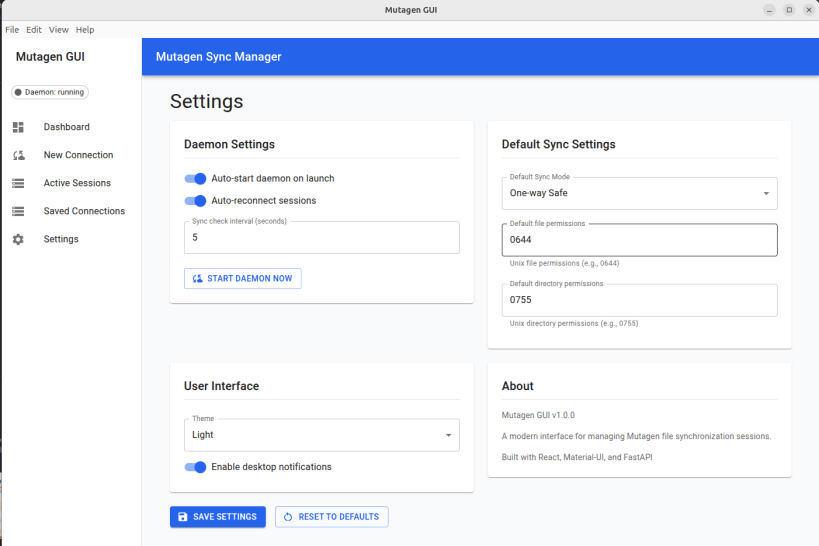
- Multiple Sync Modes - Two-way sync, one-way-safe, and one-way-replica modes
- Conflict Resolution - Visual interface for resolving file conflicts
- Session Management - Pause, resume, flush, and terminate sync sessions
- Import/Export - Backup and restore your connection configurations
Requirements:
- Mutagen CLI must be installed separately: https://mutagen.io/documentation/introduction/
- SSH access to remote servers
Perfect for:
- Web developers syncing code to remote servers
- DevOps engineers managing multiple environments
- Anyone needing reliable bidirectional file sync over SSH
Built with Electron, React, Material-UI, and FastAPI
| Revision | Channel | Version | Build | Commit | Download SBOM |
|---|
The build and commit information is derived from build infrastructure records.
Install Mutagen Sync Manager on your Linux distribution
Choose your Linux distribution to get detailed installation instructions. If yours is not shown, get more details on the installing snapd documentation.











