

nibspark
Install latest/stable of nibspark
Ubuntu 16.04 or later?
Make sure snap support is enabled in your Desktop store.

Details for nibspark
Package name
- nibspark
License
- Proprietary
Last updated
- 2 November 2026 - latest/stable
- Today - latest/edge
Websites
Report a bug
External link warning
You are about to open
Do you wish to proceed?
Report a Snap Store violation
Report nibspark for a Snap Store violation
Snap Store Violation Report submitted successfully
Thank you for your report. Information you provided will help us investigate further.
Error submitting report
There was an error while sending your report. Please try again later.
Share this snap
Generate an embeddable card to be shared on external websites.
Plain Markdown, beautifully written
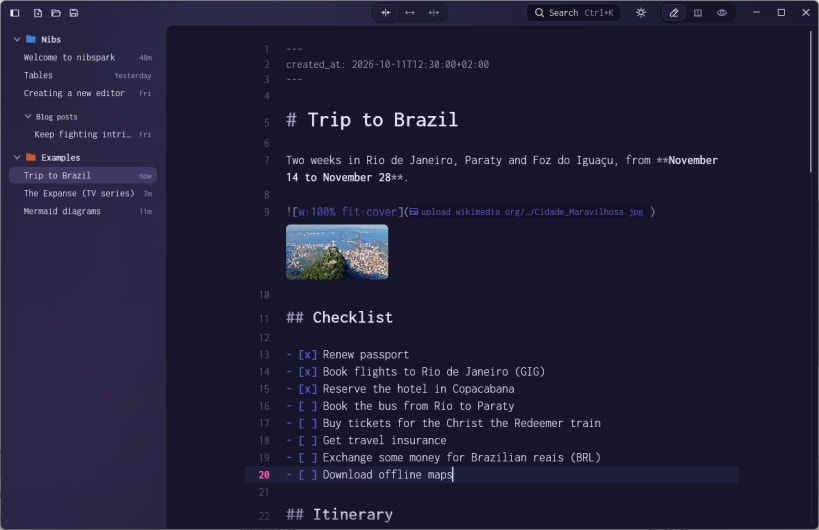
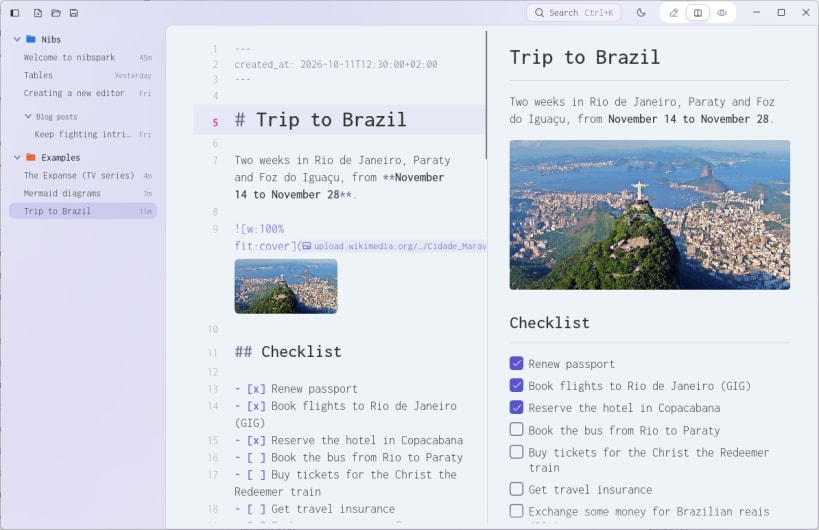
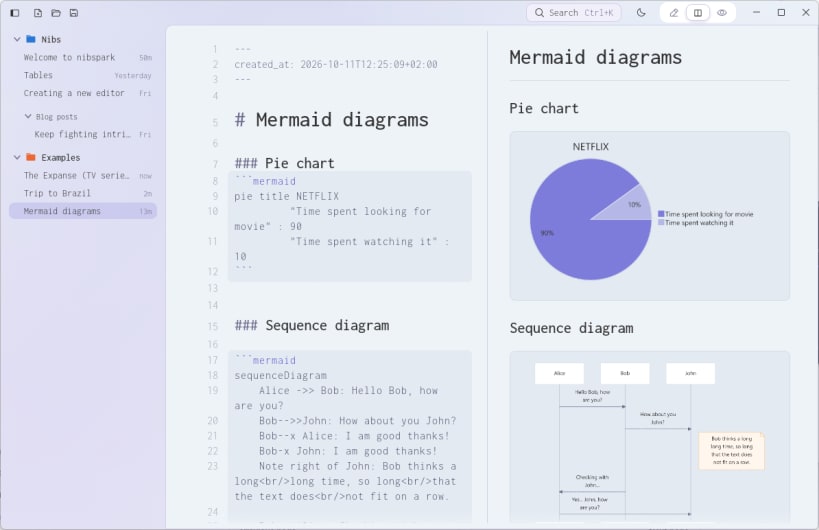
nibspark is a Markdown editor made for writing, not fiddling. Your docs are plain Markdown files that open anywhere and are always yours. In the editor, the syntax stays on screen but fades into the background, so the words come first. Beside it, a live preview shows the finished page as you type, with tables, images, callouts and diagrams drawn the way they'll be read.
Almost everything is a keystroke away. Type / to add a heading, a table or a diagram, open the command palette for any action, and jump between docs without reaching for the mouse. nibspark saves as you go, so you can stay in the flow until the last word.
- A live preview with Mermaid diagrams, callouts and highlights
- Tables that line up as you write them, and images shown as thumbnails
- A toolbar for sizing and placing images, right from their Markdown
- A slash menu, a formatting toolbar and a command palette
- A library of folders, with docs that save themselves
- Light and dark themes, three fonts and an adjustable text size
| Revision | Channel | Version | Build | Commit | Download SBOM |
|---|
The build and commit information is derived from build infrastructure records.
Install nibspark on your Linux distribution
Choose your Linux distribution to get detailed installation instructions. If yours is not shown, get more details on the installing snapd documentation.












