

Nilog Suite (nilog-app)
Install latest/stable of Nilog Suite
Ubuntu 16.04 or later?
Make sure snap support is enabled in your Desktop store.
Details for Nilog Suite
Package name
- nilog-app
License
- Proprietary
Last updated
- 27 March 2025 - latest/stable
Websites
Contact
External link warning
You are about to open
Do you wish to proceed?
Report a Snap Store violation
Report Nilog Suite for a Snap Store violation
Snap Store Violation Report submitted successfully
Thank you for your report. Information you provided will help us investigate further.
Error submitting report
There was an error while sending your report. Please try again later.
Share this snap
Generate an embeddable card to be shared on external websites.
All-in-one business suite
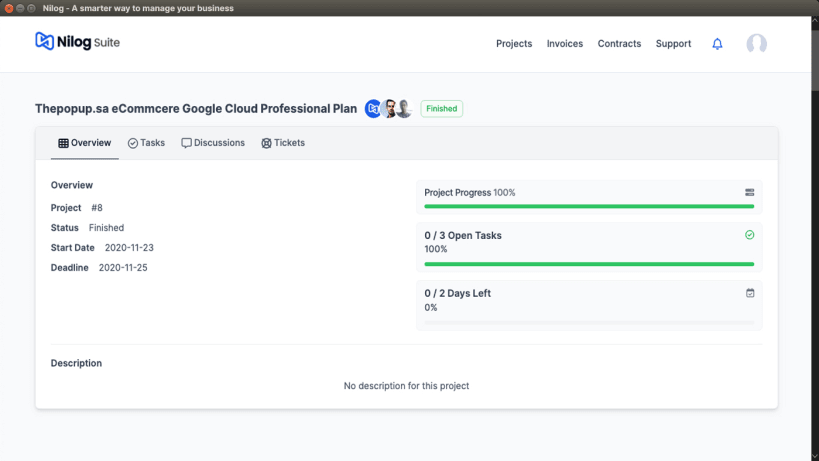
Nilog Suite simplifies cloud-based project management for businesses of all sizes. Whether you're developing mobile apps, web platforms, or software, it streamlines operations with powerful tools for collaboration, invoicing, and customer support.
Key Features:
- ✅ Project & Task Management – Track progress and streamline workflows.
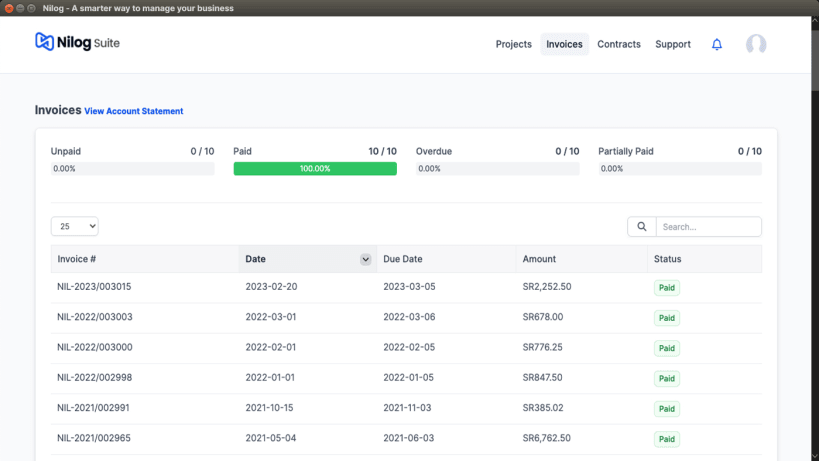
- ✅ Invoices & Payments – View and pay invoices quickly and securely.
- ✅ Estimates & Quotations – Receive and accept professional estimates.
- ✅ Support Tickets – Submit and track support requests with ease.
- ✅ Real-Time Notifications – Get instant updates on important events.
- ✅ Cloud Access & Hosting – Access your data securely anytime, anywhere.
- ✅ App Integrations – Connect with third-party services via Nilog Support.
Nilog Suite+ (For Enterprises):
- 🚀 Contracts & Cloud Storage – Manage agreements securely.
- 🚀 Multi-Branch Support – Perfect for large businesses.
- 🚀 Advanced Security – Role-based access control.
📩 Feedback & Support:** Have suggestions? Contact us at support@nilog.net
Nilog Suite and take your business to the next level!
| Revision | Channel | Version | Build | Commit | Download SBOM |
|---|
The build and commit information is derived from build infrastructure records.
Install Nilog Suite on your Linux distribution
Choose your Linux distribution to get detailed installation instructions. If yours is not shown, get more details on the installing snapd documentation.











