

ollama-webui
Install latest/beta of ollama-webui
Ubuntu 16.04 or later?
Make sure snap support is enabled in your Desktop store.
Install using the command line
sudo snap install ollama-webui --betaDon't have snapd? Get set up for snaps.


Details for ollama-webui
Package name
- ollama-webui
License
- unset
Last updated
- 13 February 2024 - latest/beta
Source code
Report a bug
External link warning
You are about to open
Do you wish to proceed?
Report a Snap Store violation
Report ollama-webui for a Snap Store violation
Snap Store Violation Report submitted successfully
Thank you for your report. Information you provided will help us investigate further.
Error submitting report
There was an error while sending your report. Please try again later.
Share this snap
Generate an embeddable card to be shared on external websites.
ChatGPT-Style Web UI Client for Ollama 🦙
For a more detailed list of features, see https://github.com/ollama-webui/ollama-webui
- 🖥️ Intuitive Interface: Our chat interface takes inspiration from ChatGPT, ensuring a user-friendly experience.
- 📱 Responsive Design: Enjoy a seamless experience on both desktop and mobile devices.
- ⚡ Swift Responsiveness: Enjoy fast and responsive performance.
- 💻 Code Syntax Highlighting: Enjoy enhanced code readability with our syntax highlighting feature.
- ✒️🔢 Full Markdown and LaTeX Support: Elevate your LLM experience with comprehensive Markdown and LaTeX capabilities for enriched interaction.
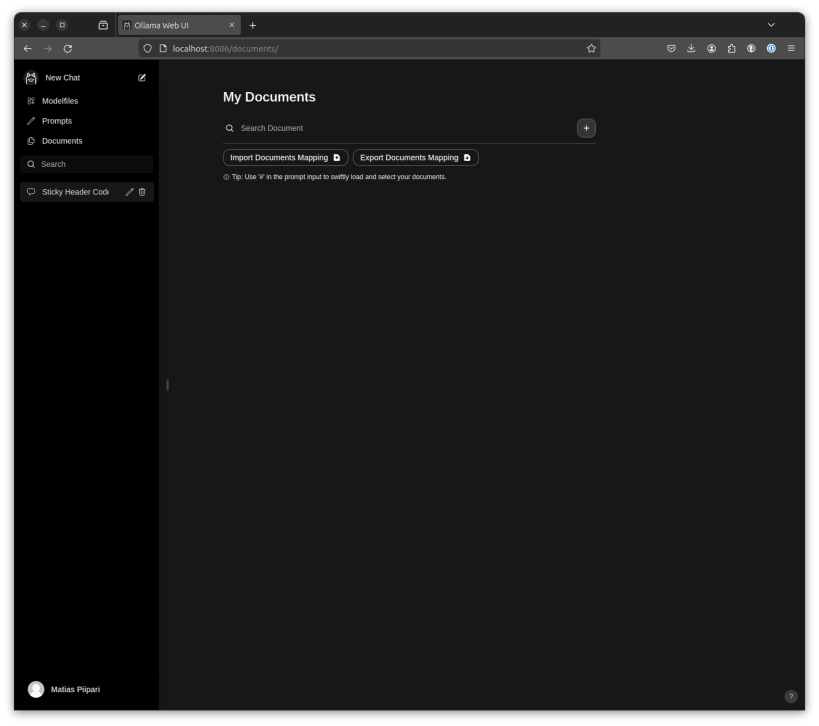
- 📚 Local RAG Integration: Dive into the future of chat interactions with the groundbreaking Retrieval Augmented Generation (RAG) support. This feature seamlessly integrates document interactions into your chat experience. You can load documents directly into the chat or add files to your document library, effortlessly accessing them using
#command in the prompt. - 🌐 Web Browsing Capability: Seamlessly integrate websites into your chat experience using the
#command followed by the URL. This feature allows you to incorporate web content directly into your conversations, enhancing the richness and depth of your interactions. - 📜 Prompt Preset Support: Instantly access preset prompts using the
/command in the chat input. Load predefined conversation starters effortlessly and expedite your interactions. - 👍👎 RLHF Annotation: Empower your messages by rating them with thumbs up and thumbs down, facilitating the creation of datasets for Reinforcement Learning from Human Feedback (RLHF). Utilize your messages to train or fine-tune models, all while ensuring the confidentiality of locally saved data.
- 🏷️ Conversation Tagging: Effortlessly categorize and locate specific chats.
- 📥🗑️ Download/Delete Models: Easily download or remove models directly from the web UI.
- ⬆️ GGUF File Model Creation: Effortlessly create Ollama models by uploading GGUF files directly from the web UI.
- 🤖 Multiple Model Support.
- 🔄 Multi-Modal Support: Seamlessly engage with models that support multimodal interactions, including images (e.g., LLava).
- 🧩 Modelfile Builder: Easily create Ollama modelfiles via the web UI. Create and add characters/agents, customize chat elements, and import modelfiles effortlessly through [OllamaHub](https://ollamahub.com/) integration.
- ⚙️ Many Models Conversations: Effortlessly engage with various models simultaneously, harnessing their unique strengths for optimal responses. Enhance your experience by leveraging a diverse set of models in parallel.
- 💬 Collaborative Chat: Harness the collective intelligence of multiple models by seamlessly orchestrating group conversations. Use the
@command to specify the model, enabling dynamic and diverse dialogues within your chat interface. Immerse yourself in the collective intelligence woven into your chat environment. - 🤝 OpenAI API Integration: Effortlessly integrate OpenAI-compatible API for versatile conversations alongside Ollama models. Customize the API Base URL to link with LMStudio, Mistral, OpenRouter, and more.
- 🔄 Regeneration History Access.
- 📜 Chat History.
- 📤📥 Import/Export Chat History.
- 🗣️ Voice Input Support: Engage with your model through voice interactions.
- ⚙️ Fine-Tuned Control with Advanced Parameters: Gain a deeper level of control by adjusting parameters such as temperature and defining your system prompts to tailor the conversation to your specific preferences and needs.
- 🔗 External Ollama Server Connection: link to an external Ollama server hosted on a different address.
- 🔐 Role-Based Access Control (RBAC).
| Revision | Channel | Version | Build | Commit | Download SBOM |
|---|
The build and commit information is derived from build infrastructure records.
Install ollama-webui on your Linux distribution
Choose your Linux distribution to get detailed installation instructions. If yours is not shown, get more details on the installing snapd documentation.











