


Install latest/stable of Omnidict - offline dictionary
Ubuntu 16.04 or later?
Make sure snap support is enabled in your Desktop store.

Details for Omnidict - offline dictionary
Package name
- omnidict
License
- GPL-3.0-or-later
Last updated
- Yesterday - latest/stable
- Yesterday - latest/edge
Websites
Contact
Donations
Source code
Report a bug
External link warning
You are about to open
Do you wish to proceed?
Report a Snap Store violation
Report Omnidict - offline dictionary for a Snap Store violation
Snap Store Violation Report submitted successfully
Thank you for your report. Information you provided will help us investigate further.
Error submitting report
There was an error while sending your report. Please try again later.
Share this snap
Generate an embeddable card to be shared on external websites.
Offline dictionary for any language, with 600+ free dictionaries
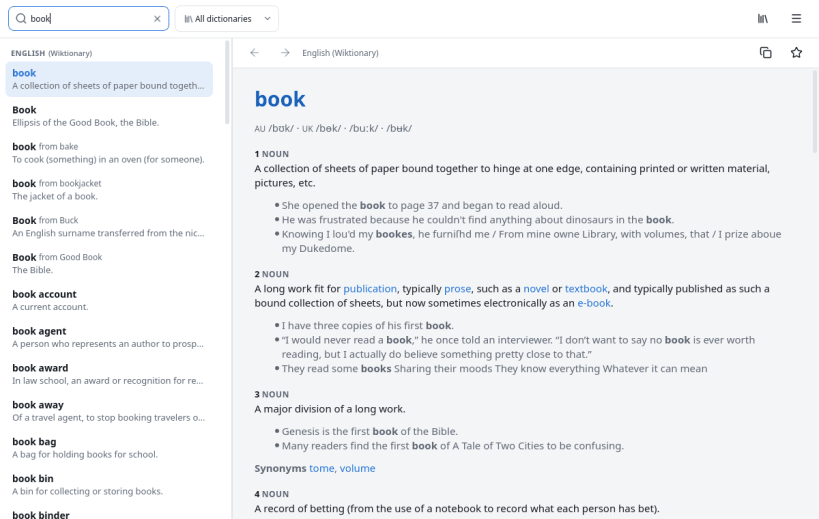
Omnidict is a fast offline dictionary for the Linux desktop. Choose from more than six hundred free dictionaries in hundreds of languages, download the ones you need once, and look words up instantly, without an internet connection.
A dictionary for every language
- English dictionary and thesaurus: English Wiktionary definitions, and English WordNet with synonyms, antonyms and related words.
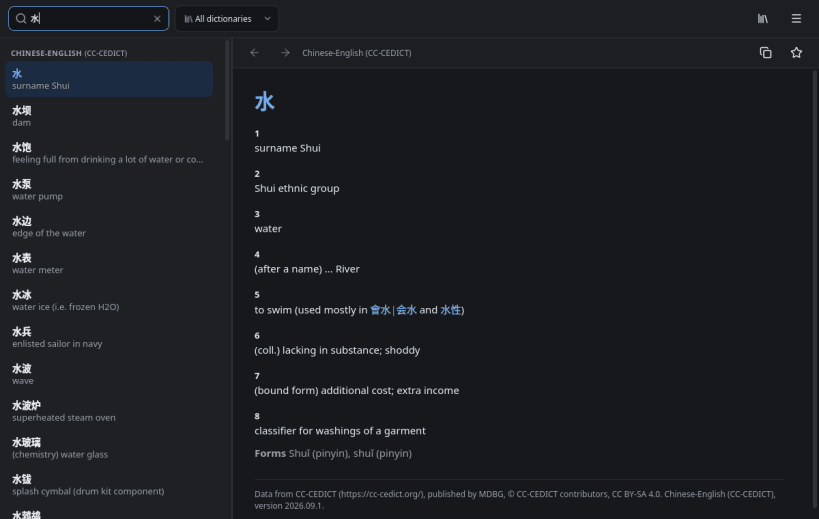
- Wiktionary for over three hundred languages: Spanish, French, German, Italian, Portuguese, Russian, Hindi, Arabic, Japanese, Chinese, Korean, Turkish and many more, each explained in English.
- Historical languages too: Latin, Ancient Greek, Old English, Sanskrit and Old Norse.
- Hundreds of bilingual FreeDict dictionaries, such as German-English, English-French and Spanish-Portuguese.
- JMdict Japanese dictionary, CC-CEDICT Chinese dictionary and Kengdic Korean dictionary.
- Filter the catalogue by language and provider, and see each dictionary's size and number of entries before you download.
Look words up quickly
- Word lookup as you type, results grouped by dictionary with the best match first.
- Accents are optional, and an inflected form finds its entry: ran finds run.
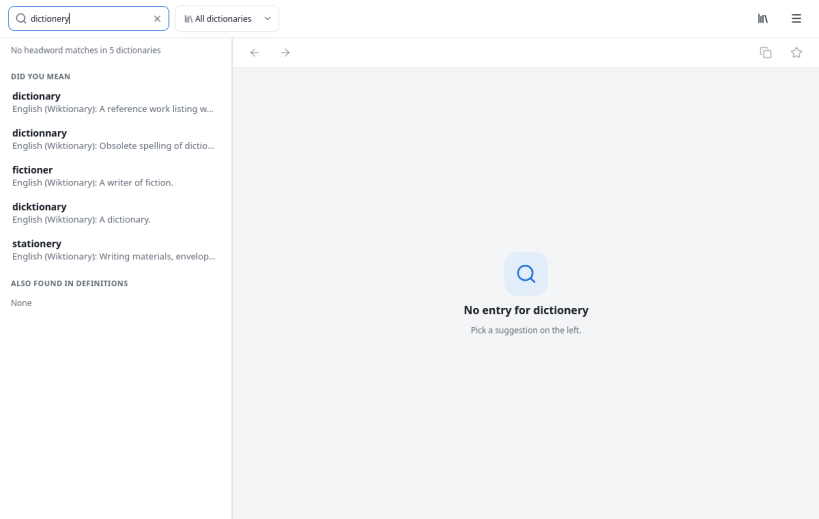
- "Did you mean" spelling suggestions for misspelled words, in every script.
- Wildcards:
?for one letter,*for any run of letters. - Full text search finds words used inside definitions.
- Links between entries, with Back and Forward as in a browser.
Made for learning and everyday use
- Favourites and recent lookups to build your vocabulary.
- Reorder dictionaries, switch them off, update or remove them.
- Light and dark themes that follow the desktop, and an adjustable text size.
- Keyboard shortcuts for everything.
- Private: no tracking, nothing is sent anywhere; the only network use is downloading dictionaries.
Bugs and requests: https://github.com/keshavbhatt/omnidict/issues
| Revision | Channel | Version | Build | Commit | Download SBOM |
|---|
The build and commit information is derived from build infrastructure records.
Install Omnidict - offline dictionary on your Linux distribution
Choose your Linux distribution to get detailed installation instructions. If yours is not shown, get more details on the installing snapd documentation.












