
Install latest/stable of openstickies
Ubuntu 16.04 or later?
Make sure snap support is enabled in your Desktop store.
Install using the command line
sudo snap install openstickiesDon't have snapd? Get set up for snaps.
You are about to open
Do you wish to proceed?
Thank you for your report. Information you provided will help us investigate further.
There was an error while sending your report. Please try again later.
Generate an embeddable card to be shared on external websites.
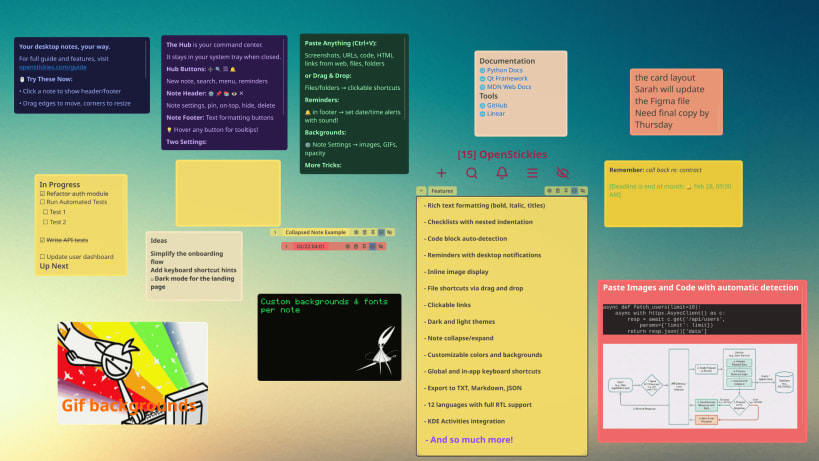
Desktop sticky notes that stay visible while you work.
Features:
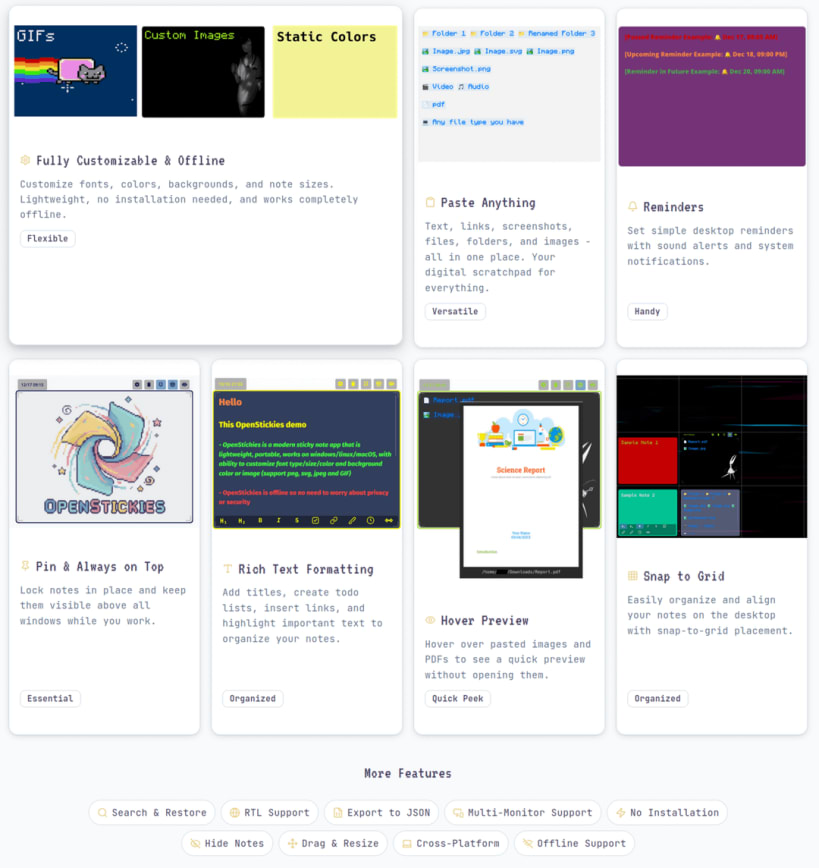
• Fully customizable: font, color, size, background images/GIFs
• Drag files and folders in, rename them, drag them back out
• Hover over images and PDFs to quick preview them
• Automatic code detection when pasting (~50ms)
• Snap to grid for organizing stickies on desktop
• Customize local and global keyboard shortcuts
• Always on top, pin notes to lock position and content
• Export to TXT, Markdown, or JSON — no vendor lock
• 11 languages including RTL Arabic
• Multi-monitor support
Free version: 5 notes, 1 active reminder, 1 GIF background.
Unlimited at https://openstickies.com/pricing
| Revision | Channel | Version | Build | Commit |
|---|
The build and commit information is derived from build infrastructure records.
Choose your Linux distribution to get detailed installation instructions. If yours is not shown, get more details on the installing snapd documentation.












