

Install latest/stable of OPolyglot offline translator
Ubuntu 16.04 or later?
Make sure snap support is enabled in your Desktop store.
Details for OPolyglot offline translator
Package name
- opolyglot
License
- Apache-2.0
Last updated
- 14 August 2026 - latest/stable
- 14 August 2026 - latest/edge
Websites
Source code
Report a bug
External link warning
You are about to open
Do you wish to proceed?
Report a Snap Store violation
Report OPolyglot offline translator for a Snap Store violation
Snap Store Violation Report submitted successfully
Thank you for your report. Information you provided will help us investigate further.
Error submitting report
There was an error while sending your report. Please try again later.
Share this snap
Generate an embeddable card to be shared on external websites.
Your Private Offline Translator
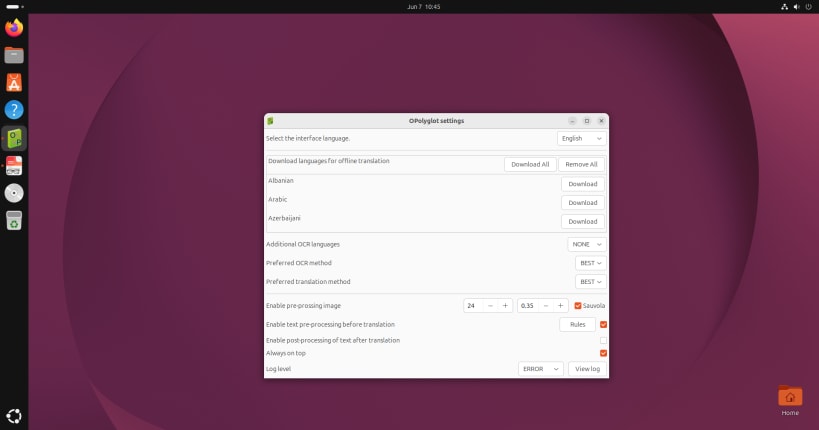
OPolyglot is a fast and fully offline translator that respects your privacy. The application is powered by the robust Bergamot engine, allowing you to perform all translations locally on your device without the need for an internet connection. At the current stage of development, OPolyglot offers three key features:
- Implemented language downloading via libcurl.
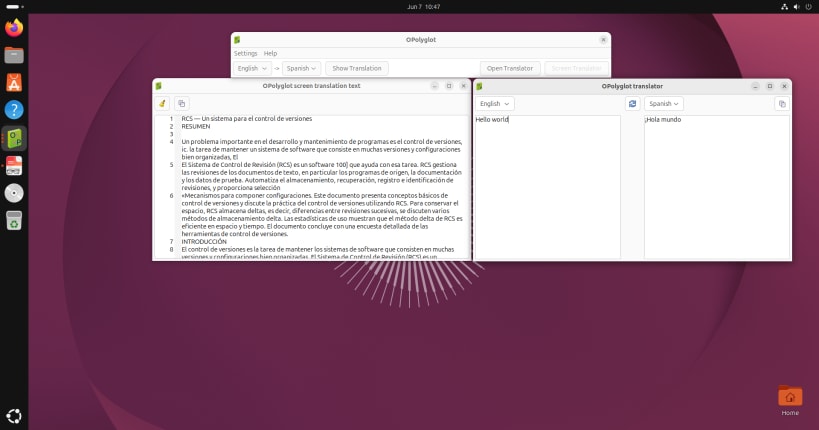
- Simple Translator: A convenient tool for classic translation of typed or copied text.
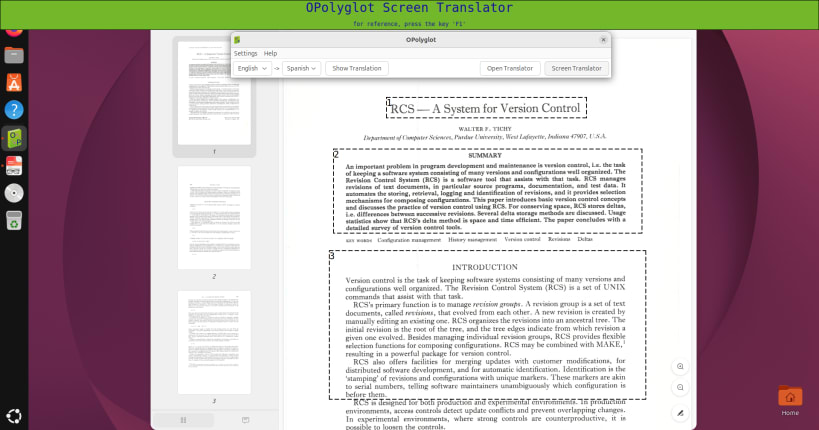
- Screen Translator: A smart feature that allows you to take a screenshot of any screen area, automatically recognize the text (OCR), and instantly translate it. OPolyglot is an excellent assistant for reading foreign documents, playing games, or working with unlocalized applications, all while keeping your data completely secure.
| Revision | Channel | Version | Build | Commit | Download SBOM |
|---|
The build and commit information is derived from build infrastructure records.
Install OPolyglot offline translator on your Linux distribution
Choose your Linux distribution to get detailed installation instructions. If yours is not shown, get more details on the installing snapd documentation.











