
PDF Merge Split Desk
Install latest/stable of PDF Merge Split Desk
Ubuntu 16.04 or later?
Make sure snap support is enabled in your Desktop store.
Install using the command line
sudo snap install pdf-merge-split-deskDon't have snapd? Get set up for snaps.
Details for PDF Merge Split Desk
Package name
- pdf-merge-split-desk
License
- Apache-2.0
Last updated
- Today - latest/stable
Websites
Contact
External link warning
You are about to open
Do you wish to proceed?
Report a Snap Store violation
Report PDF Merge Split Desk for a Snap Store violation
Snap Store Violation Report submitted successfully
Thank you for your report. Information you provided will help us investigate further.
Error submitting report
There was an error while sending your report. Please try again later.
Share this snap
Generate an embeddable card to be shared on external websites.
Offline PDF toolkit to merge, split, rotate, reorder & optimize PDF pages
PDF Merge Split Desk is a fast, offline desktop PDF workspace for Linux combining document assembly, visual page organization, stream optimization, document passcode management, and image conversion without uploading files.
Key features:
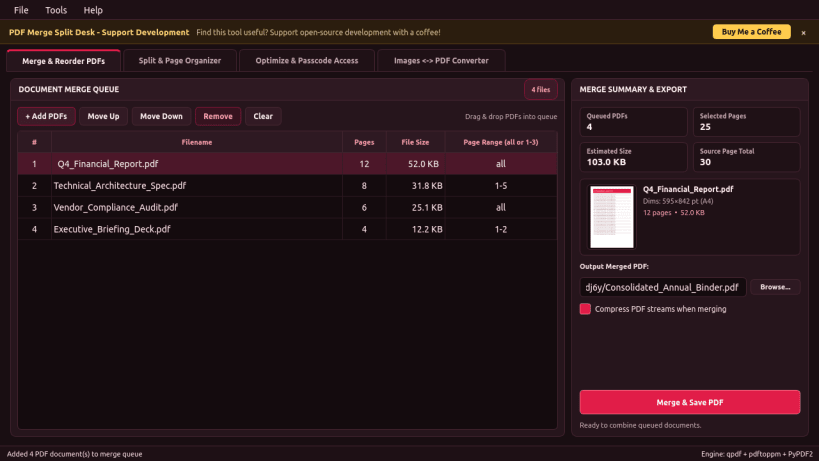
- Merge & Reorder PDFs: Queue multiple PDF documents with page counts, dimensions, and file sizes, specify custom page ranges (such as 1-3 or all), reorder entries cleanly, and combine them into one output PDF.
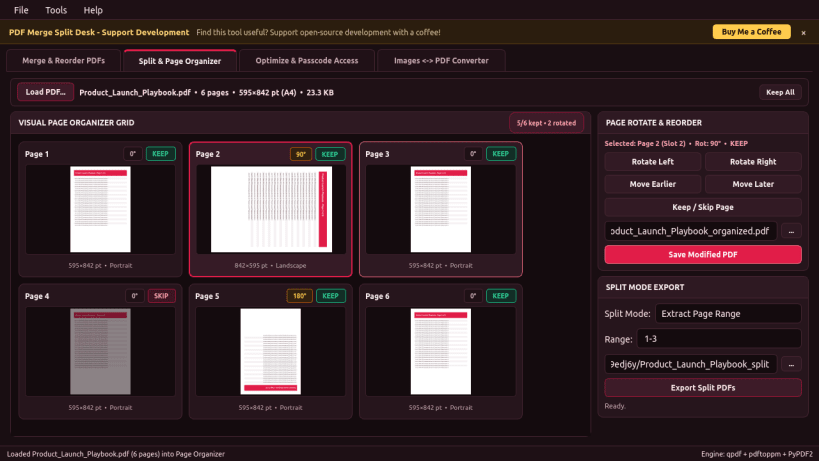
- Split & Page Organizer: Inspect any PDF in a visual page tile grid with rendered previews, rotate individual pages left or right, keep or skip selected pages, reorder page sequence, extract ranges, split every N pages, or explode a document into single-page PDFs.
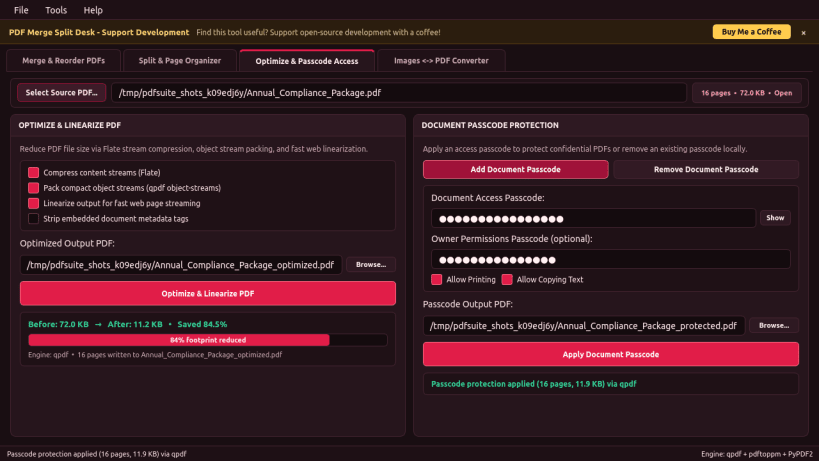
- Optimize & Passcode Access: Reduce PDF file footprint via stream compression, object stream packing, and fast web linearization, or apply and remove Document Passcode Protection locally.
- Images & PDF Converter: Build multi-page A4, Letter, or Fit-to-Image PDFs from batches of PNG, JPEG, and WebP images with configurable margins, or export PDF pages to PNG, JPEG, and WebP images at 100, 150, or 300 DPI.
| Revision | Channel | Version | Build | Commit | Download SBOM |
|---|
The build and commit information is derived from build infrastructure records.
Install PDF Merge Split Desk on your Linux distribution
Choose your Linux distribution to get detailed installation instructions. If yours is not shown, get more details on the installing snapd documentation.











