

PDF Split and Merger (pdf-split-merger)
Install latest/stable of PDF Split and Merger
Ubuntu 16.04 or later?
Make sure snap support is enabled in your Desktop store.
Install using the command line
sudo snap install pdf-split-mergerDon't have snapd? Get set up for snaps.
Details for PDF Split and Merger
Package name
- pdf-split-merger
License
- MIT
Last updated
- Yesterday - latest/stable
Report a Snap Store violation
Report PDF Split and Merger for a Snap Store violation
Snap Store Violation Report submitted successfully
Thank you for your report. Information you provided will help us investigate further.
Error submitting report
There was an error while sending your report. Please try again later.
Share this snap
Generate an embeddable card to be shared on external websites.
Multi-PDF page combiner, visual thumbnail reorderer, and PDF splitter
PDF Split and Merger is an offline desktop PDF assembly and extraction tool for Linux built with PyQt5, PyPDF2, and Poppler utilities. Organize multiple PDF documents in an interactive queue, preview rendered page thumbnails, and extract or split page ranges cleanly without uploading files online.
Key Features:
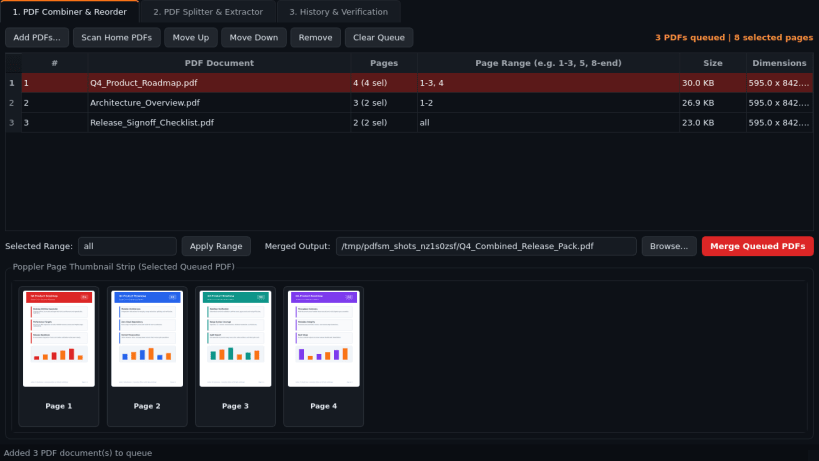
- PDF Combiner and Reorder: Queue multiple PDF documents with instant page counts, assign per-file custom page ranges (such as 1-3, 5, 8-end), reorder documents via drag-and-drop or toolbar buttons, inspect live Poppler rendered page thumbnail strips, and merge into one clean PDF.
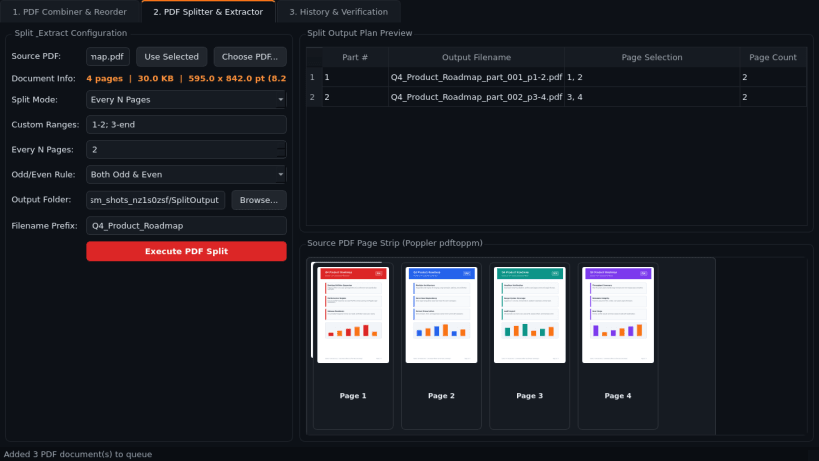
- PDF Splitter and Extractor: Split any selected PDF by custom page ranges, fixed intervals (every N pages), odd/even page separation, or burst every page into individual single-page PDF files.
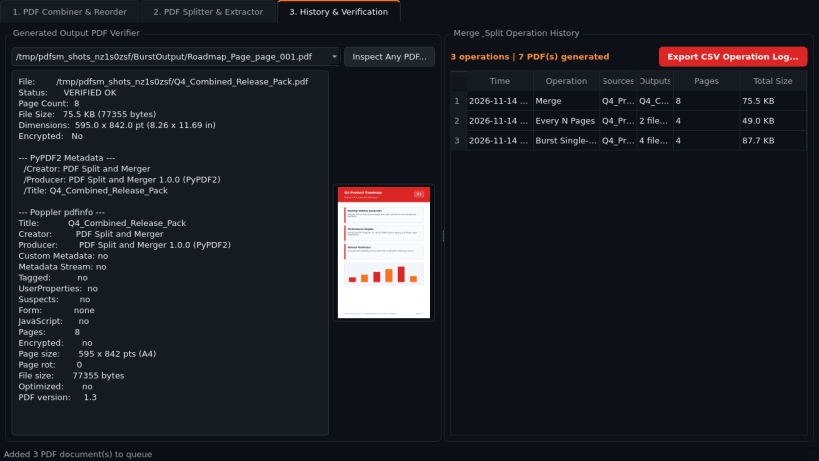
- History and Output Verifier: Inspect generated PDF page counts, byte sizes, page dimensions, and document metadata, and export a full CSV audit log of every merge or split operation.
Disclaimer: PDF Split and Merger is an independent open-source project by TC Studio and is not affiliated with, endorsed by, or sponsored by PDFsam.
| Revision | Channel | Version | Build | Commit | Download SBOM |
|---|
The build and commit information is derived from build infrastructure records.
Install PDF Split and Merger on your Linux distribution
Choose your Linux distribution to get detailed installation instructions. If yours is not shown, get more details on the installing snapd documentation.


