

PDF to Image Exporter
Install latest/stable of PDF to Image Exporter
Ubuntu 16.04 or later?
Make sure snap support is enabled in your Desktop store.
Install using the command line
sudo snap install pdf-to-image-exporterDon't have snapd? Get set up for snaps.
Details for PDF to Image Exporter
Package name
- pdf-to-image-exporter
License
- MIT
Last updated
- Yesterday - latest/stable
Report a Snap Store violation
Report PDF to Image Exporter for a Snap Store violation
Snap Store Violation Report submitted successfully
Thank you for your report. Information you provided will help us investigate further.
Error submitting report
There was an error while sending your report. Please try again later.
Share this snap
Generate an embeddable card to be shared on external websites.
High-DPI PDF page rasterizer, image format converter, and batch ZIP archiver
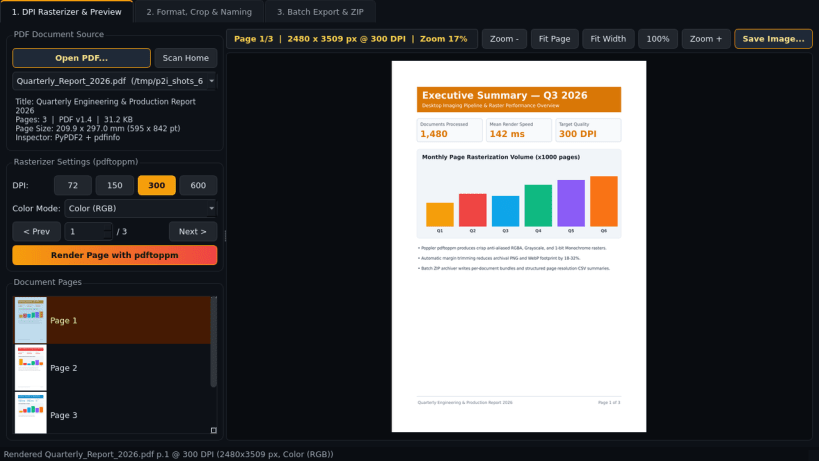
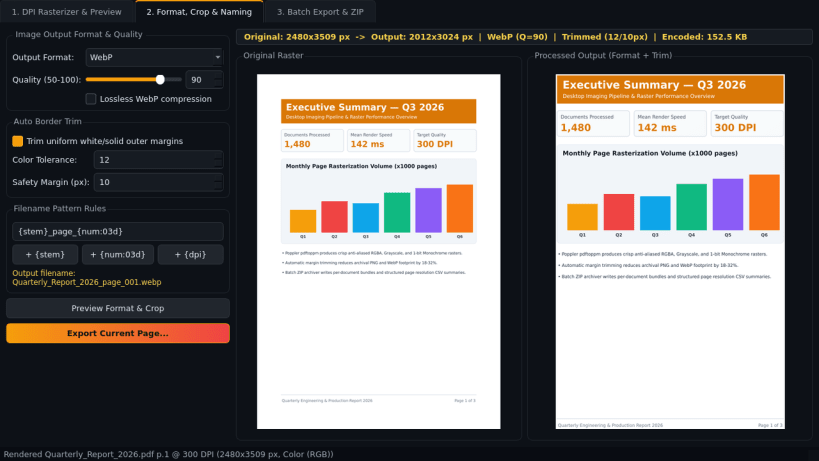
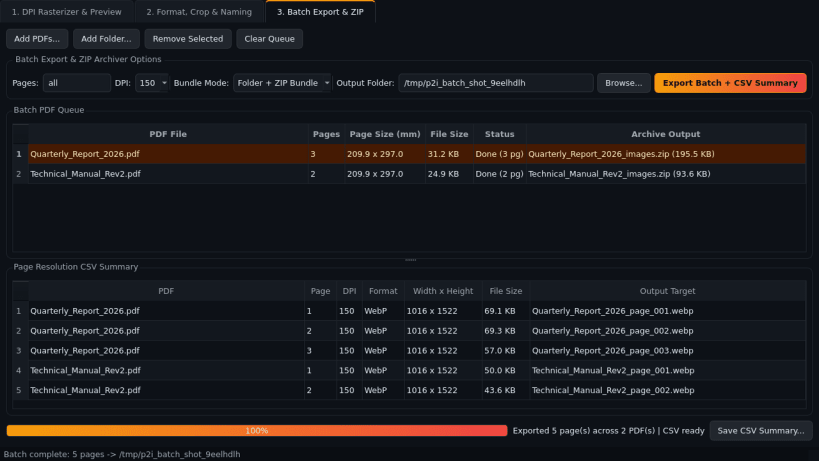
PDF to Image Exporter is an offline Linux desktop utility for rendering PDF documents into high-resolution PNG, JPEG, WebP, and TIFF images using Poppler and PyPDF2 without uploading documents to external servers.
Key Features:
- DPI Rasterizer & Live Page Preview: Inspects PDF page counts, dimensions, and metadata via PyPDF2 and pdfinfo, renders pages with pdftoppm at 72, 150, 300, or 600 DPI in Color, Grayscale, or Monochrome mode, and provides a zoomable preview canvas with page thumbnails.
- Format, Border Trim & Naming Rules: Converts rendered pages to PNG, JPEG (quality 50-100), WebP (lossy or lossless), or compressed TIFF with automatic uniform margin trimming and customizable filename patterns such as {stem}page{num:03d}.
- Batch PDF-to-Images & ZIP Archiver: Queues multiple PDFs for folder export or per-document ZIP bundles alongside a detailed page resolution CSV report.
Disclaimer: PDF to Image Exporter is an independent open-source project by TC Studio and is not affiliated with, endorsed by, or sponsored by any third-party PDF conversion vendor.
| Revision | Channel | Version | Build | Commit | Download SBOM |
|---|
The build and commit information is derived from build infrastructure records.
Install PDF to Image Exporter on your Linux distribution
Choose your Linux distribution to get detailed installation instructions. If yours is not shown, get more details on the installing snapd documentation.


