
Pebble Creek Zigbee Plus
Contact us about Snaps and IoT ›
Install latest/stable of Pebble Creek Zigbee Plus
Ubuntu 16.04 or later?
Make sure snap support is enabled in your Desktop store.
Install using the command line
sudo snap install pebble-creek-zigbee-plusDon't have snapd? Get set up for snaps.
Details for Pebble Creek Zigbee Plus
Package name
- pebble-creek-zigbee-plus
License
- Apache-2.0 AND EPL-2.0 AND GPL-3.0-only AND MIT
Last updated
- Today - latest/stable
Websites
Contact
External link warning
You are about to open
Do you wish to proceed?
Report a Snap Store violation
Report Pebble Creek Zigbee Plus for a Snap Store violation
Snap Store Violation Report submitted successfully
Thank you for your report. Information you provided will help us investigate further.
Error submitting report
There was an error while sending your report. Please try again later.
Share this snap
Generate an embeddable card to be shared on external websites.
Turn a cheap single-board computer into a plug-and-play smart home radio hub
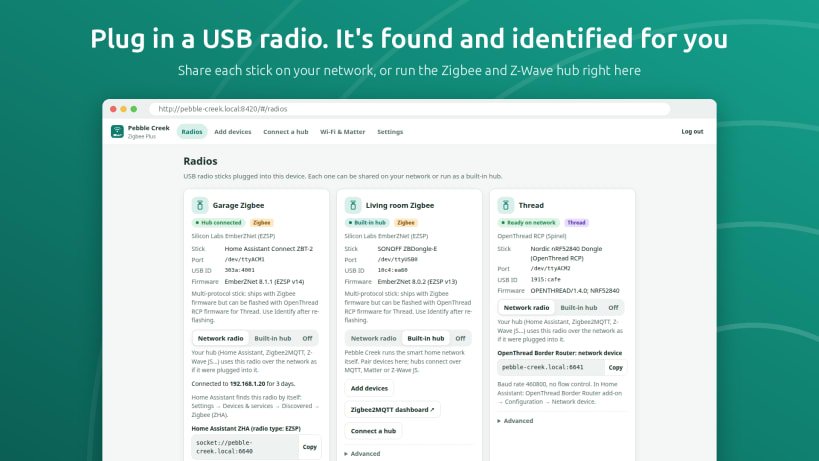
Pebble Creek Zigbee Plus turns a Raspberry Pi or any other single-board computer into a wireless smart home hub. Plug in a USB radio stick and it is detected, identified and shared on your network automatically, so your hubs can control Zigbee, Z-Wave, Thread, Matter and Wi-Fi devices without sitting next to them.
Two ways to use each radio
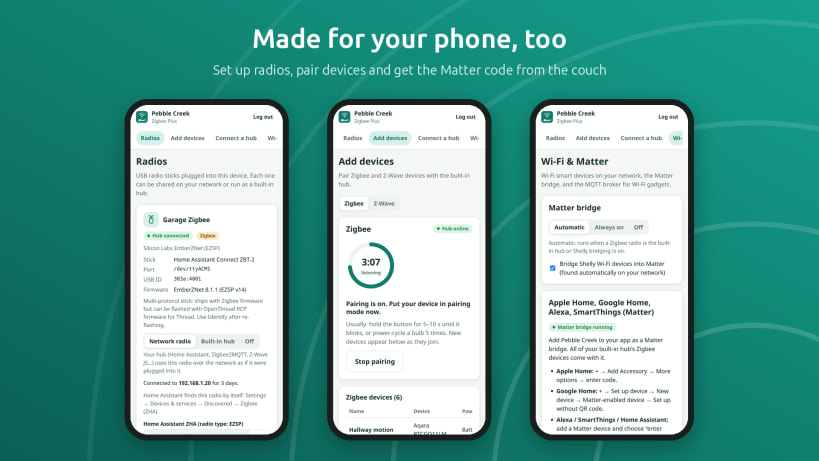
- Network radio: share a USB stick on your network so Home Assistant (ZHA, Z-Wave JS, OpenThread Border Router), Zigbee2MQTT and other hubs can use it as if it were plugged into them. Home Assistant discovers Zigbee radios by itself.
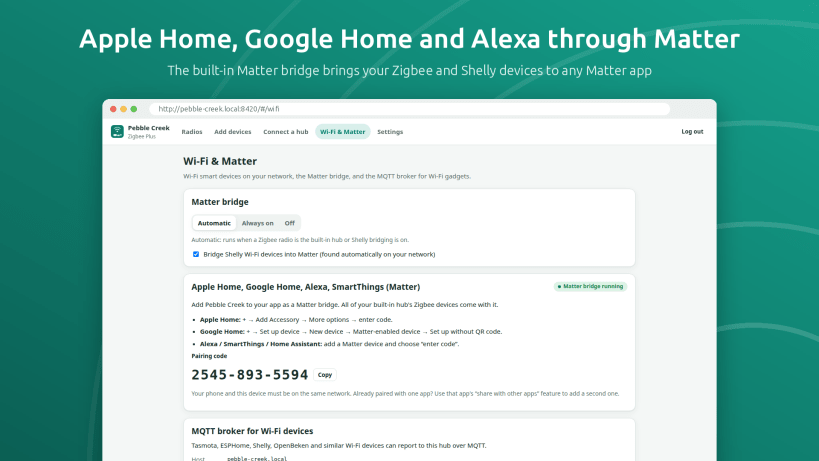
- Built-in hub: Pebble Creek runs the network itself, with Zigbee2MQTT, Z-Wave JS UI, an MQTT broker and a Matter bridge. Apple Home, Google Home, Alexa and SmartThings can then control your Zigbee devices through Matter.
Features
- Automatic detection of popular sticks: SONOFF ZBDongle-E/-P and MG24, Home Assistant Connect ZBT-1/ZBT-2/ZWA-2/SkyConnect, SMLIGHT SLZB-07, ConBee II/III, Nortek HUSBZB-1, Aeotec and Zooz Z-Wave sticks, nRF52840 Thread dongles, plus any generic CP210x/CH340/FTDI stick
- Radio identification: the firmware is detected by talking to the stick (EmberZNet, Z-Stack, deCONZ, Z-Wave, OpenThread)
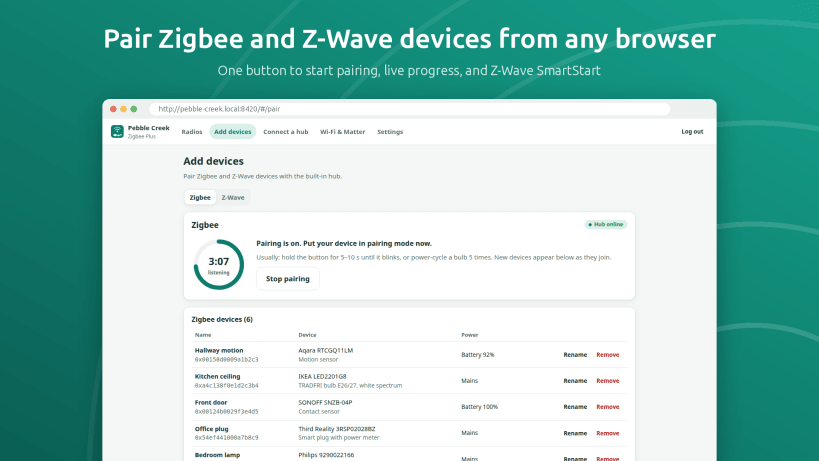
- A simple web page, on your computer or phone, to pair devices: one button for Zigbee, plus Z-Wave SmartStart
- Matter bridge with an on-screen pairing code; Shelly Wi-Fi devices can be bridged too
- Finds Wi-Fi devices on your network (Matter, HomeKit, Shelly, ESPHome, WLED)
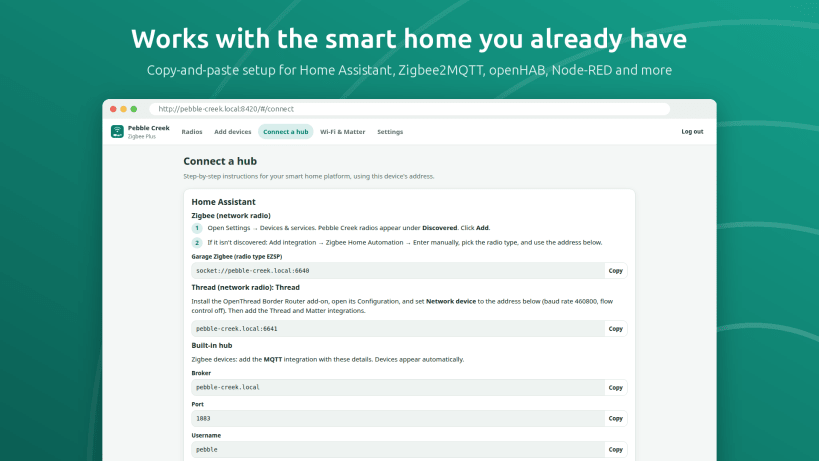
- Copy-and-paste setup for Home Assistant, Zigbee2MQTT, openHAB, Hubitat, Node-RED and more
- Strictly confined; no cloud account
Getting started
 sudo snap install pebble-creek-zigbee-plus
 sudo snap connect pebble-creek-zigbee-plus:raw-usb
The second command lets the app use USB radios. You only run it once, and it stays connected through updates. Then open http://<device-ip>:8420 in a browser and create the admin password. Run pebble-creek-zigbee-plus on the device to see the address.
Zigbee and Matter are trademarks of the Connectivity Standards Alliance. Z-Wave is a trademark of Silicon Labs. Home Assistant, Apple Home, Google Home, Alexa, SmartThings, SONOFF, SMLIGHT, ConBee, Nortek, Aeotec, Zooz, Nordic, Shelly, ESPHome and WLED are trademarks of their owners, named only to identify compatible software and hardware; this app is not affiliated with or endorsed by any of them.
| Revision | Channel | Version | Build | Commit | Download SBOM |
|---|
The build and commit information is derived from build infrastructure records.
Install Pebble Creek Zigbee Plus on your Linux distribution
Choose your Linux distribution to get detailed installation instructions. If yours is not shown, get more details on the installing snapd documentation.