

Photo Format Converter
Install latest/stable of Photo Format Converter
Ubuntu 16.04 or later?
Make sure snap support is enabled in your Desktop store.
Install using the command line
sudo snap install photo-format-converterDon't have snapd? Get set up for snaps.
Details for Photo Format Converter
Package name
- photo-format-converter
License
- MIT
Last updated
- 14 November 2026 - latest/stable
Report a Snap Store violation
Report Photo Format Converter for a Snap Store violation
Snap Store Violation Report submitted successfully
Thank you for your report. Information you provided will help us investigate further.
Error submitting report
There was an error while sending your report. Please try again later.
Share this snap
Generate an embeddable card to be shared on external websites.
Batch image format converter, vector rasterizer & color mode pipeline
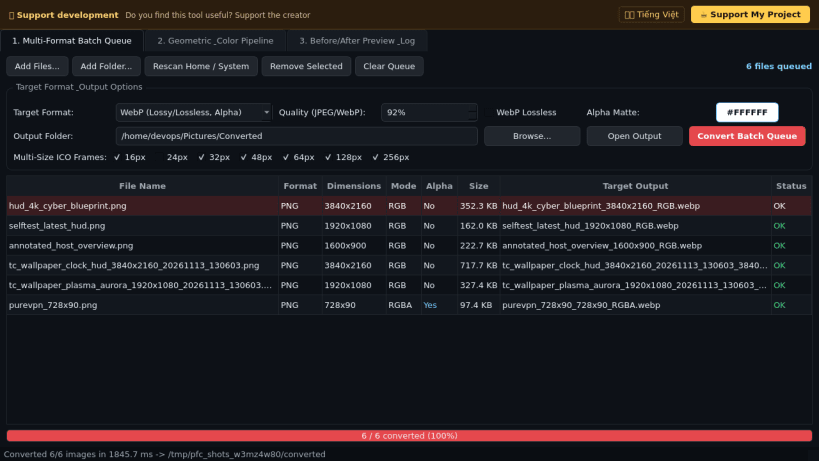
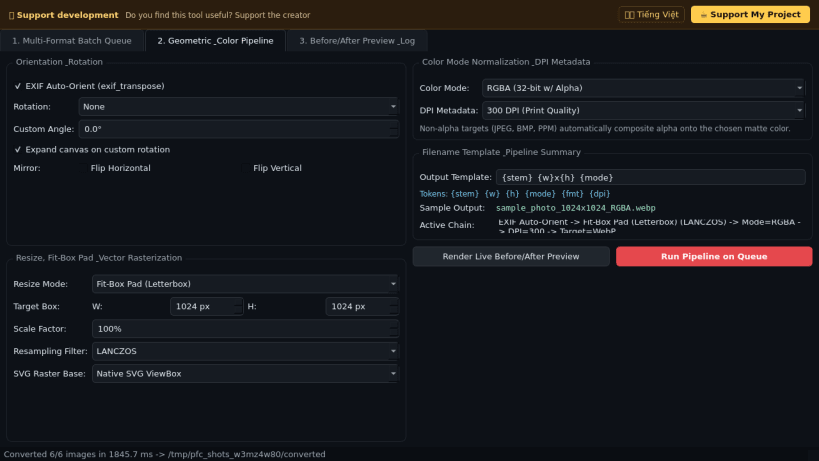
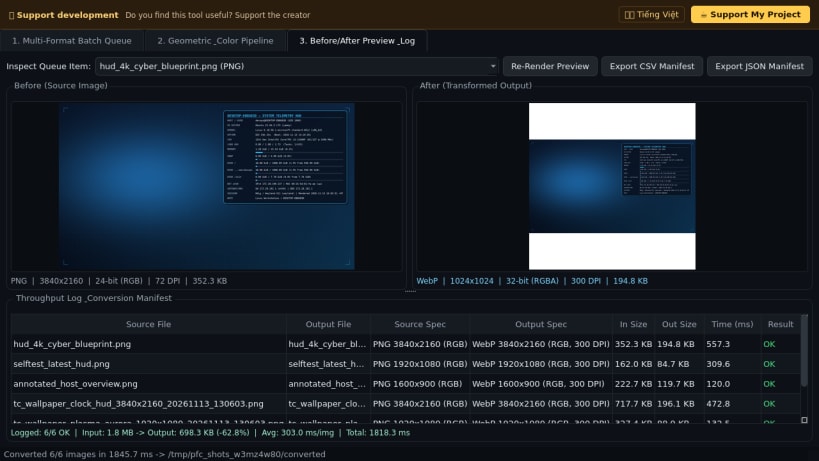
Photo Format Converter is a desktop batch image conversion, vector rasterization, geometric transformation, and color mode normalization utility for Linux. An independent Linux desktop alternative to XnConvert for batch image format conversion, it handles raster and vector inputs with alpha matte compositing, multi-size icon packaging, DPI metadata tagging, and before/after pixel inspection.
Key Features:
- Multi-Format Batch Queue: Converts between PNG, JPEG, WebP, TIFF, BMP, multi-size ICO (16..256), PPM, and GIF, while rasterizing SVG, SVGZ, and XPM inputs via Qt vector rendering with user-chosen matte compositing for non-alpha target formats.
- Geometric & Color Mode Pipeline: Applies EXIF orientation normalization, 90/180/270 or custom angle rotation, horizontal/vertical flips, aspect-preserving resize or fit-box letterbox padding, RGB/RGBA/8-bit Grayscale/1-bit Dithered B&W/CMYK color normalization, custom DPI metadata (72/150/300/600), and templated output filenames.
- Before/After Preview & Throughput Log: Displays side-by-side transformed previews with pixel mode, bit-depth, DPI, and file size telemetry plus CSV and JSON manifest export.
Disclaimer: This project is an independent open-source tool and is not affiliated with, sponsored by, or endorsed by XnSoft or XnConvert.
| Revision | Channel | Version | Build | Commit | Download SBOM |
|---|
The build and commit information is derived from build infrastructure records.
Install Photo Format Converter on your Linux distribution
Choose your Linux distribution to get detailed installation instructions. If yours is not shown, get more details on the installing snapd documentation.


