

Photo Garage (photo-garage-team)
Install latest/stable of Photo Garage
Ubuntu 16.04 or later?
Make sure snap support is enabled in your Desktop store.
Install using the command line
sudo snap install photo-garage-teamDon't have snapd? Get set up for snaps.
Details for Photo Garage
Package name
- photo-garage-team
License
- Proprietary
Last updated
- Today - latest/stable
Websites
Contact
Report a bug
External link warning
You are about to open
Do you wish to proceed?
Report a Snap Store violation
Report Photo Garage for a Snap Store violation
Snap Store Violation Report submitted successfully
Thank you for your report. Information you provided will help us investigate further.
Error submitting report
There was an error while sending your report. Please try again later.
Share this snap
Generate an embeddable card to be shared on external websites.
An easy, lightweight photo editor with layers, text and creative filters
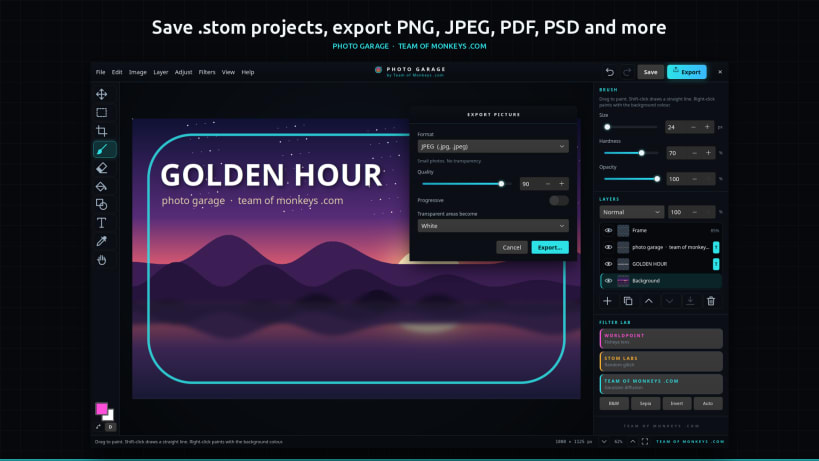
Photo editing without the learning curve. Photo Garage by Team of Monkeys .com is an easy, lightweight photo editor for everyday photo manipulation. If you have used GIMP or Photoshop, you will feel right at home: layers, blend modes, text, selections, crop, adjustments and filters are all here. What is not here is the clutter. No hundred-item menus, no hour-long tutorials and no waiting for a heavy app to load. Open a photo, fix it, add some text, give it a creative look and export it, in a few clicks.
Photo Garage is made for the quick jobs that make up most photo editing: brightening a dark holiday snap, cropping a picture for Instagram or a 16:9 thumbnail, putting a title on a poster, turning a portrait black and white, blurring a background, or adding a wild glitch effect for fun. It starts in a moment, runs smoothly on modest computers and keeps everything inside one clean, dark studio window.
★ Why Photo Garage instead of a big editor?
- Easy: every tool explains itself in the panel next to the picture, and every filter and adjustment shows a live preview before you apply it
- Light: a small download that opens in a moment, with no plugins to install
- Familiar: layers, blend modes, opacity and the tool shortcuts you know from GIMP and Photoshop
- Compatible: export to Photoshop PSD with your layers kept, so you can carry on in GIMP or Photoshop whenever a job does grow bigger
★ The Filter Lab
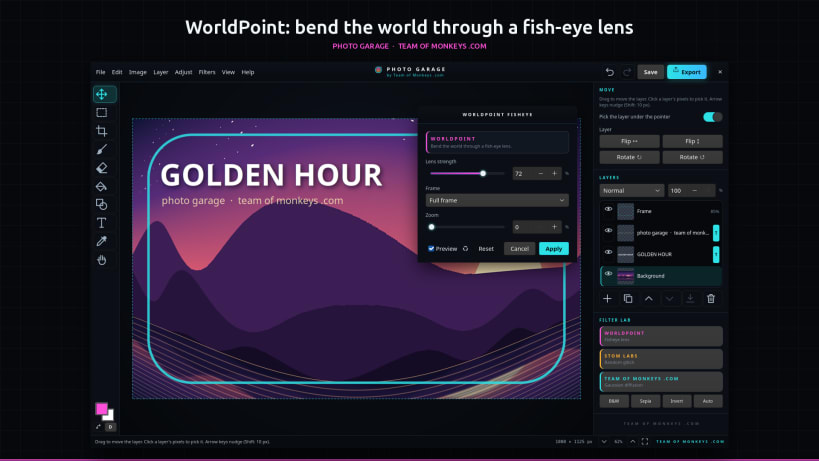
- WorldPoint: a fish-eye lens that swells the middle of the picture and bends everything around it. Fill the whole frame or go for the classic round look.
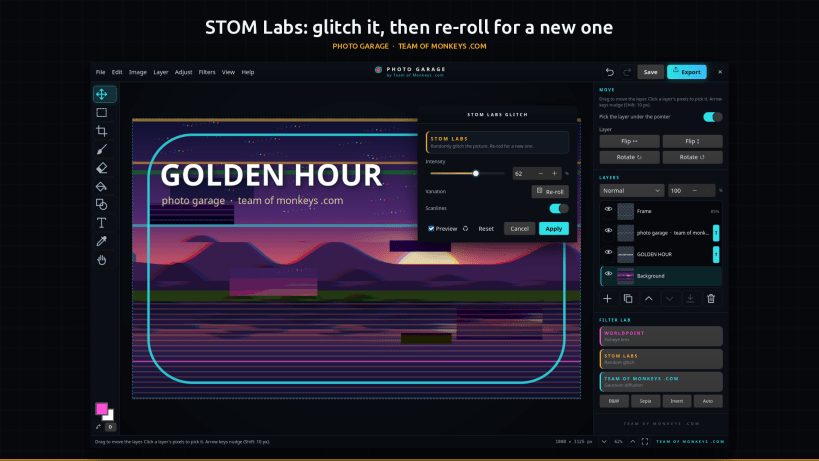
- STOM Labs: randomly glitches the picture. Colour channels split apart, bands slip sideways, blocks jump out of place, neon strips flash across and scanlines roll over the top. Every glitch is different: press Re-roll until you get the one you want.
- Team of Monkeys .com Diffusion: a smooth Gaussian blur, from a gentle softening to a dreamy haze.
★ Photo adjustments
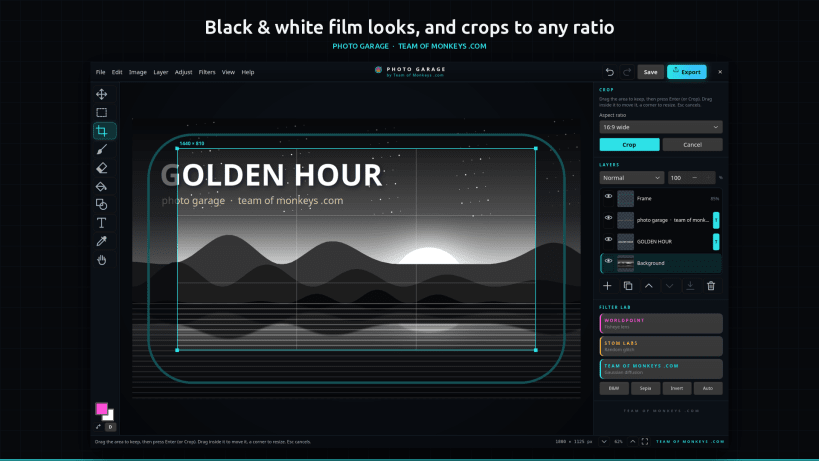
Brightness and contrast, hue and saturation, temperature and tint, levels, black and white (neutral, or with a red, orange, yellow, green or blue filter for real film looks), sepia, posterize, threshold, desaturate, invert, auto contrast and equalize. Classic filters too: sharpen, add noise, pixelate, vignette, emboss and find edges.
★ Layers, tools and text
- Layers with opacity, ten blend modes (multiply, screen, overlay, soft light and more), show and hide, rename, reorder, duplicate, merge down and flatten
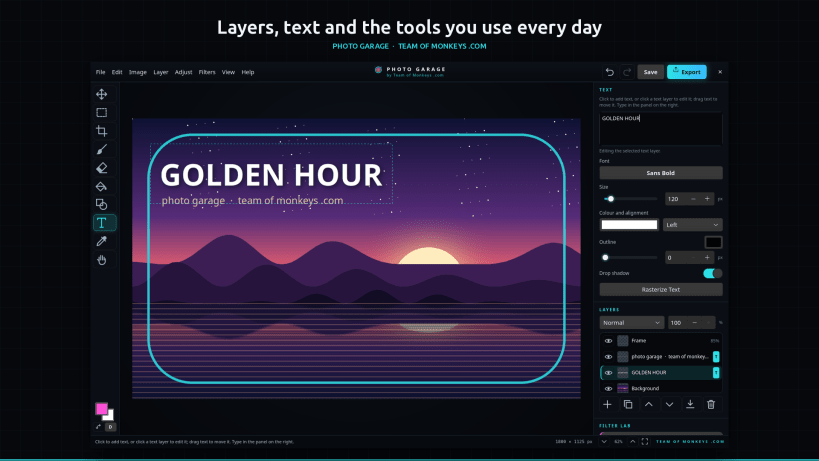
- Ten tools: move, rectangle select, crop (free, or 1:1, 4:3, 3:2, 16:9, 9:16 and 4:5), brush, eraser, fill, shapes, text, colour picker and hand
- Text layers in any font installed on your computer, with colour, alignment, outline and drop shadow, that stay editable
- A selection keeps filters, adjustments and painting inside it
- Resize the image or the canvas, rotate and flip, copy and paste pictures with other apps, drag and drop pictures in, and undo and redo for everything
★ Open, save and export
Save your work as a .stom project, which keeps every layer and every piece of text editable for later. When it is ready, export it as PNG, JPEG (.jpg or .jpeg), WebP, GIF, TIFF, BMP, PDF, Photoshop PSD with the layers kept, ICO, TGA, JPEG 2000, PPM, PCX or QOI, with quality and compression options for each. Photo Garage opens all of those (except PDF), plus .stom projects.
★ Private by design
No accounts, no subscriptions, no ads, no telemetry and no internet connection. Pictures are opened and saved through your desktop's file chooser, so the app only ever sees the files you pick.
Keys: Ctrl+S saves, Ctrl+Shift+E exports, Ctrl+Z undoes, Ctrl+F repeats the last filter, V, M, C, B, E, G, U, T, I and H pick a tool, [ and ] change the brush size, Ctrl+0 fits the picture to the window, Ctrl+1 shows actual pixels and Tab hides the panels.
Photo Garage is an independent app. GIMP is a trademark of the GNOME Foundation, and Photoshop is a trademark of Adobe Inc.; Photo Garage is not affiliated with or endorsed by either.
| Revision | Channel | Version | Build | Commit | Download SBOM |
|---|
The build and commit information is derived from build infrastructure records.
Install Photo Garage on your Linux distribution
Choose your Linux distribution to get detailed installation instructions. If yours is not shown, get more details on the installing snapd documentation.











