

Images to PDF Binder (photo-to-pdf-composer)
Install latest/stable of Images to PDF Binder
Ubuntu 16.04 or later?
Make sure snap support is enabled in your Desktop store.
Install using the command line
sudo snap install photo-to-pdf-composerDon't have snapd? Get set up for snaps.
Details for Images to PDF Binder
Package name
- photo-to-pdf-composer
License
- MIT
Last updated
- Yesterday - latest/stable
Report a Snap Store violation
Report Images to PDF Binder for a Snap Store violation
Snap Store Violation Report submitted successfully
Thank you for your report. Information you provided will help us investigate further.
Error submitting report
There was an error while sending your report. Please try again later.
Share this snap
Generate an embeddable card to be shared on external websites.
Multi-photo PDF binder with EXIF orientation, grids, DPI budget & page stamps
Images to PDF Binder is a fast, offline Linux desktop tool for organizing PNG, JPEG, WebP, TIFF, and BMP photos into clean multi-page PDF documents with exact paper sizing, multi-photo page grids, DPI and JPEG quality budget estimation, and customizable headers, footers, and page numbering.
Key Features:
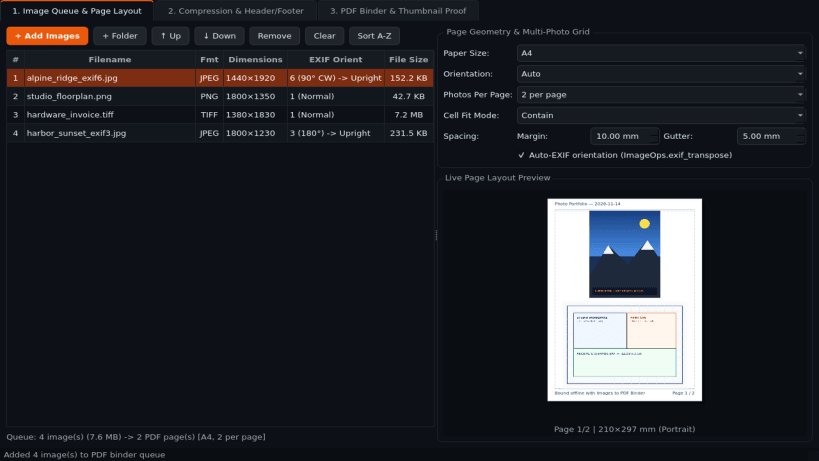
- Image Queue & Page Layout: Reorderable batch image queue with automatic EXIF orientation correction, A4 / US Letter / Legal / Fit-Each-Image paper sizing, portrait/landscape/auto orientation, configurable margins in millimeters, and 1, 2, or 4 images per page grid layouts.
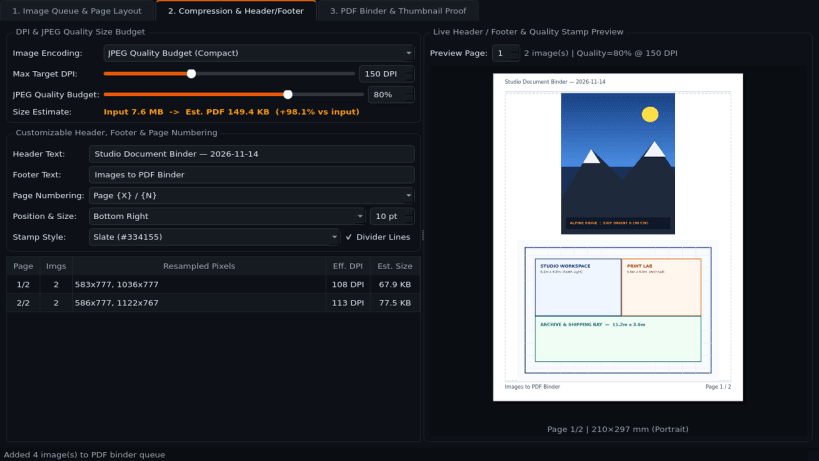
- Compression & Page Header/Footer: Interactive max DPI and JPEG quality budget controls with live output size and compression savings estimation, plus custom headers, footers, and Page X / N numbering overlays.
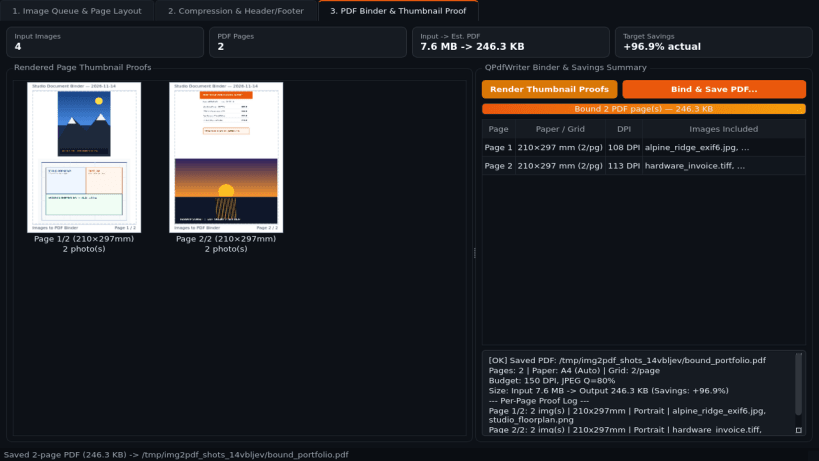
- PDF Binder & Thumbnail Proof: Composes multi-page PDF documents locally via QPdfWriter, previews rendered page thumbnail proofs, compares source vs output compression savings, and exports the bound PDF to disk.
Disclaimer: Images to PDF Binder is an independent open-source project by TC Studio and is not affiliated with, endorsed by, or sponsored by Win2PDF.
| Revision | Channel | Version | Build | Commit | Download SBOM |
|---|
The build and commit information is derived from build infrastructure records.
Install Images to PDF Binder on your Linux distribution
Choose your Linux distribution to get detailed installation instructions. If yours is not shown, get more details on the installing snapd documentation.


