

Photo Upscale Sharpener
Install latest/stable of Photo Upscale Sharpener
Ubuntu 16.04 or later?
Make sure snap support is enabled in your Desktop store.
Install using the command line
sudo snap install photo-upscale-sharpenerDon't have snapd? Get set up for snaps.
Details for Photo Upscale Sharpener
Package name
- photo-upscale-sharpener
License
- MIT
Last updated
- 14 November 2026 - latest/stable
Report a Snap Store violation
Report Photo Upscale Sharpener for a Snap Store violation
Snap Store Violation Report submitted successfully
Thank you for your report. Information you provided will help us investigate further.
Error submitting report
There was an error while sending your report. Please try again later.
Share this snap
Generate an embeddable card to be shared on external websites.
Multi-pass Lanczos photo upscaler, median denoise and sharpness inspector
Photo Upscale Sharpener is a desktop image enlargement and detail recovery tool built on deterministic multi-pass Lanczos and Bicubic resampling, edge-preserving median denoising, and tunable unsharp masking. An independent open-source Linux photo enlargement studio running 100% locally with honest, artifact-free signal processing.
Key Features:
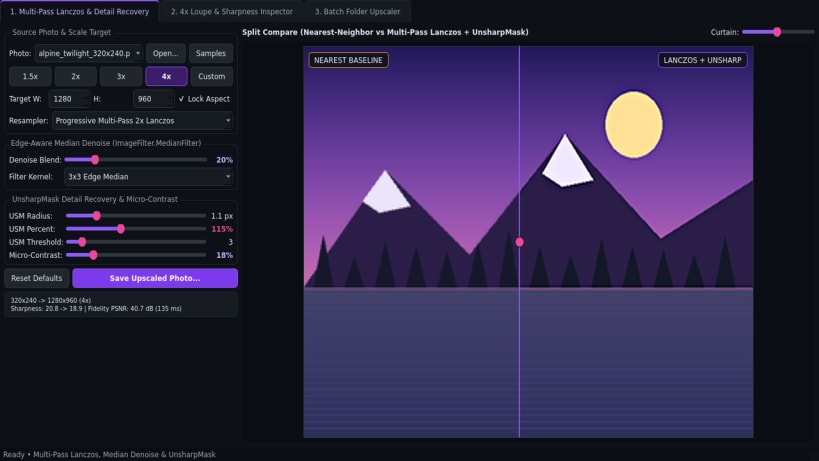
- Multi-Pass Lanczos & Detail Recovery: Enlarge photos by 1.5x, 2x, 3x, 4x, or custom target dimensions using progressive 2x Lanczos stages, edge-aware median denoise, tunable UnsharpMask (radius, percent, threshold), and micro-contrast clarity.
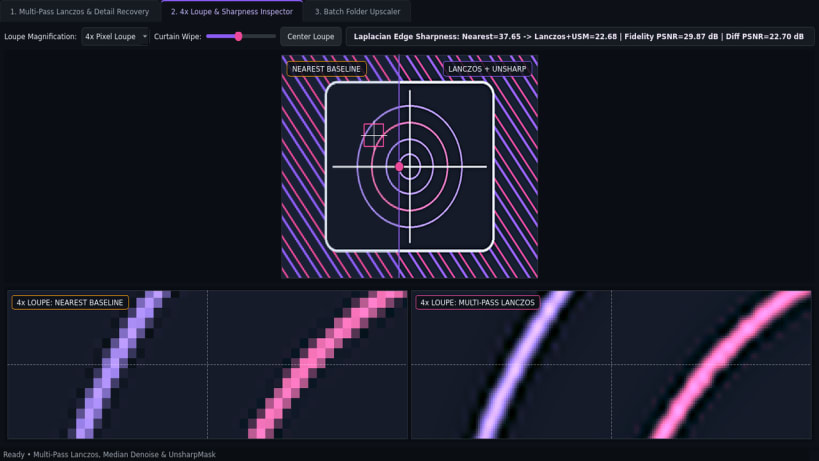
- 4x Loupe & Sharpness Inspector: Interactive Before/After split curtain paired with a synchronized 4x pixel Loupe comparing nearest-neighbor baseline against sharpened Lanczos output, with live Laplacian edge sharpness index and PSNR metrics.
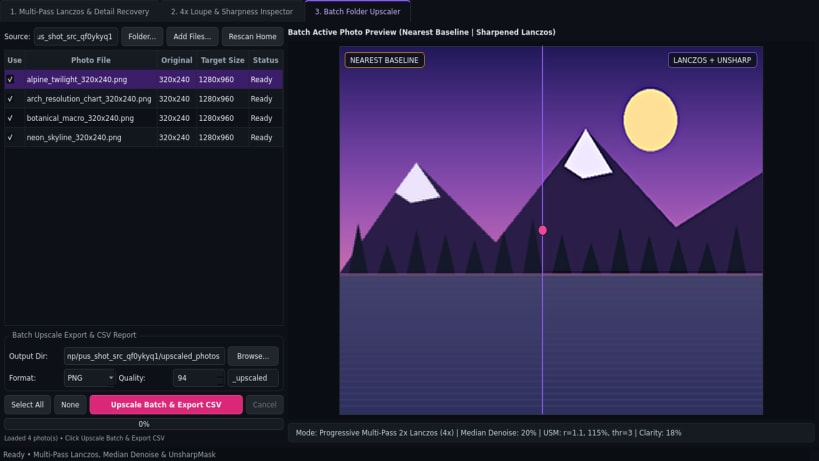
- Batch Folder Upscaler: Enlarge queues of photos to PNG, JPEG, or WebP with a CSV before-and-after resolution and sharpness report.
Disclaimer: Photo Upscale Sharpener is an independent open-source project by TC Studio and is not affiliated with, endorsed by, or sponsored by any third-party photo software vendor.
| Revision | Channel | Version | Build | Commit | Download SBOM |
|---|
The build and commit information is derived from build infrastructure records.
Install Photo Upscale Sharpener on your Linux distribution
Choose your Linux distribution to get detailed installation instructions. If yours is not shown, get more details on the installing snapd documentation.


