

Screen Color Harmony Picker (pixel-color-harmony)
Install latest/stable of Screen Color Harmony Picker
Ubuntu 16.04 or later?
Make sure snap support is enabled in your Desktop store.
Install using the command line
sudo snap install pixel-color-harmonyDon't have snapd? Get set up for snaps.
Details for Screen Color Harmony Picker
Package name
- pixel-color-harmony
License
- MIT
Last updated
- Yesterday - latest/stable
Websites
Contact
External link warning
You are about to open
Do you wish to proceed?
Report a Snap Store violation
Report Screen Color Harmony Picker for a Snap Store violation
Snap Store Violation Report submitted successfully
Thank you for your report. Information you provided will help us investigate further.
Error submitting report
There was an error while sending your report. Please try again later.
Share this snap
Generate an embeddable card to be shared on external websites.
Screen color eyedropper, WCAG contrast lab, and harmony palette studio
An independent open-source Linux screen color picker, WCAG 2.1 contrast analyzer, and color harmony studio, alternative to ColorMania. Not affiliated with or endorsed by any third-party software vendor.
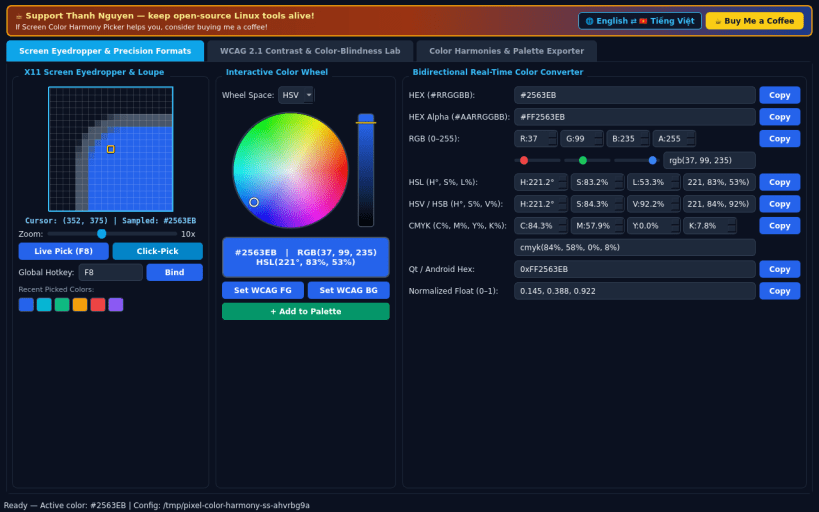
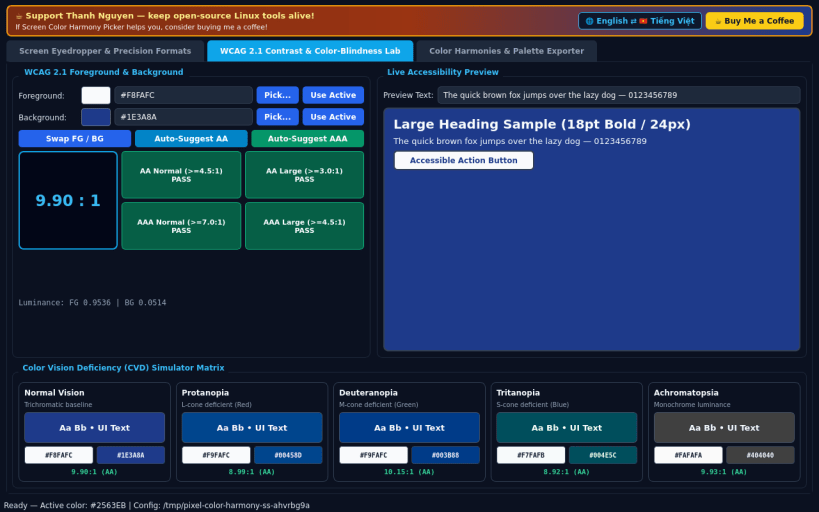
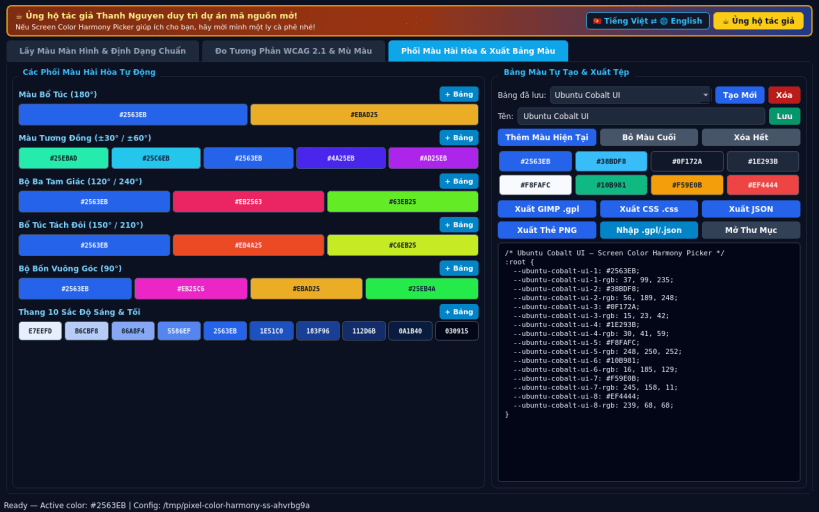
FEATURES • Live X11 Screen Eyedropper & Precision Formats: sample pixels anywhere on screen with a 3x to 20x zoomed pixel grid magnifier, global keyboard freeze toggle, interactive HSV/HSL color wheel, and bidirectional real-time conversion across HEX, RGB, HSL, HSV/HSB, CMYK, Qt/Android Hex, and Normalized Float with one-click copy buttons. • WCAG 2.1 Contrast & Color-Blindness Lab: compute relative luminance and contrast ratios between foreground and background colors with AA/AAA Normal & Large pass/fail badges, live text preview, and real-time color vision deficiency simulation for Normal, Protanopia, Deuteranopia, Tritanopia, and Achromatopsia. • Color Harmonies & Palette Exporter: generate Complementary, Analogous, Triadic, Split-Complementary, Tetradic, and 10-Step Tints & Shades swatches, manage saved custom palettes, and export to GIMP Palette (GPL), CSS Custom Properties, JSON, and PNG Swatch Cards. • Bilingual Interface: defaults to English with instant Vietnamese toggle.
SUPPORT & DONATE • Created by Thanh Nguyen — https://buymeacoffee.com/thanhnv128b
| Revision | Channel | Version | Build | Commit | Download SBOM |
|---|
The build and commit information is derived from build infrastructure records.
Install Screen Color Harmony Picker on your Linux distribution
Choose your Linux distribution to get detailed installation instructions. If yours is not shown, get more details on the installing snapd documentation.


