

pixelcraft-image-studio
Install latest/stable of pixelcraft-image-studio
Ubuntu 16.04 or later?
Make sure snap support is enabled in your Desktop store.
Install using the command line
sudo snap install pixelcraft-image-studioDon't have snapd? Get set up for snaps.
Details for pixelcraft-image-studio
Package name
- pixelcraft-image-studio
License
- MIT
Last updated
- Today - latest/stable
Websites
Contact
External link warning
You are about to open
Do you wish to proceed?
Report a Snap Store violation
Report pixelcraft-image-studio for a Snap Store violation
Snap Store Violation Report submitted successfully
Thank you for your report. Information you provided will help us investigate further.
Error submitting report
There was an error while sending your report. Please try again later.
Share this snap
Generate an embeddable card to be shared on external websites.
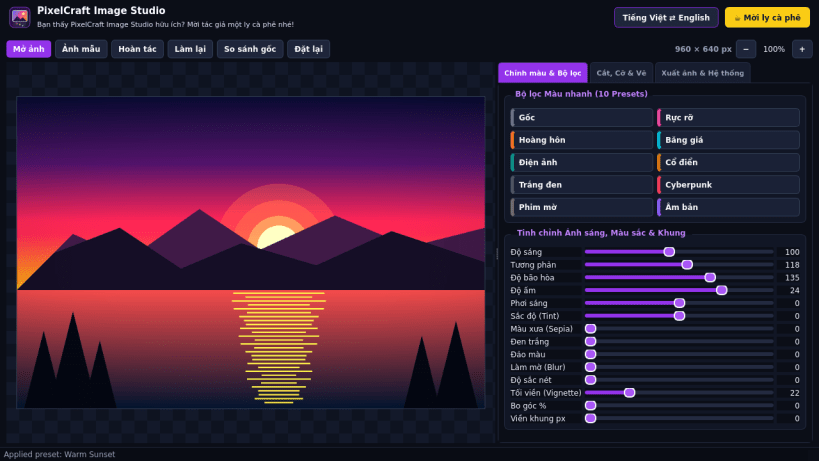
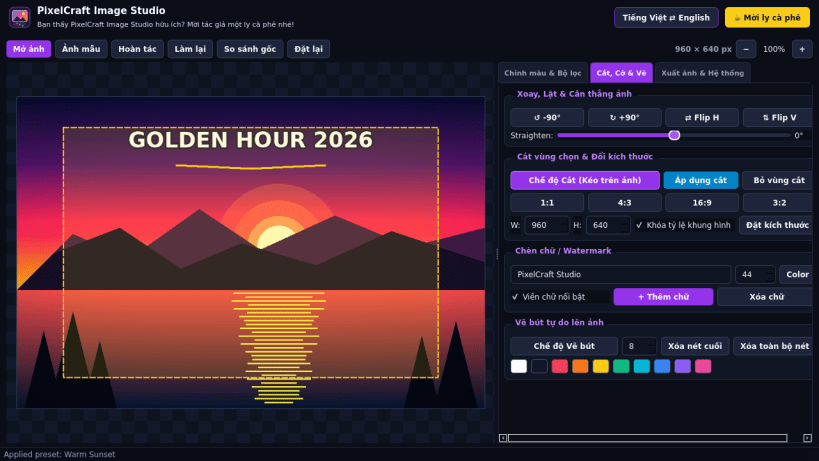
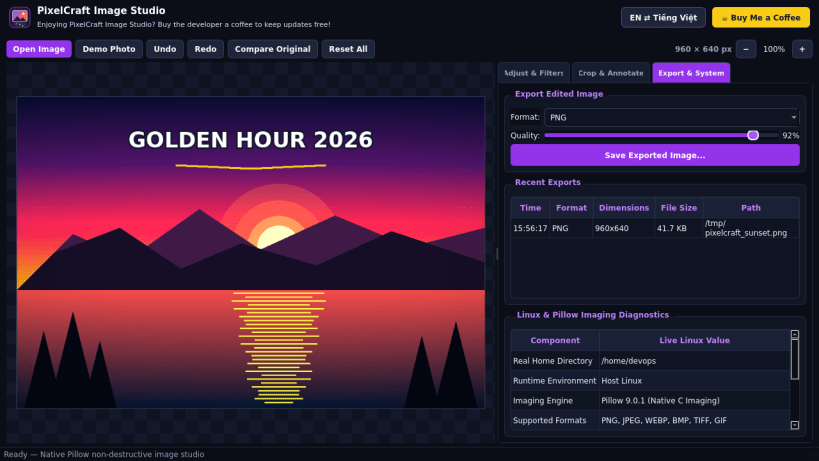
Modern photo & image editor with filters, crop, resize, text and brush
PixelCraft Image Studio is a fast, native Linux desktop photo and image editor powered by Pillow and Qt5.
FEATURES:
- 15 real-time color, light and frame adjustments: Brightness, Contrast, Saturation, Warmth, Exposure, Hue Tint, Sepia, Grayscale, Invert, Blur, Sharpen, Vignette, Rounded Corners, and Border Frame.
- 10 one-click filter presets (Original, Vivid, Warm Sunset, Cool Arctic, Cinema Teal, Vintage, Noir B&W, Cyberpunk, Matte Film, Negative).
- Rotate 90 degrees, Flip Horizontal/Vertical, Straighten (-45 to +45 deg), interactive drag-to-crop, aspect ratio presets (1:1, 4:3, 16:9, 3:2), and aspect-locked Resize.
- Text overlays with customizable size, color and outline, plus freehand brush drawing with multi-color palette and undo/redo history.
- High-quality export to PNG, JPEG and WEBP with quality control and full bilingual English / Vietnamese interface.
Support development: https://buymeacoffee.com/thanhnv128b
| Revision | Channel | Version | Build | Commit | Download SBOM |
|---|
The build and commit information is derived from build infrastructure records.
Install pixelcraft-image-studio on your Linux distribution
Choose your Linux distribution to get detailed installation instructions. If yours is not shown, get more details on the installing snapd documentation.











