

Portable Vault Encryptor
Install latest/stable of Portable Vault Encryptor
Ubuntu 16.04 or later?
Make sure snap support is enabled in your Desktop store.
Install using the command line
sudo snap install portable-vault-encryptorDon't have snapd? Get set up for snaps.
Details for Portable Vault Encryptor
Package name
- portable-vault-encryptor
License
- MIT
Last updated
- Today - latest/stable
Report a Snap Store violation
Report Portable Vault Encryptor for a Snap Store violation
Snap Store Violation Report submitted successfully
Thank you for your report. Information you provided will help us investigate further.
Error submitting report
There was an error while sending your report. Please try again later.
Share this snap
Generate an embeddable card to be shared on external websites.
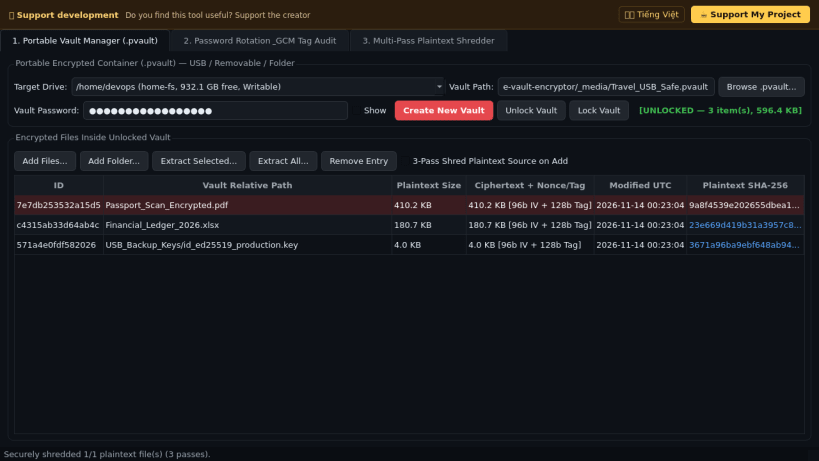
AES-256-GCM portable encrypted vault manager for USB drives & folders
A portable authenticated encryption vault manager (.pvault containers) for Linux USB flash drives, external SSDs, SD cards, and local directories. A lightweight Linux alternative to USBCrypt for protecting sensitive files on removable drives without requiring root privileges or disk reformatting.
Key features:
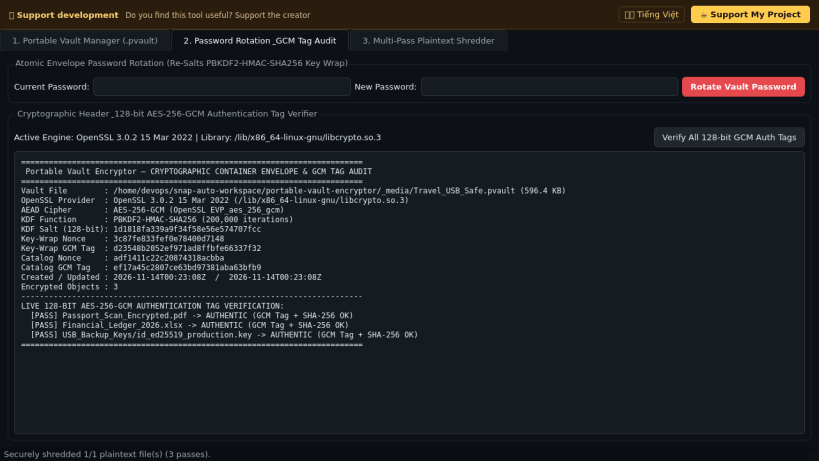
- Genuine authenticated encryption powered by OpenSSL libcrypto.so.3 (EVP_aes_256_gcm) with unique 96-bit CSPRNG nonces and 128-bit GCM authentication tags per object.
- Strong password key derivation using PBKDF2-HMAC-SHA256 (200,000 iterations, 128-bit random salt) wrapping a 256-bit vault master key for instant atomic password rotation.
- Create, inspect, lock/unlock, add files or folders, extract selected or all files, and run non-destructive GCM authentication tag verification across all vault blocks.
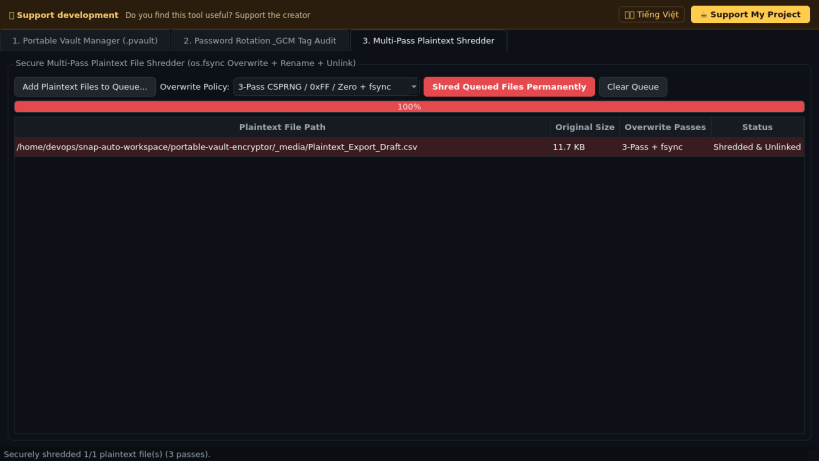
- Built-in multi-pass fsynced plaintext file shredder (1-pass, 3-pass, and 5-pass CSPRNG overwrite) to wipe unencrypted source files after vault import.
Disclaimer: This project is an independent open-source tool and is not affiliated with, sponsored by, or endorsed by WinAbility Software Corp. or USBCrypt.
| Revision | Channel | Version | Build | Commit | Download SBOM |
|---|
The build and commit information is derived from build infrastructure records.
Install Portable Vault Encryptor on your Linux distribution
Choose your Linux distribution to get detailed installation instructions. If yours is not shown, get more details on the installing snapd documentation.


