

PowerToys Utilities Studio (powertoys)
Install latest/stable of PowerToys Utilities Studio
Ubuntu 16.04 or later?
Make sure snap support is enabled in your Desktop store.
Details for PowerToys Utilities Studio
Package name
- powertoys
License
- MIT
Last updated
- Today - latest/stable
Websites
Contact
External link warning
You are about to open
Do you wish to proceed?
Report a Snap Store violation
Report PowerToys Utilities Studio for a Snap Store violation
Snap Store Violation Report submitted successfully
Thank you for your report. Information you provided will help us investigate further.
Error submitting report
There was an error while sending your report. Please try again later.
Share this snap
Generate an embeddable card to be shared on external websites.
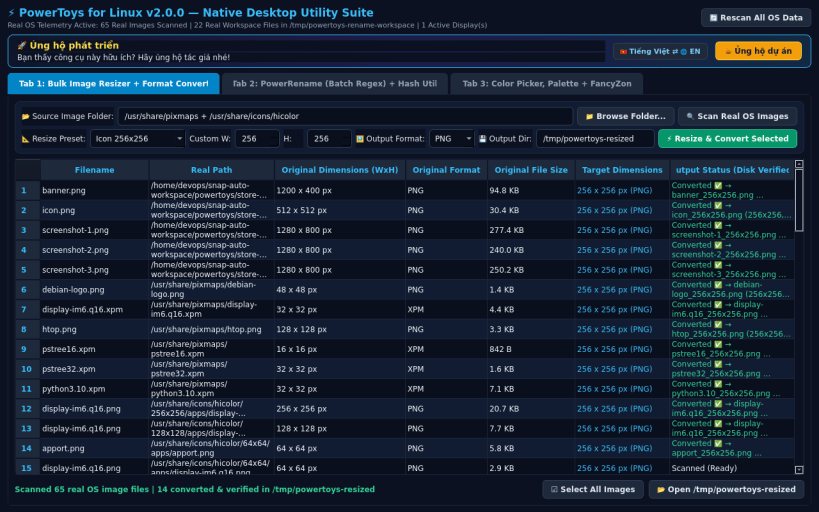
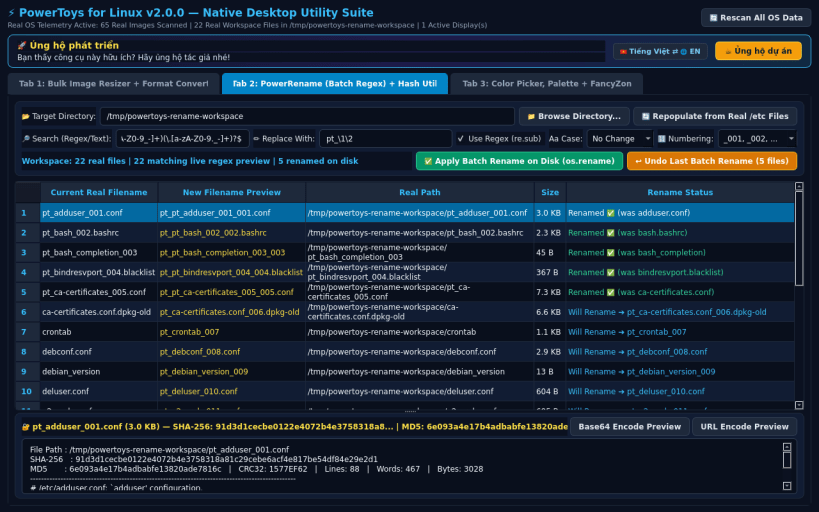
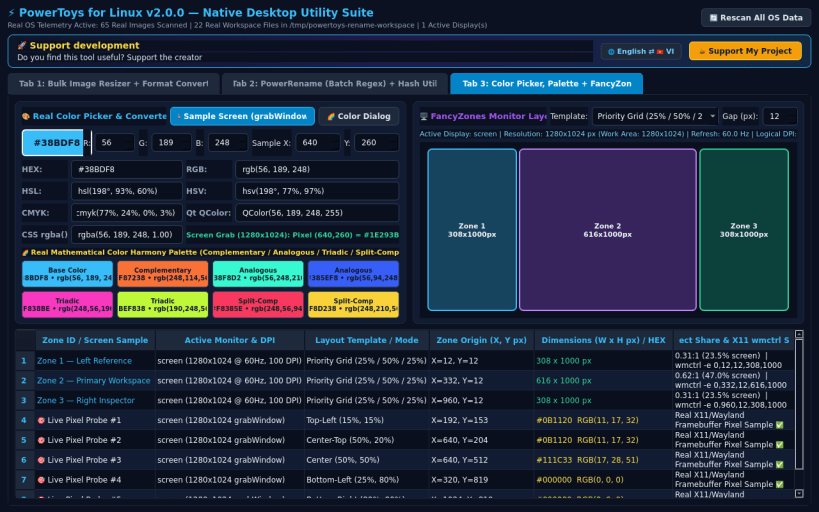
PowerToys for Linux — Bulk Image Resizer, PowerRename Regex & FancyZones
PowerToys for Linux v2.0.0 is a native PyQt5 system utility suite inspired by Microsoft PowerToys, engineered specifically for Linux desktops with 100% real OS file processing, batch regex renaming, color sampling, and screen geometry.
KEY FEATURES: • Bulk Image Resizer & Format Converter: Scans real images across your Linux filesystem, resizes in batches (Small 854x480, Medium 1280x720, Large 1920x1080, Icon 256x256, Scale 50%, Custom WxH), and converts between PNG, JPEG, WEBP, and BMP. • PowerRename (Batch Regex & Pattern File Renamer) + Hash Inspector: Live Regular Expression and substring search-and-replace, case conversion (lowercase, UPPERCASE, Title Case), sequential numbering (_001, _002), instant rollback/undo, and real SHA-256/MD5/CRC32 file hash & text inspection. • Color Picker, Palette Harmony & FancyZones Layout Calculator: Live X11/Wayland screen pixel sampler (grabWindow), HEX/RGB/HSL/HSV/CMYK/CSS converter, complementary/triadic/analogous palette generator, and real multi-monitor FancyZones pixel layout calculator.
SUPPORT & DONATE: • Created by Thanh Nguyen — Support ongoing development: https://buymeacoffee.com/thanhnv128b
| Revision | Channel | Version | Build | Commit | Download SBOM |
|---|
The build and commit information is derived from build infrastructure records.
Install PowerToys Utilities Studio on your Linux distribution
Choose your Linux distribution to get detailed installation instructions. If yours is not shown, get more details on the installing snapd documentation.


