

Prelis Desktop (prelis)
Install latest/stable of Prelis Desktop
Ubuntu 16.04 or later?
Make sure snap support is enabled in your Desktop store.
Details for Prelis Desktop
Package name
- prelis
License
- Apache-2.0
Last updated
- 30 October 2026 - latest/stable
- 30 October 2026 - latest/edge
Websites
Contact
Source code
Report a bug
External link warning
You are about to open
Do you wish to proceed?
Report a Snap Store violation
Report Prelis Desktop for a Snap Store violation
Snap Store Violation Report submitted successfully
Thank you for your report. Information you provided will help us investigate further.
Error submitting report
There was an error while sending your report. Please try again later.
Share this snap
Generate an embeddable card to be shared on external websites.
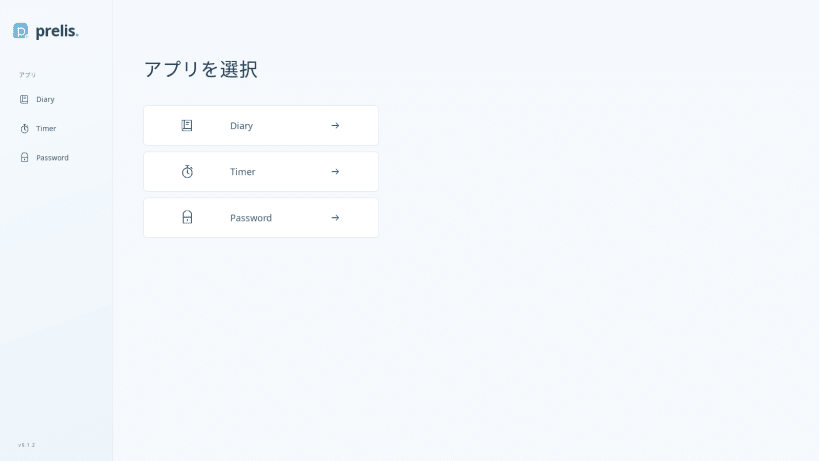
日記、タイマー、パスワード生成をひとつのデスクトップアプリで
Prelis Desktop は、日記・タイマー・パスワード生成をひとつにまとめたデスクトップアプリです。サイドバーから使いたい機能を選べます。KUPAC LLC が開発しています。
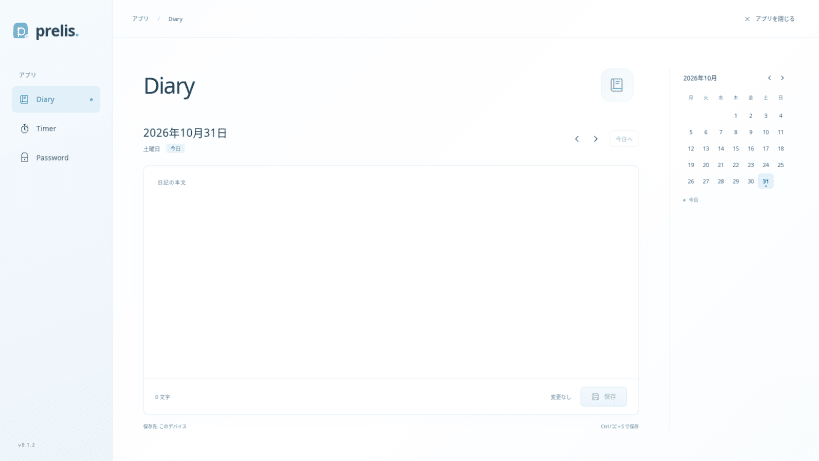
日記 日付ごとに文章を記録し、このデバイスに保存できます。カレンダーや前日・翌日のボタンから日付を選べます。別の端末との同期機能はありません。
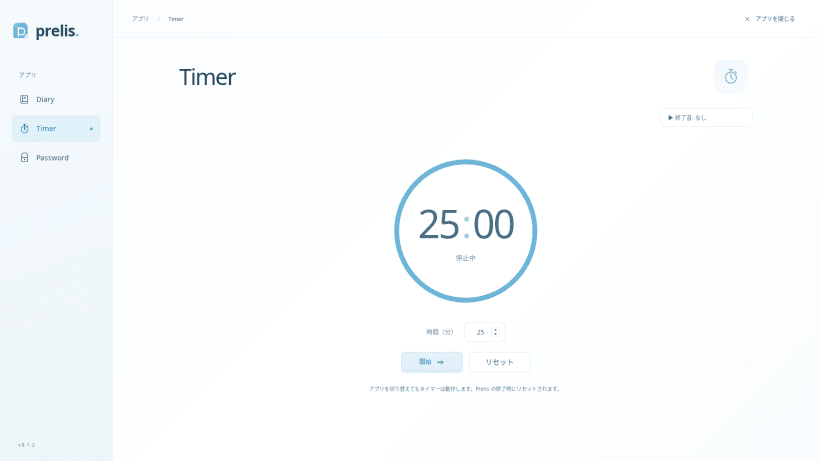
タイマー 1〜180分のタイマーを開始・一時停止・再開・リセットできます。アプリ内で画面を切り替えても計時を続けます。手持ちの MP3・WAV ファイル(10 MB 以下)を終了音として追加し、選択・試聴できます。
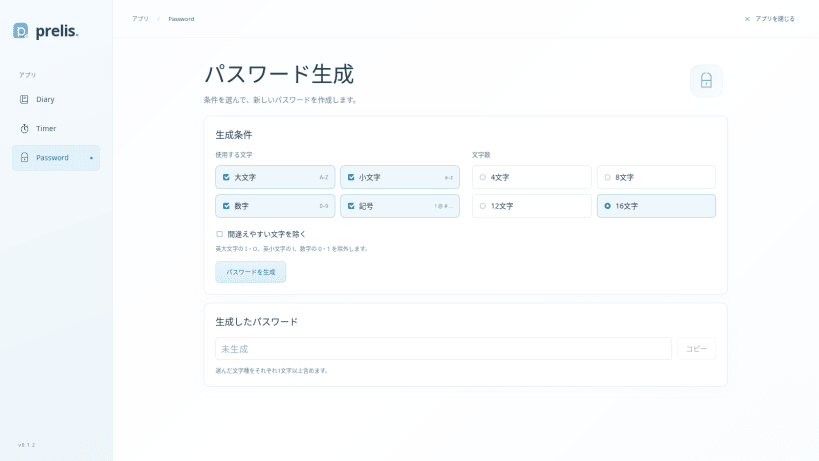
パスワード生成 大文字・小文字・数字・記号から文字種を選び、4・8・12・16文字のパスワードを生成できます。間違えやすい文字を除く設定にも対応し、生成した文字列はコピーできます。
| Revision | Channel | Version | Build | Commit | Download SBOM |
|---|
The build and commit information is derived from build infrastructure records.
Install Prelis Desktop on your Linux distribution
Choose your Linux distribution to get detailed installation instructions. If yours is not shown, get more details on the installing snapd documentation.


