

Prelora
Install latest/stable of Prelora
Ubuntu 16.04 or later?
Make sure snap support is enabled in your Desktop store.
Details for Prelora
Package name
- prelora
License
- Proprietary
Last updated
- Today - latest/stable
- Today - latest/edge
Websites
Contact
Report a bug
External link warning
You are about to open
Do you wish to proceed?
Report a Snap Store violation
Report Prelora for a Snap Store violation
Snap Store Violation Report submitted successfully
Thank you for your report. Information you provided will help us investigate further.
Error submitting report
There was an error while sending your report. Please try again later.
Share this snap
Generate an embeddable card to be shared on external websites.
GTD tasks and live timers
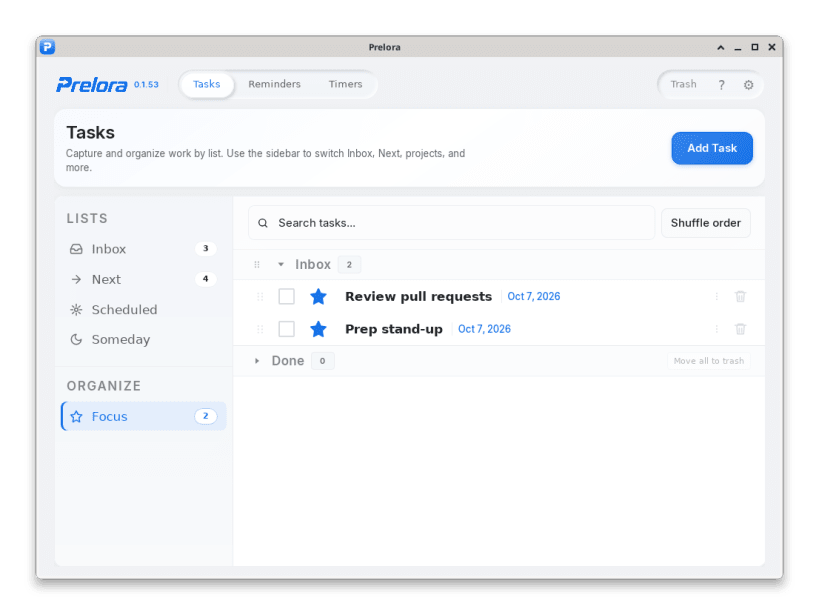
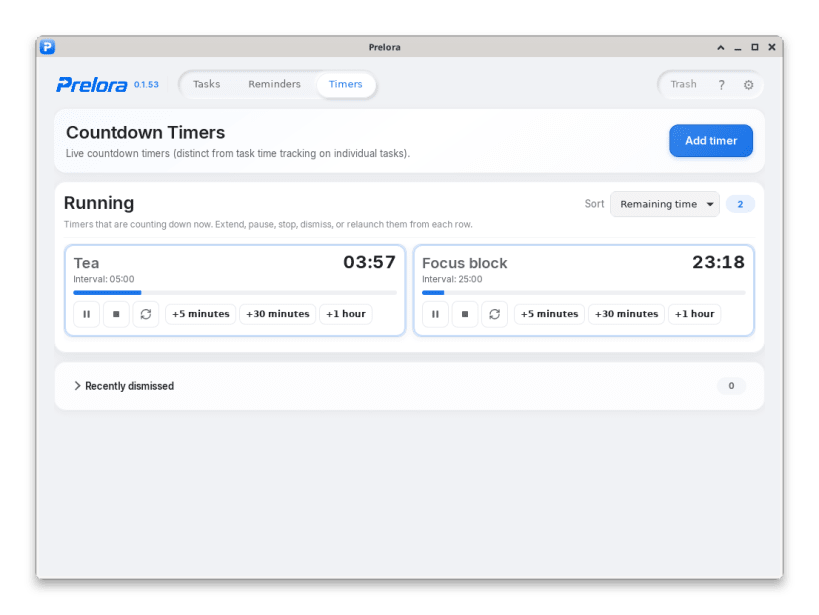
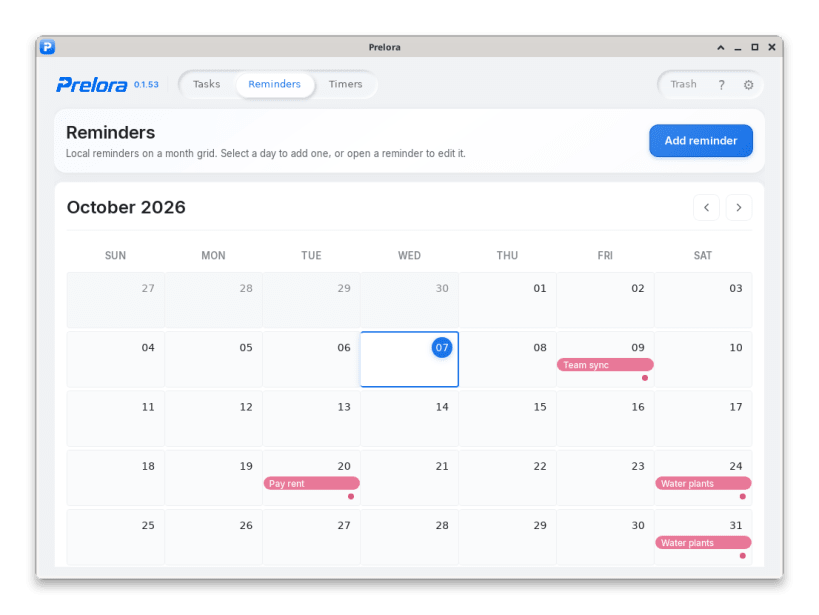
Prelora is a local-first desktop app for GTD task management and live countdown timers. Everyday GTD - unlimited tasks, timers, and calendar reminders - is free forever; optional Pro extras are sold separately on https://prelora.app/ (redeem a voucher in Settings).
Included free forever:
- Inbox, Next, Scheduled, Someday, and Focus lists (unlimited tasks)
- Search across lists, recurring tasks, and Trash with restore
- Unlimited live countdown timers (pause, relaunch, dismiss)
- Stock snooze / add-time chips: 5 minutes, 30 minutes, and 1 hour
- Unlimited month-grid reminders with repeating schedules
- Encryption, backup, export, and iCal on the device by default
Optional Pro extras (not included free forever):
- Up to four custom snooze chips plus type-any add-time on timers
- Extra alert sounds beyond the bundled chime
- Kanban board when that view ships in a release
No Snap Store checkout or in-app payment SDK - Pro is website voucher only. Privacy: https://prelora.app/privacy/ · Terms: https://prelora.app/terms/
| Revision | Channel | Version | Build | Commit | Download SBOM |
|---|
The build and commit information is derived from build infrastructure records.
Install Prelora on your Linux distribution
Choose your Linux distribution to get detailed installation instructions. If yours is not shown, get more details on the installing snapd documentation.











