

Process Explorer Pro
Install latest/stable of Process Explorer Pro
Ubuntu 16.04 or later?
Make sure snap support is enabled in your Desktop store.
Install using the command line
sudo snap install process-explorer-proDon't have snapd? Get set up for snaps.
Details for Process Explorer Pro
Package name
- process-explorer-pro
License
- MIT
Last updated
- Today - latest/stable
Report a Snap Store violation
Report Process Explorer Pro for a Snap Store violation
Snap Store Violation Report submitted successfully
Thank you for your report. Information you provided will help us investigate further.
Error submitting report
There was an error while sending your report. Please try again later.
Share this snap
Generate an embeddable card to be shared on external websites.
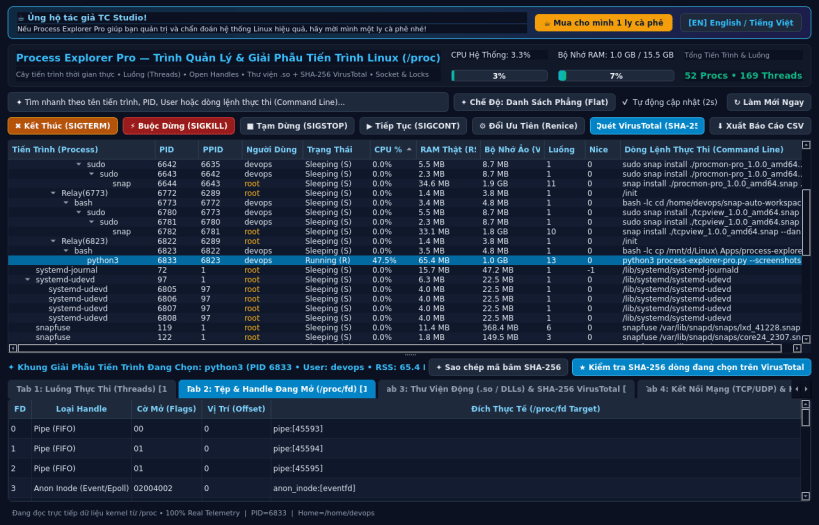
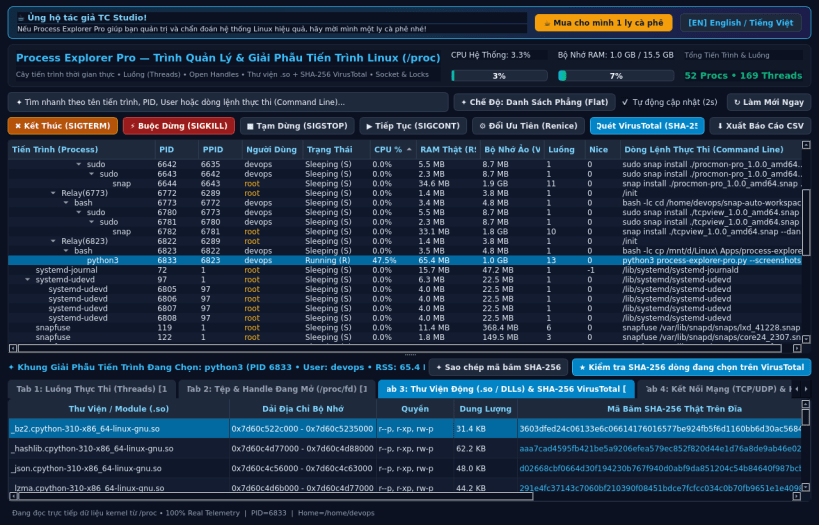
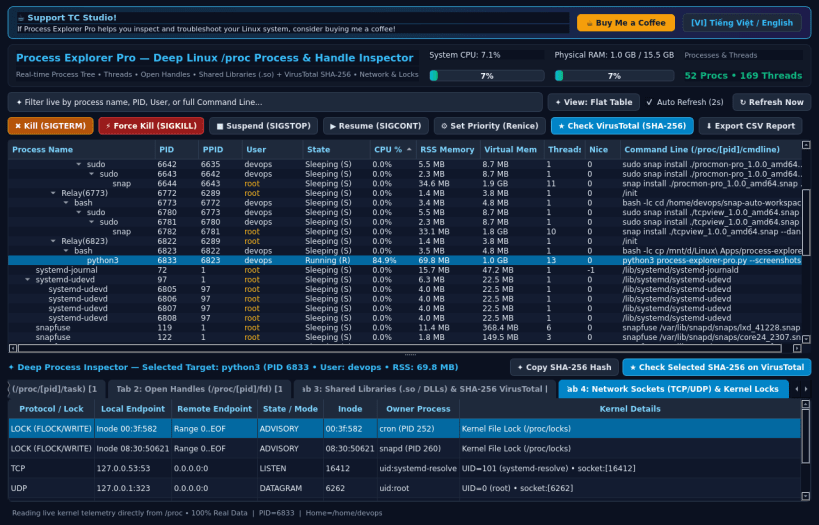
Deep Linux Process Tree, Threads, Handles, Shared Libraries & VirusTotal Hash
Process Explorer Pro by TC Studio is a professional real-time system process inspector and task manager for Linux inspired by Sysinternals Process Explorer.
Key Features:
- Hierarchical Process Tree & Flat Table reading live data from /proc
- Real-time CPU%, RSS Memory, Virtual Memory, Threads, UID/User, Nice/Priority
- Lower Pane Detail Inspector with 4 deep diagnostic tabs:
- Threads (/proc/[pid]/task): TID, State, Priority, Context Switches
- Open Handles (/proc/[pid]/fd): File descriptors, Sockets, Pipes & real paths
- Shared Libraries / DLLs (/proc/[pid]/maps): Mapped .so modules, permissions, disk size, real SHA-256 hash calculation & 1-click VirusTotal check
- Network Sockets & Kernel Locks (/proc/net/tcp, /proc/net/udp, /proc/locks)
- Real Process Control: Kill (SIGTERM), Force Kill (SIGKILL), Suspend (SIGSTOP), Resume (SIGCONT), Renice priority adjustment, and CSV Report Export.
- Bilingual Interface: Vietnamese (Tiếng Việt) & English toggle.
| Revision | Channel | Version | Build | Commit | Download SBOM |
|---|
The build and commit information is derived from build infrastructure records.
Install Process Explorer Pro on your Linux distribution
Choose your Linux distribution to get detailed installation instructions. If yours is not shown, get more details on the installing snapd documentation.


