

Simple Input Macro Repeater (quick-macro-repeater)
Install latest/stable of Simple Input Macro Repeater
Ubuntu 16.04 or later?
Make sure snap support is enabled in your Desktop store.
Install using the command line
sudo snap install quick-macro-repeaterDon't have snapd? Get set up for snaps.
Details for Simple Input Macro Repeater
Package name
- quick-macro-repeater
License
- MIT
Last updated
- Yesterday - latest/stable
Websites
Contact
External link warning
You are about to open
Do you wish to proceed?
Report a Snap Store violation
Report Simple Input Macro Repeater for a Snap Store violation
Snap Store Violation Report submitted successfully
Thank you for your report. Information you provided will help us investigate further.
Error submitting report
There was an error while sending your report. Please try again later.
Share this snap
Generate an embeddable card to be shared on external websites.
One-click X11 mouse and keyboard macro recorder, delay compressor and playlist
A straightforward Linux X11 alternative to classic desktop input macro recorders, inspired by Easy Macro Recorder. Disclaimer: This project is an independent open-source tool and is not affiliated with, sponsored by, or endorsed by Easy Macro Recorder or GoldSolution Software.
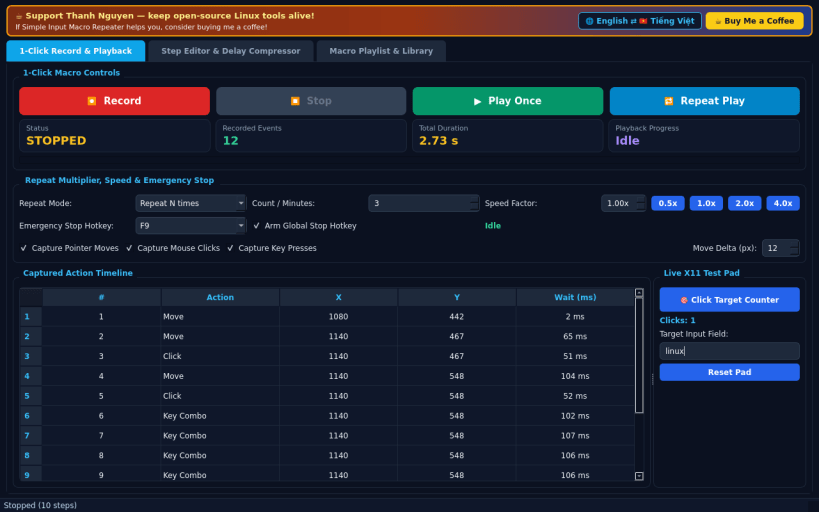
1-CLICK RECORD & REPEAT PLAYBACK
- High-contrast Record, Stop, Play, and Repeat controls capturing real X11 pointer clicks, cursor paths, and key presses with live event counter and elapsed duration readout.
- Adjustable playback speed (0.5x to 4.0x), repeat N times or T minutes, and a global emergency-stop hotkey guard.
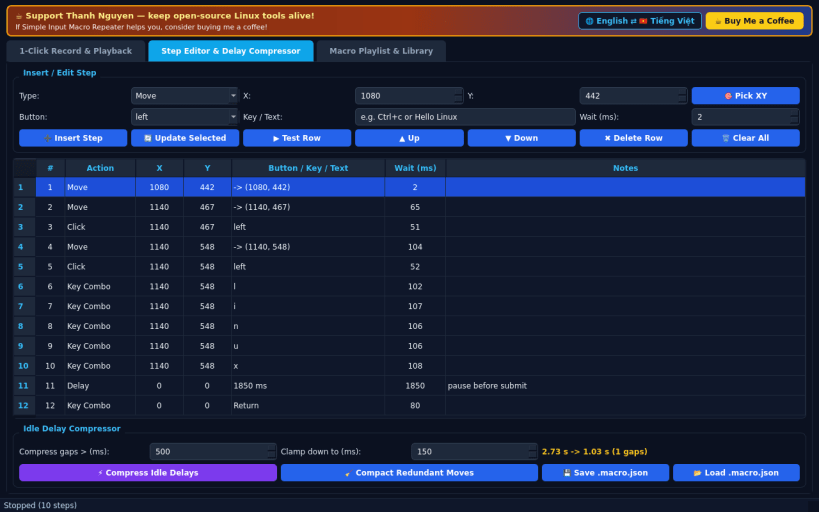
STEP EDITOR & IDLE DELAY COMPRESSOR
- Inline table editor for coordinates, mouse buttons, key combos, typed text, and millisecond waits, plus manual step insertion and single-row X11 verification.
- Configurable idle pause compressor to clamp long gaps above a chosen threshold down to a crisp target interval.
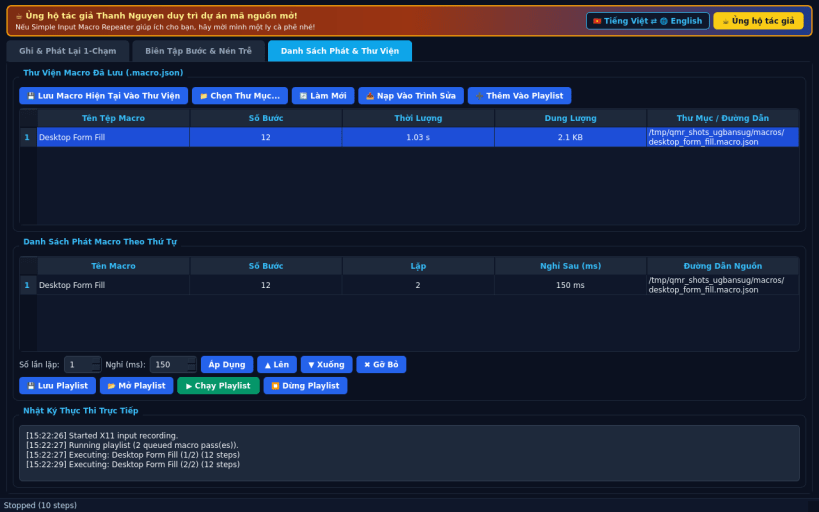
MACRO PLAYLIST & LIBRARY
- Save and organize reusable macro files from your home or configuration directory and chain them into ordered playlists with per-item repeat counts and live playback logs.
SUPPORT & DONATE
- Created by Thanh Nguyen — https://buymeacoffee.com/thanhnv128b
| Revision | Channel | Version | Build | Commit | Download SBOM |
|---|
The build and commit information is derived from build infrastructure records.
Install Simple Input Macro Repeater on your Linux distribution
Choose your Linux distribution to get detailed installation instructions. If yours is not shown, get more details on the installing snapd documentation.


