
rdp-connect-studio
Install latest/stable of rdp-connect-studio
Ubuntu 16.04 or later?
Make sure snap support is enabled in your Desktop store.
Install using the command line
sudo snap install rdp-connect-studioDon't have snapd? Get set up for snaps.
Details for rdp-connect-studio
Package name
- rdp-connect-studio
License
- MIT
Last updated
- Today - latest/stable
Websites
Contact
External link warning
You are about to open
Do you wish to proceed?
Report a Snap Store violation
Report rdp-connect-studio for a Snap Store violation
Snap Store Violation Report submitted successfully
Thank you for your report. Information you provided will help us investigate further.
Error submitting report
There was an error while sending your report. Please try again later.
Share this snap
Generate an embeddable card to be shared on external websites.
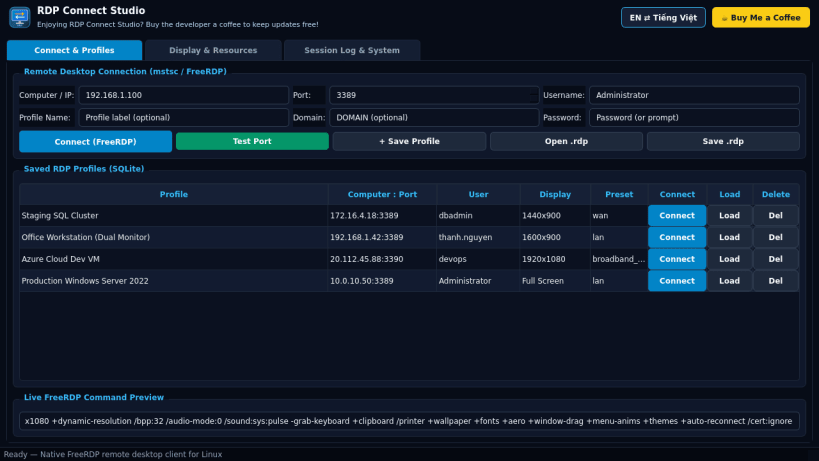
Native FreeRDP Remote Desktop client with .rdp files & saved profiles
RDP Connect Studio is a fast, native Linux Remote Desktop Connection client powered by FreeRDP and Qt5.
FEATURES:
- Open and save standard .rdp connection files compatible with remote servers and cloud VMs.
- Built-in SQLite Profile Manager with one-click Connect, Load and Delete, plus real TCP port reachability and latency testing.
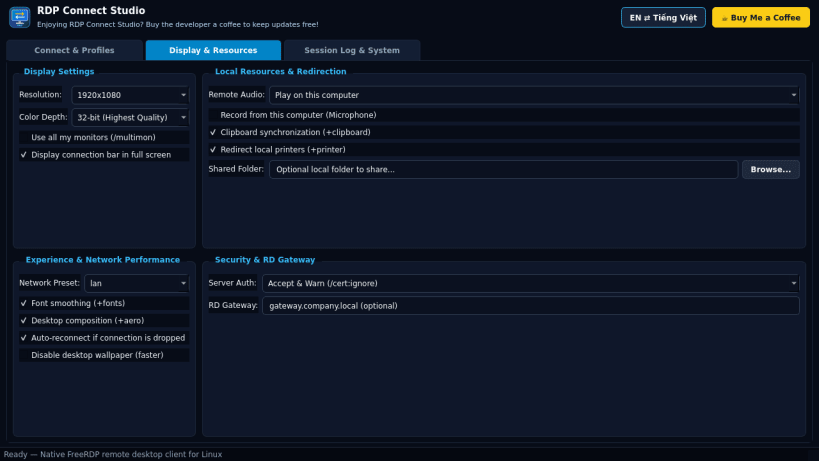
- Full Display options: Full Screen, custom resolutions, multi-monitor mode (/multimon), and 16/24/32-bit color depth.
- Local Resource redirection: audio playback, microphone capture, clipboard synchronization, printer redirection, and local shared folder mounting.
- Network performance presets (LAN, Broadband, WAN, Auto), font smoothing, auto-reconnect, RD Gateway support, and classic CLI flags (/v:, /f, .rdp).
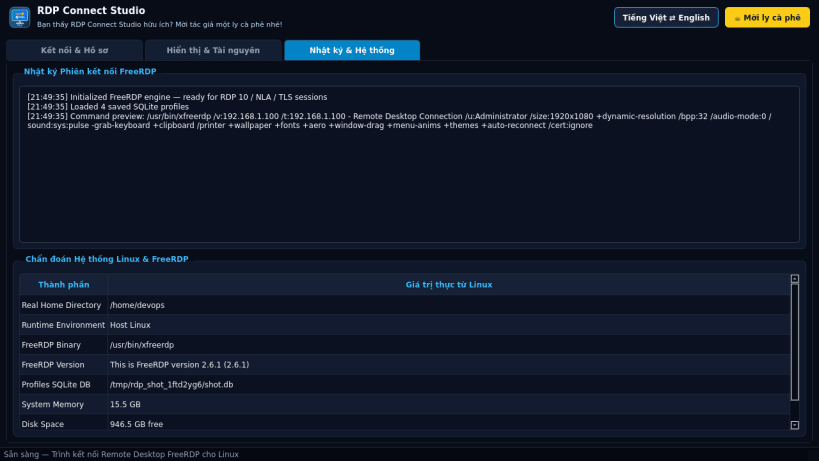
- Full bilingual English and Vietnamese interface.
Support development: https://buymeacoffee.com/thanhnv128b
| Revision | Channel | Version | Build | Commit | Download SBOM |
|---|
The build and commit information is derived from build infrastructure records.
Install rdp-connect-studio on your Linux distribution
Choose your Linux distribution to get detailed installation instructions. If yours is not shown, get more details on the installing snapd documentation.











