

Regex Search and Replace (regex-search-replace)
Install latest/stable of Regex Search and Replace
Ubuntu 16.04 or later?
Make sure snap support is enabled in your Desktop store.
Install using the command line
sudo snap install regex-search-replaceDon't have snapd? Get set up for snaps.
Details for Regex Search and Replace
Package name
- regex-search-replace
License
- MIT
Last updated
- Today - latest/stable
Websites
Contact
External link warning
You are about to open
Do you wish to proceed?
Report a Snap Store violation
Report Regex Search and Replace for a Snap Store violation
Snap Store Violation Report submitted successfully
Thank you for your report. Information you provided will help us investigate further.
Error submitting report
There was an error while sending your report. Please try again later.
Share this snap
Generate an embeddable card to be shared on external websites.
Multi-threaded regex search-and-replace with diff preview and .bak undo
Regex Search and Replace is an independent multi-threaded developer search and batch replacement tool for Linux source trees, inspired by classic grepWin workflows.
Key Features:
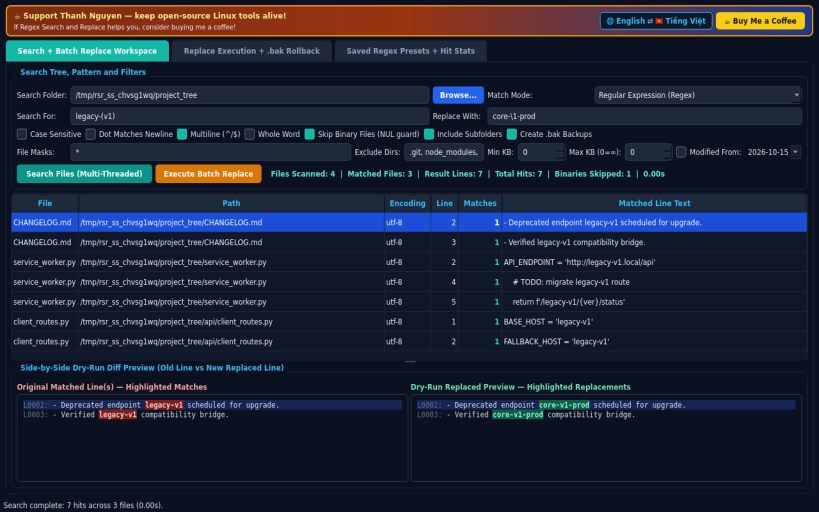
- Multi-Threaded RegEx and Literal Search: scan source trees across folders with wildcard file masks, excluded directory filters, size/date limits, case sensitivity, dot-matches-newline, multiline, whole-word matching, and automatic NUL-byte binary file skipping.
- Side-by-Side Dry-Run Diff Preview: inspect matched lines with detected file encoding, line numbers, match counts, and highlighted Old vs New replaced lines before modifying any file on disk.
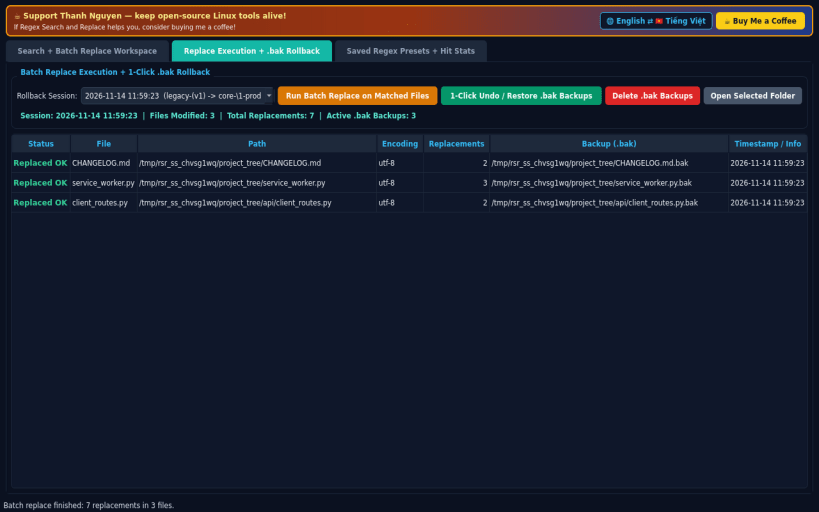
- Safe Batch Replace and 1-Click Rollback: execute multi-file replacements with automatic .bak backup creation and 1-click Undo/Restore rollback, plus cleanup for verified backups.
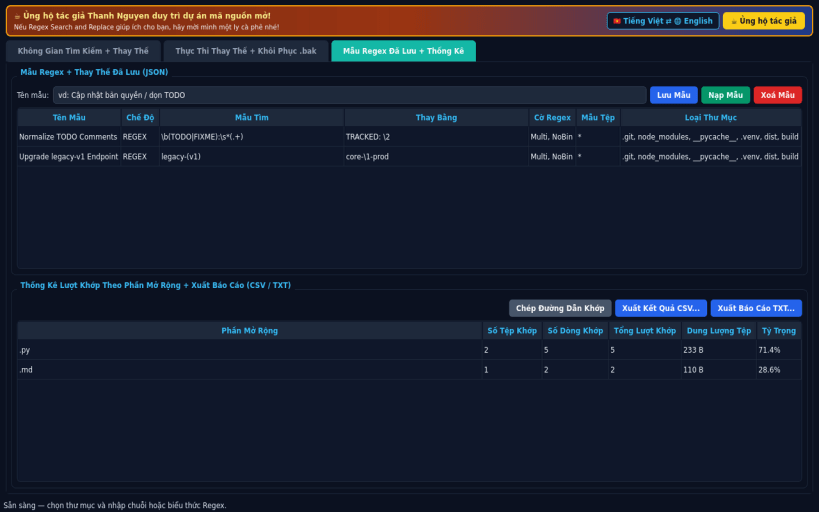
- Saved Presets and Hit Statistics: save named regex/replace presets in JSON, view hit breakdowns by file extension, and export CSV or TXT reports.
- Bilingual English and Vietnamese interface with instant runtime switching.
Disclaimer: This project is an independent open-source tool and is not affiliated with, sponsored by, or endorsed by grepWin authors.
| Revision | Channel | Version | Build | Commit | Download SBOM |
|---|
The build and commit information is derived from build infrastructure records.
Install Regex Search and Replace on your Linux distribution
Choose your Linux distribution to get detailed installation instructions. If yours is not shown, get more details on the installing snapd documentation.


