
Region Capture and Blur Tool (region-markup-capture)
Install latest/stable of Region Capture and Blur Tool
Ubuntu 16.04 or later?
Make sure snap support is enabled in your Desktop store.
Install using the command line
sudo snap install region-markup-captureDon't have snapd? Get set up for snaps.
Details for Region Capture and Blur Tool
Package name
- region-markup-capture
License
- MIT
Last updated
- Yesterday - latest/stable
Websites
Contact
External link warning
You are about to open
Do you wish to proceed?
Report a Snap Store violation
Report Region Capture and Blur Tool for a Snap Store violation
Snap Store Violation Report submitted successfully
Thank you for your report. Information you provided will help us investigate further.
Error submitting report
There was an error while sending your report. Please try again later.
Share this snap
Generate an embeddable card to be shared on external websites.
X11 region capture, vector markup canvas, and pixelate or blur redaction tool
Region Capture and Blur Tool is a fast, open-source Linux screenshot capture and vector annotation studio providing an independent alternative to Greenshot and FastStone Capture for X11 desktops.
FEATURES
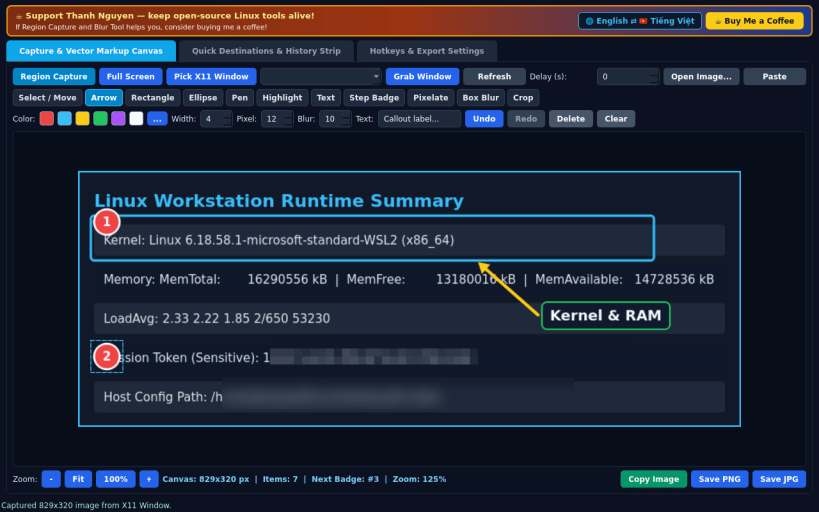
- Flexible X11 Screen Capture: grab full virtual desktops, pick or select active X11 windows, or drag a translucent rubber-band region with optional countdown delay and clipboard paste.
- Zoomable Vector Markup Editor: annotate captures immediately with Select and Move, Arrow, Rectangle, Ellipse, Freehand Pen, Translucent Highlighter, Text Callout, Auto-Numbered Step Badges (1, 2, 3...), and Region Crop backed by a full Undo and Redo stack.
- True Pixel-Level Redaction: apply real block-averaging Pixelate Mosaic and multi-pass Box Blur directly onto underlying image pixels so sensitive details are permanently obscured in exported files.
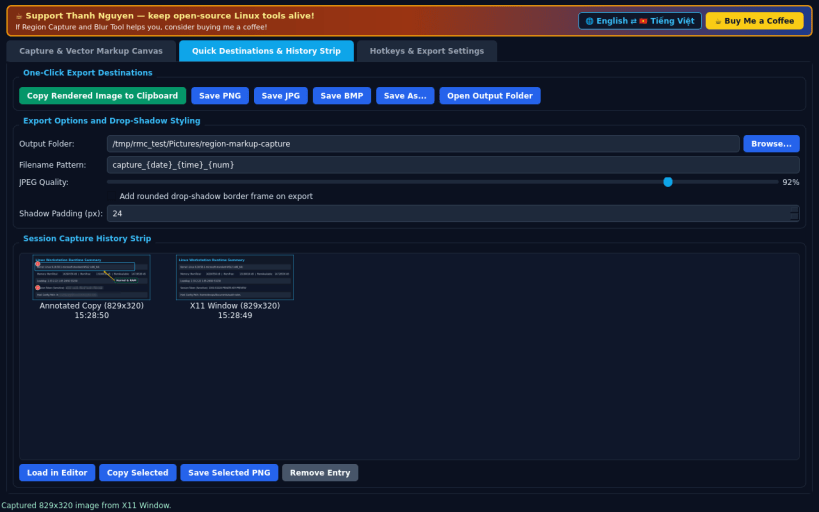
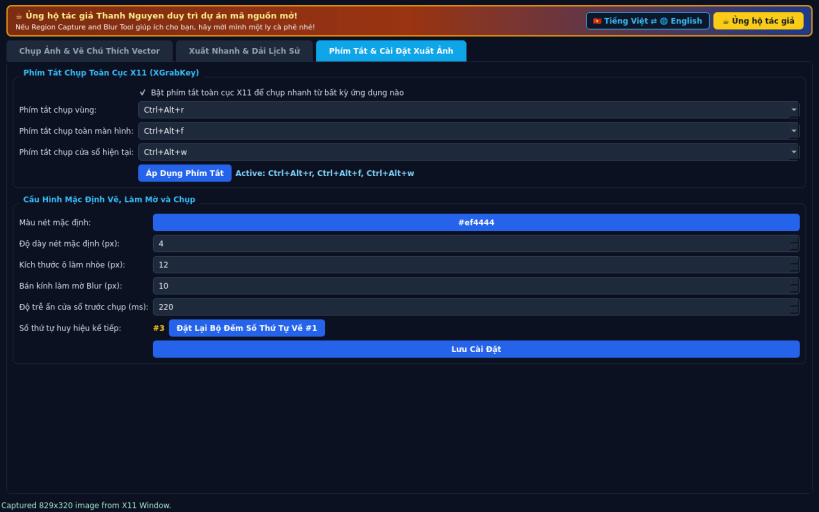
- Quick Destinations and Global Hotkeys: copy rendered output to the clipboard, export PNG, JPEG, or BMP with optional drop-shadow framing, browse the session thumbnail strip, and register global X11 capture keys.
Disclaimer: This project is an independent open-source tool and is not affiliated with, sponsored by, or endorsed by Greenshot or FastStone.
SUPPORT AND DONATE
- Created by Thanh Nguyen — https://buymeacoffee.com/thanhnv128b
| Revision | Channel | Version | Build | Commit | Download SBOM |
|---|
The build and commit information is derived from build infrastructure records.
Install Region Capture and Blur Tool on your Linux distribution
Choose your Linux distribution to get detailed installation instructions. If yours is not shown, get more details on the installing snapd documentation.


