

Resilient File Copier
Install latest/stable of Resilient File Copier
Ubuntu 16.04 or later?
Make sure snap support is enabled in your Desktop store.
Install using the command line
sudo snap install resilient-file-copierDon't have snapd? Get set up for snaps.
Details for Resilient File Copier
Package name
- resilient-file-copier
License
- MIT
Last updated
- Today - latest/stable
Report a Snap Store violation
Report Resilient File Copier for a Snap Store violation
Snap Store Violation Report submitted successfully
Thank you for your report. Information you provided will help us investigate further.
Error submitting report
There was an error while sending your report. Please try again later.
Share this snap
Generate an embeddable card to be shared on external websites.
Fault-tolerant resumable batch file & folder salvage copier for Linux
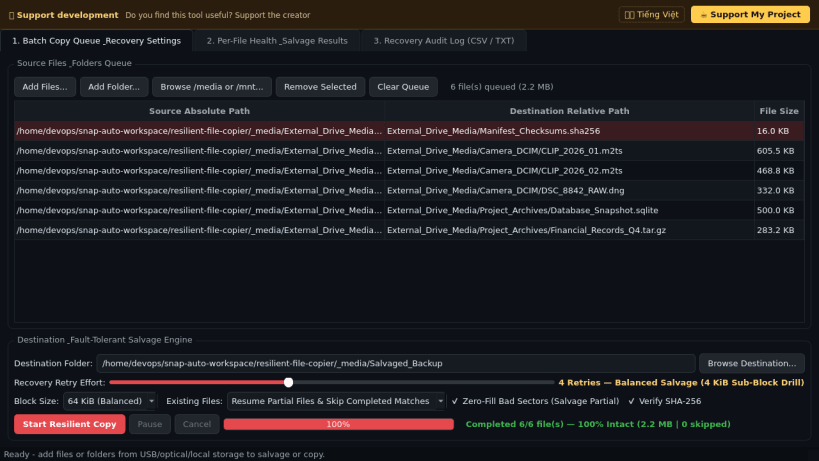
A fault-tolerant, resumable chunked batch file and folder recovery copier for scratched optical media, aging USB flash drives, degraded SD cards, and unstable network mounts on Linux. A lightweight Linux alternative to Roadkil's Unstoppable Copier for salvaging undamaged bytes from partially readable files and resuming interrupted transfers.
Key features:
- Configurable block-stream copier (4 KiB to 4 MiB) with an adjustable retry slider from instant fast salvage to aggressive multi-retry 512-byte sub-sector drilldown.
- Automatic OSError / EIO bad-block bypass with optional zero-fill sector padding so readable portions of damaged files are recovered intact instead of aborting the batch.
- Smart resume for partially copied destination files plus skip-existing size/mtime checks and Pause / Continue / Cancel controls.
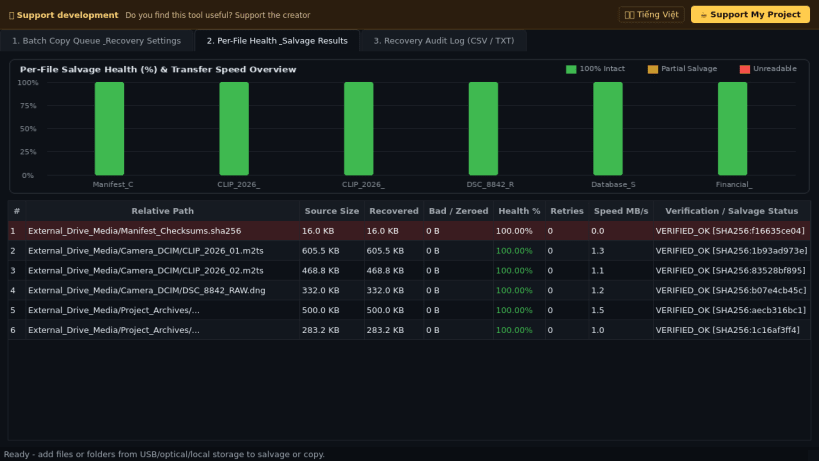
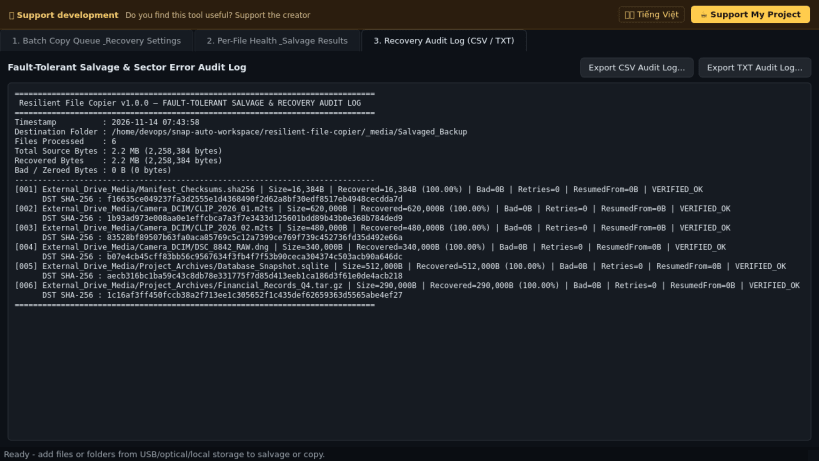
- Streaming SHA-256 source-vs-destination integrity verification, visual per-file health & throughput chart, and exportable CSV / TXT recovery audit logs.
Disclaimer: This project is an independent open-source tool and is not affiliated with, sponsored by, or endorsed by Roadkil.Net or Roadkil's Unstoppable Copier.
| Revision | Channel | Version | Build | Commit | Download SBOM |
|---|
The build and commit information is derived from build infrastructure records.
Install Resilient File Copier on your Linux distribution
Choose your Linux distribution to get detailed installation instructions. If yours is not shown, get more details on the installing snapd documentation.


