

Resume CV Builder
Install latest/stable of Resume CV Builder
Ubuntu 16.04 or later?
Make sure snap support is enabled in your Desktop store.
Install using the command line
sudo snap install resume-cv-builderDon't have snapd? Get set up for snaps.
Details for Resume CV Builder
Package name
- resume-cv-builder
License
- MIT
Last updated
- Yesterday - latest/stable
Report a Snap Store violation
Report Resume CV Builder for a Snap Store violation
Snap Store Violation Report submitted successfully
Thank you for your report. Information you provided will help us investigate further.
Error submitting report
There was an error while sending your report. Please try again later.
Share this snap
Generate an embeddable card to be shared on external websites.
Structured resume & CV composer with live templates and vector PDF export
Resume CV Builder is a privacy-first offline desktop curriculum vitae editor, live multi-template preview studio, and vector PDF exporter for Linux. Create polished, Applicant Tracking System (ATS) readable resumes without cloud accounts or subscription locks, keeping all personal career data locally on your machine.
Key Features:
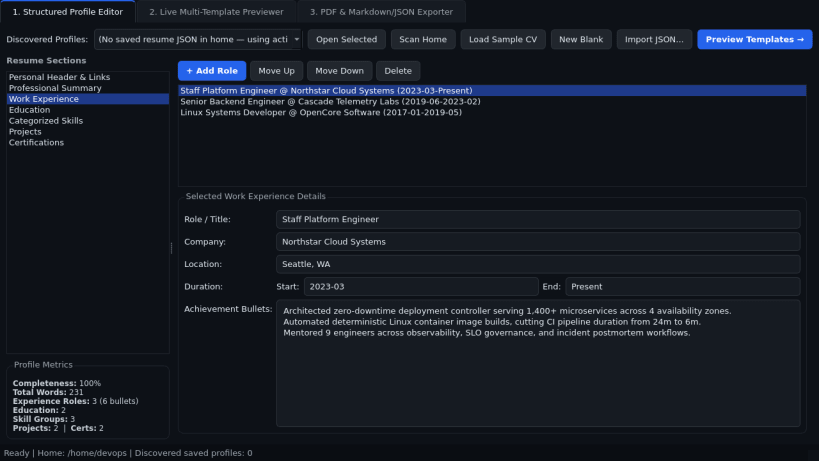
- Structured Profile Editor: Dedicated section editor for Personal Header and Links, Professional Summary, Work Experience entries, Education history, Categorized Skills, Projects, and Certifications with instant add, reorder, and delete controls.
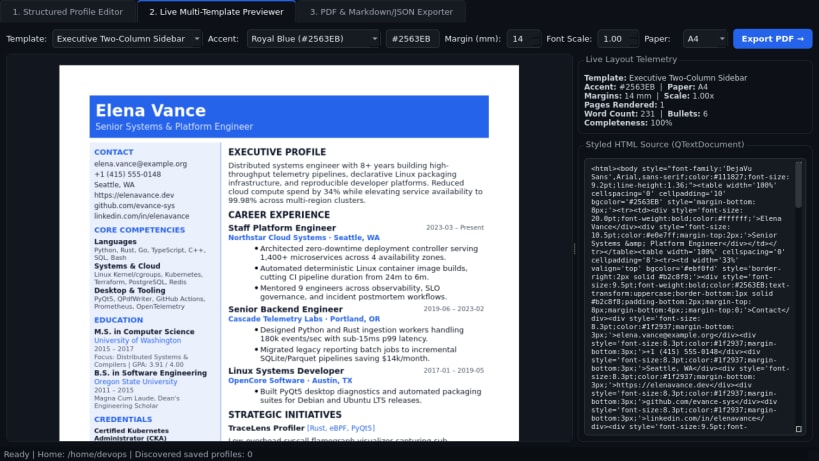
- Live Multi-Template Previewer: Renders styled HTML/Qt resume pages in real time across three distinct layouts (ATS Classic Single-Column, Executive Two-Column Sidebar, and Developer Compact Grid) with customizable accent colors, page margins, font scale, and A4/Letter sizing.
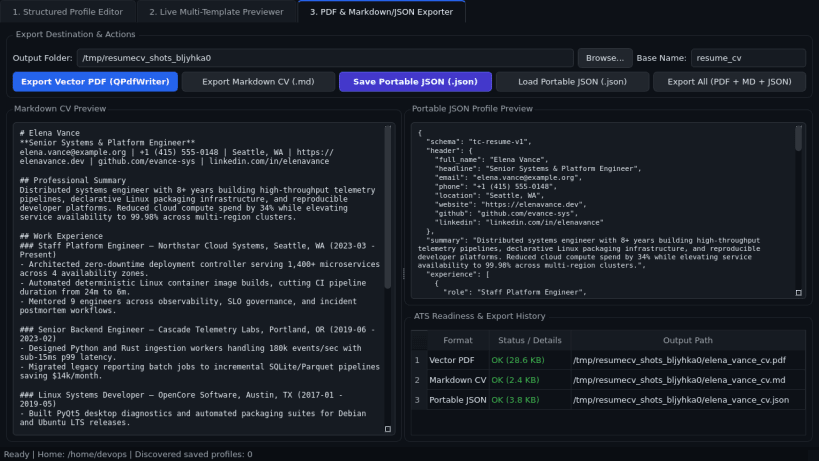
- PDF, Markdown & JSON Exporter: Produces clean vector PDF documents via Qt QPdfWriter, structured Markdown resumes, and portable JSON profile files for effortless backup and version control.
Disclaimer: Resume CV Builder is an independent open-source project by TC Studio and is not affiliated with, endorsed by, or sponsored by Reactive Resume.
| Revision | Channel | Version | Build | Commit | Download SBOM |
|---|
The build and commit information is derived from build infrastructure records.
Install Resume CV Builder on your Linux distribution
Choose your Linux distribution to get detailed installation instructions. If yours is not shown, get more details on the installing snapd documentation.


