

Rounded Window Capture
Install latest/stable of Rounded Window Capture
Ubuntu 16.04 or later?
Make sure snap support is enabled in your Desktop store.
Install using the command line
sudo snap install rounded-window-captureDon't have snapd? Get set up for snaps.
Details for Rounded Window Capture
Package name
- rounded-window-capture
License
- MIT
Last updated
- Today - latest/stable
Websites
Contact
External link warning
You are about to open
Do you wish to proceed?
Report a Snap Store violation
Report Rounded Window Capture for a Snap Store violation
Snap Store Violation Report submitted successfully
Thank you for your report. Information you provided will help us investigate further.
Error submitting report
There was an error while sending your report. Please try again later.
Share this snap
Generate an embeddable card to be shared on external websites.
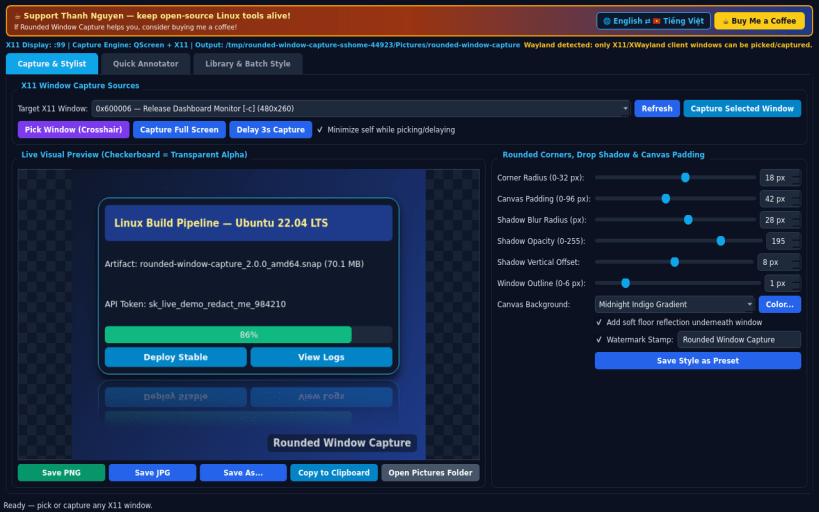
Capture X11 windows with rounded corners, Gaussian drop shadow & annotations
A Linux X11 alternative to WinSnap. Independent open-source project, not affiliated with or endorsed by NTWind Software.
Window enumeration, crosshair X11 pointer picking, and QScreen.grabWindow capture operate on X11 and XWayland windows; Wayland-native windows cannot be enumerated or captured by external X11 clients.
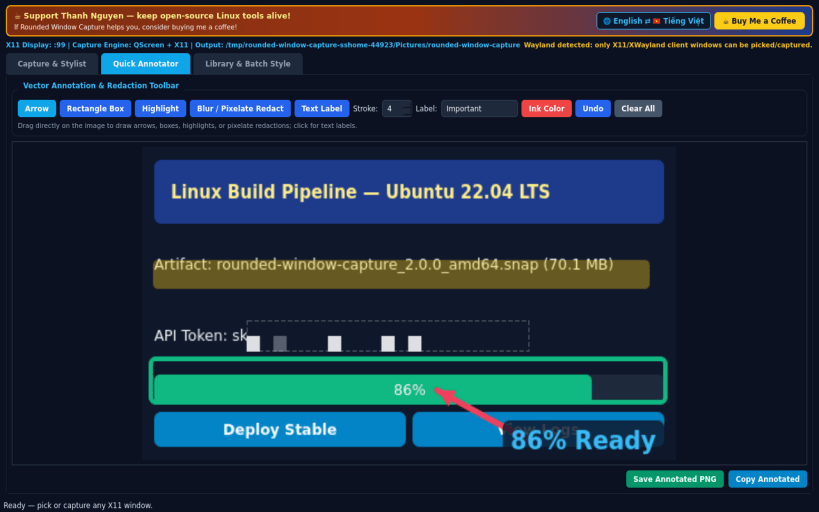
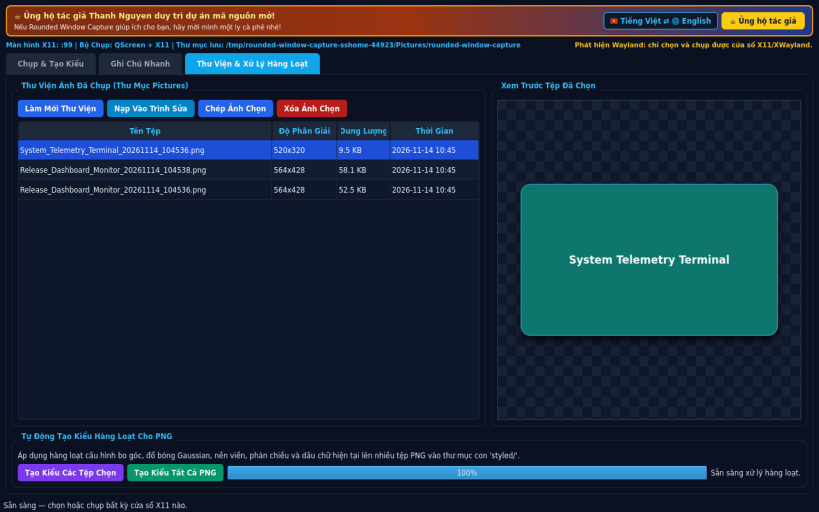
FEATURES • Window Capture & Visual Stylist: enumerate live X11 windows or pick any target with an interactive X11 crosshair cursor, capture clean window pixels or full screen with optional delay timer, apply anti-aliased rounded corners (0-32px), multi-pass drop shadow blur, transparent or gradient canvas padding, reflection, and watermark stamp. Save PNG/JPG or copy directly to clipboard. • Quick Annotator: interactive vector toolbar directly over captured frames with Arrow, Rectangle Box, Highlight Marker, Pixelate/Redact region tool, and Text Labels with Undo/Redo history baked cleanly into exported images. • Capture Library & Batch Auto-Style: browse real saved captures in your Pictures folder, load captures back into the editor, and batch-apply saved corner, shadow, and background presets across multiple PNG files.
SUPPORT & DONATE • Created by Thanh Nguyen — https://buymeacoffee.com/thanhnv128b
| Revision | Channel | Version | Build | Commit | Download SBOM |
|---|
The build and commit information is derived from build infrastructure records.
Install Rounded Window Capture on your Linux distribution
Choose your Linux distribution to get detailed installation instructions. If yours is not shown, get more details on the installing snapd documentation.


