

Satchel Grid Raider
Install latest/stable of Satchel Grid Raider
Ubuntu 16.04 or later?
Make sure snap support is enabled in your Desktop store.
Install using the command line
sudo snap install satchel-grid-raiderDon't have snapd? Get set up for snaps.
Details for Satchel Grid Raider
Package name
- satchel-grid-raider
License
- MIT
Last updated
- Today - latest/stable
Websites
Contact
External link warning
You are about to open
Do you wish to proceed?
Report a Snap Store violation
Report Satchel Grid Raider for a Snap Store violation
Snap Store Violation Report submitted successfully
Thank you for your report. Information you provided will help us investigate further.
Error submitting report
There was an error while sending your report. Please try again later.
Share this snap
Generate an embeddable card to be shared on external websites.
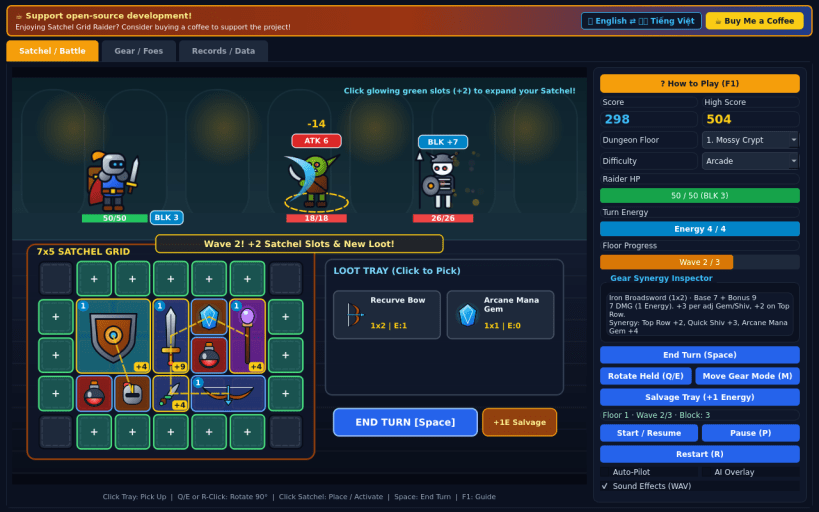
Pack and rotate weapons, shields, and mana gems in a dungeon satchel
Satchel Grid Raider is a 60 FPS dungeon tactics inventory battler across three subterranean biomes.
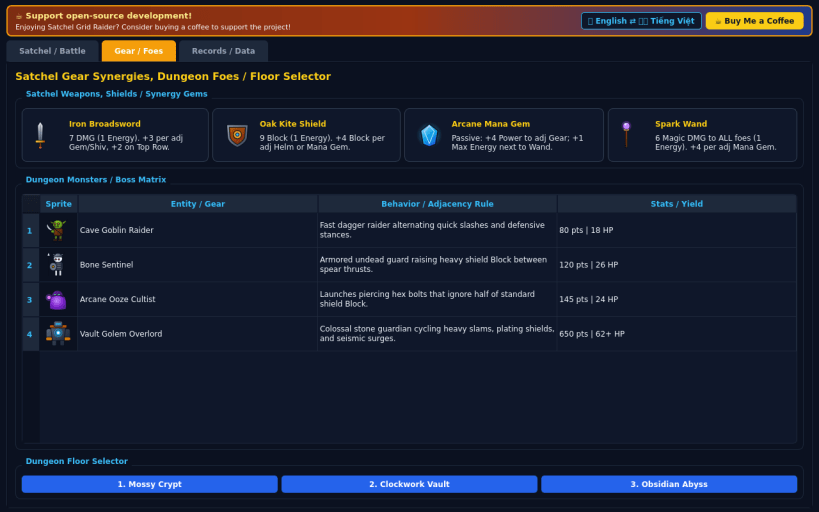
Unlock slots inside your expandable 7x5 explorer satchel, rotate swords, daggers, bows, shields, helms, wands, and mana gems, and align adjacent items to multiply damage, block, and energy bonuses. Strike Goblin Thieves, Bone Sentinels, Arcane Oozes, and the Vault Golem across three dungeon floors.
Features:
- Spatial satchel grid packing with 90-degree rotation and live synergy links
- Animated 60 FPS dungeon combat with telegraphed enemy attacks and blocks
- 3 dungeon biomes (Mossy Crypt, Clockwork Vault, Obsidian Abyss)
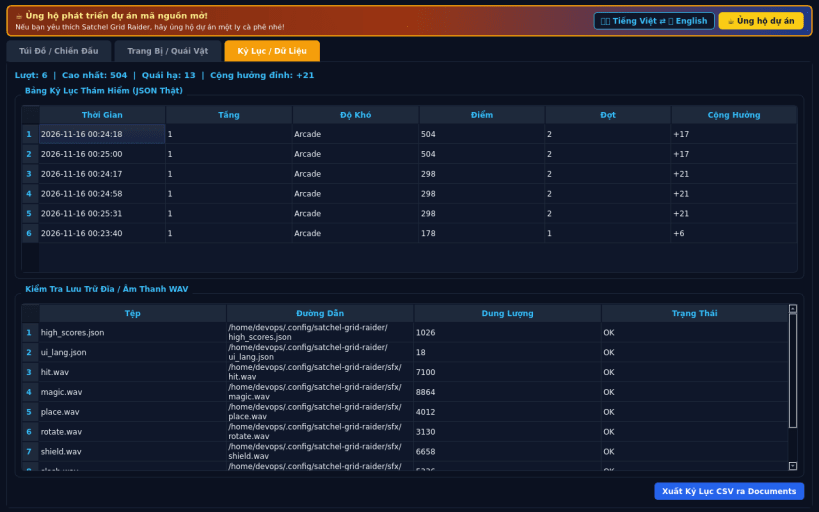
- 3 difficulty modes (Casual, Arcade, Turbo), WAV audio, JSON saves, CSV export
Disclaimer: This project is an independent open-source game and is not affiliated with, sponsored by, or endorsed by any commercial title.
| Revision | Channel | Version | Build | Commit | Download SBOM |
|---|
The build and commit information is derived from build infrastructure records.
Install Satchel Grid Raider on your Linux distribution
Choose your Linux distribution to get detailed installation instructions. If yours is not shown, get more details on the installing snapd documentation.


