

Sawblade Walljump Dash
Install latest/stable of Sawblade Walljump Dash
Ubuntu 16.04 or later?
Make sure snap support is enabled in your Desktop store.
Install using the command line
sudo snap install sawblade-walljump-dashDon't have snapd? Get set up for snaps.
Details for Sawblade Walljump Dash
Package name
- sawblade-walljump-dash
License
- MIT
Last updated
- Today - latest/stable
Websites
Contact
External link warning
You are about to open
Do you wish to proceed?
Report a Snap Store violation
Report Sawblade Walljump Dash for a Snap Store violation
Snap Store Violation Report submitted successfully
Thank you for your report. Information you provided will help us investigate further.
Error submitting report
There was an error while sending your report. Please try again later.
Share this snap
Generate an embeddable card to be shared on external websites.
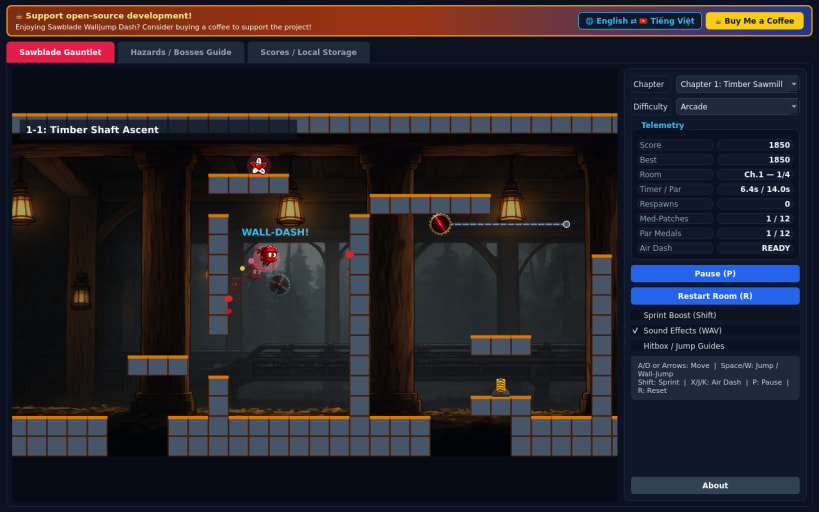
High-speed 2D precision wall-jump platformer past spinning buzzsaw hazards
An ultra-fast 60 FPS 2D precision wall-jump platformer! Guide an agile crimson jumper hero across three perilous industrial chapters — Timber Sawmill, Salt Iron Foundry, and Crimson Saw Citadel — leaping across narrow shafts, sliding down timber walls, and dashing past spinning sawblades.
FEATURES
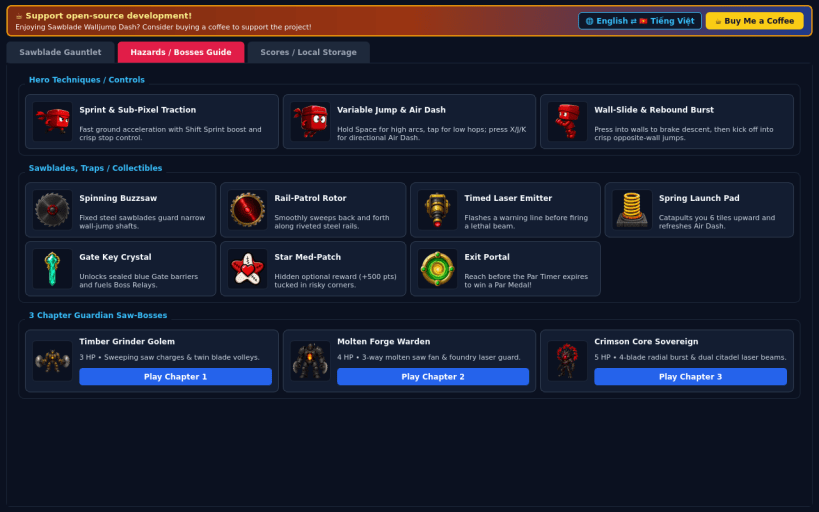
- Crisp 60 FPS Precision Movement: Sub-pixel acceleration and traction, variable jump height, coyote time, jump buffering, friction wall-sliding, wall-jump rebounds, sprint boost, and directional air dashes.
- Dynamic Traps & Collectibles: Evade stationary buzzsaws, rail-patrolling saw rotors, timed laser beams, and crumbling bridges while collecting gate key crystals, spring pad launches, and hidden star med-patches.
- Multi-Room Chapters & Guardian Bosses: Master 3 handcrafted chapters with multi-room gauntlets, Par Timer medals, persistent crimson splat trails, instant 0.25s respawns, and 3 unique Guardian Saw-Boss encounters.
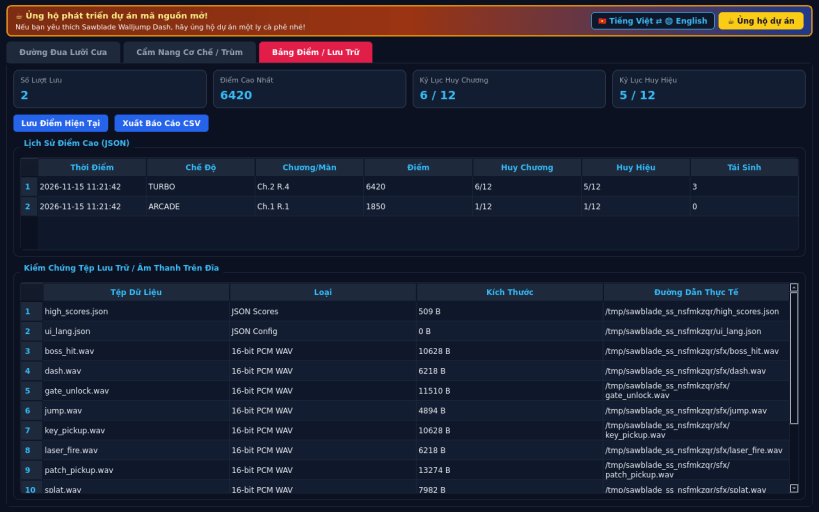
- Difficulty Tiers & Bilingual UI: Casual, Arcade, and Turbo speeds, optional hitbox and jump-vector guides, synthesized 16-bit PCM WAV audio, persistent JSON high scores, CSV export, and English / Vietnamese UI.
SUPPORT & DONATE
- Open-source development support: https://buymeacoffee.com/thanhnv128b
| Revision | Channel | Version | Build | Commit | Download SBOM |
|---|
The build and commit information is derived from build infrastructure records.
Install Sawblade Walljump Dash on your Linux distribution
Choose your Linux distribution to get detailed installation instructions. If yours is not shown, get more details on the installing snapd documentation.


