

Screen Color Eyedropper
Install latest/stable of Screen Color Eyedropper
Ubuntu 16.04 or later?
Make sure snap support is enabled in your Desktop store.
Install using the command line
sudo snap install screen-color-eyedropperDon't have snapd? Get set up for snaps.
Details for Screen Color Eyedropper
Package name
- screen-color-eyedropper
License
- MIT
Last updated
- Today - latest/stable
Websites
Contact
External link warning
You are about to open
Do you wish to proceed?
Report a Snap Store violation
Report Screen Color Eyedropper for a Snap Store violation
Snap Store Violation Report submitted successfully
Thank you for your report. Information you provided will help us investigate further.
Error submitting report
There was an error while sending your report. Please try again later.
Share this snap
Generate an embeddable card to be shared on external websites.
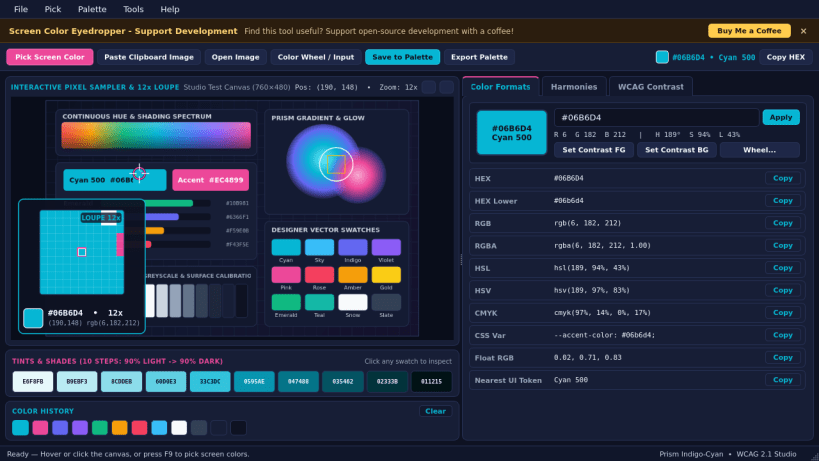
Screen color eyedropper, 12x pixel loupe, WCAG contrast & palette studio
Screen Color Eyedropper is an offline-first Linux desktop color sampling, conversion, and accessibility design workbench. Grab any pixel across your screen with a smooth 6x-20x pixel grid magnifier loupe or inspect loaded and pasted images right inside the built-in sampler canvas.
Key Features:
- Full-screen pixel eyedropper overlay with live 12x loupe, crosshair (X, Y) coordinates, scroll-wheel zoom, and instant RGB / HEX readout
- Interactive studio sample canvas supporting local images and clipboard paste
- One-click multi-format copy rows for HEX, RGB, RGBA, HSL, HSV, CMYK, CSS custom variables, Float RGB, and nearest UI color tokens
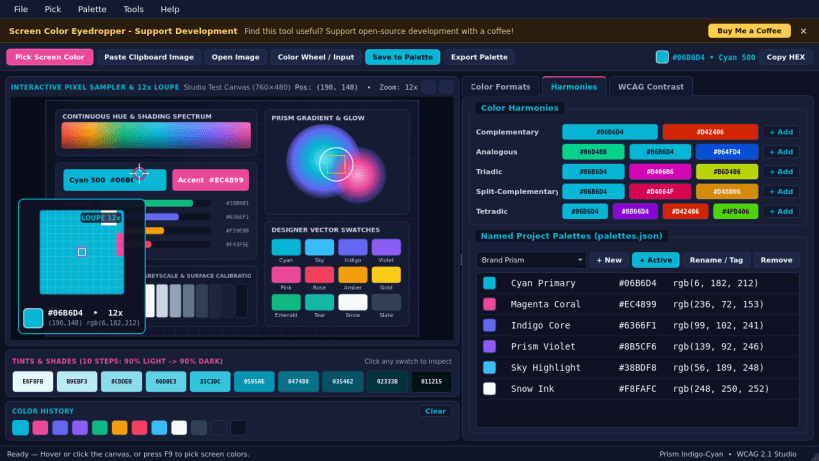
- Interactive HSV color wheel, 10-step tints and shades ramp, and automatic Complementary, Analogous, Triadic, Split-Complementary, and Tetradic harmonies
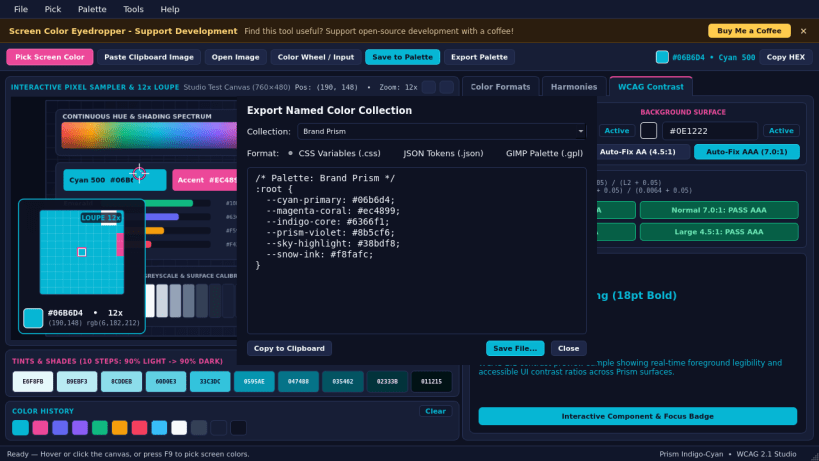
- Built-in WCAG 2.1 contrast studio with live ratio math, AA/AAA badges, text preview cards, and one-click lightness auto-fix
- Persistent named project palettes stored locally with clean export to CSS, JSON tokens, and GIMP palette format
| Revision | Channel | Version | Build | Commit | Download SBOM |
|---|
The build and commit information is derived from build infrastructure records.
Install Screen Color Eyedropper on your Linux distribution
Choose your Linux distribution to get detailed installation instructions. If yours is not shown, get more details on the installing snapd documentation.











