
Screen OCR Grabber (screen-ocr-grabber-pro)
Install latest/stable of Screen OCR Grabber
Ubuntu 16.04 or later?
Make sure snap support is enabled in your Desktop store.
Install using the command line
sudo snap install screen-ocr-grabber-proDon't have snapd? Get set up for snaps.
Details for Screen OCR Grabber
Package name
- screen-ocr-grabber-pro
License
- GPL-3.0-or-later
Last updated
- Today - latest/stable
Websites
Contact
External link warning
You are about to open
Do you wish to proceed?
Report a Snap Store violation
Report Screen OCR Grabber for a Snap Store violation
Snap Store Violation Report submitted successfully
Thank you for your report. Information you provided will help us investigate further.
Error submitting report
There was an error while sending your report. Please try again later.
Share this snap
Generate an embeddable card to be shared on external websites.
Screen region OCR grabber with preprocessing, word boxes and formatting
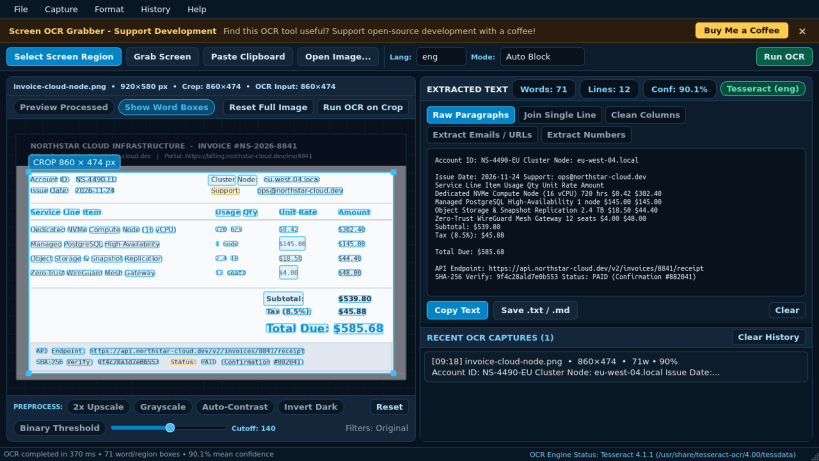
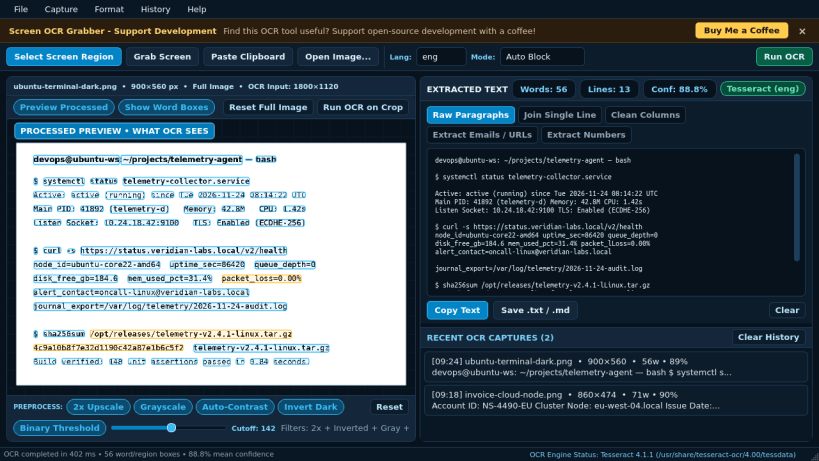
Screen OCR Grabber is an offline-first Linux desktop OCR workbench for capturing screen regions, loading clipboard or local images, tuning visual preprocessing filters, and extracting structured text locally using bundled Tesseract OCR.
Key features:
- Screen, Region, Clipboard & Image Capture: Grab the full desktop, drag an interactive screen region selector overlay, paste images directly from the clipboard, or open PNG, JPG, WebP, BMP, and TIFF files.
- Interactive Canvas Crop & Word Boxes Overlay: Drag a custom crop box on any loaded image, toggle live processed previews, and inspect recognized word bounding boxes with per-word confidence tooltips.
- Real-Time Image Preprocessing Strip: Apply 2x Lanczos upscaling, grayscale conversion, auto-contrast normalization, adjustable binary thresholding, and dark-theme UI inversion for terminals and code editors.
- Multi-Language & Page Segmentation Modes: Select installed Tesseract language packs and switch between Auto Block, Single Column, Single Line, and Sparse Text segmentation modes.
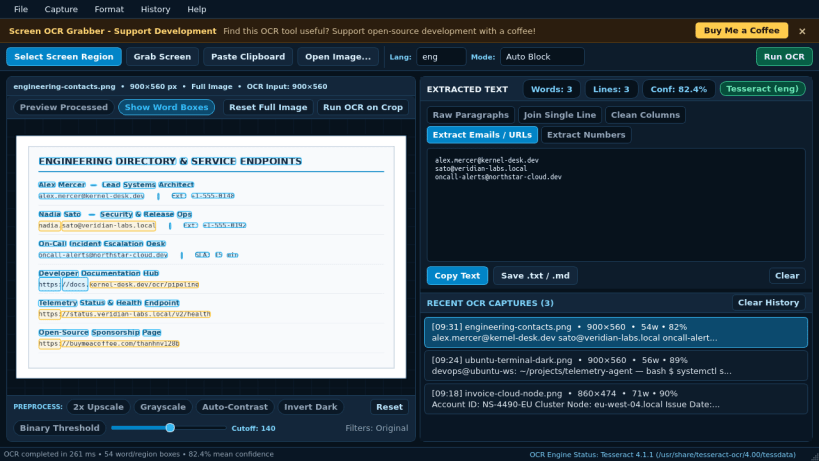
- Smart Text Post-Processing & SQLite Capture History: Reformat output as Raw Paragraphs, Join Single Line, Clean Columns, Extract Emails / URLs, or Extract Numbers, copy to clipboard, export TXT/Markdown, and browse recent OCR captures stored locally.
| Revision | Channel | Version | Build | Commit | Download SBOM |
|---|
The build and commit information is derived from build infrastructure records.
Install Screen OCR Grabber on your Linux distribution
Choose your Linux distribution to get detailed installation instructions. If yours is not shown, get more details on the installing snapd documentation.











