

Screenshot Markup Studio
Install latest/stable of Screenshot Markup Studio
Ubuntu 16.04 or later?
Make sure snap support is enabled in your Desktop store.
Install using the command line
sudo snap install screenshot-markup-studioDon't have snapd? Get set up for snaps.
Details for Screenshot Markup Studio
Package name
- screenshot-markup-studio
License
- MIT
Last updated
- Yesterday - latest/stable
Report a Snap Store violation
Report Screenshot Markup Studio for a Snap Store violation
Snap Store Violation Report submitted successfully
Thank you for your report. Information you provided will help us investigate further.
Error submitting report
There was an error while sending your report. Please try again later.
Share this snap
Generate an embeddable card to be shared on external websites.
Vector screenshot annotation, callout editor, and social frame exporter
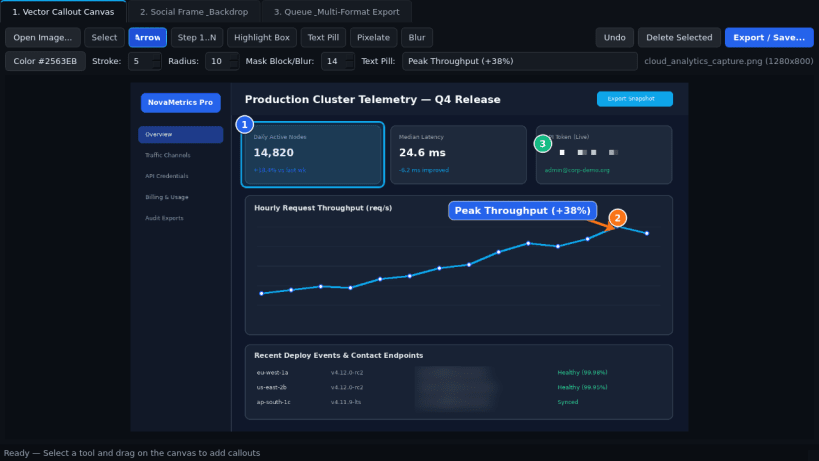
Screenshot Markup Studio is a desktop screenshot annotation, vector callout, and presentation framing utility for Linux. Designed as a clean, offline-first markup workspace, it lets you annotate captures with arrows, numbered step badges, highlight boxes, text pills, and pixelate or Gaussian blur masking regions before exporting in multiple formats.
Key Features:
- Vector Callout Canvas: Draw crisp arrows with arrowheads, auto-numbered step badges (1, 2, 3...), rounded highlight rectangles, pill-backed text labels, and pixelate or Gaussian blur masking regions over any loaded screenshot.
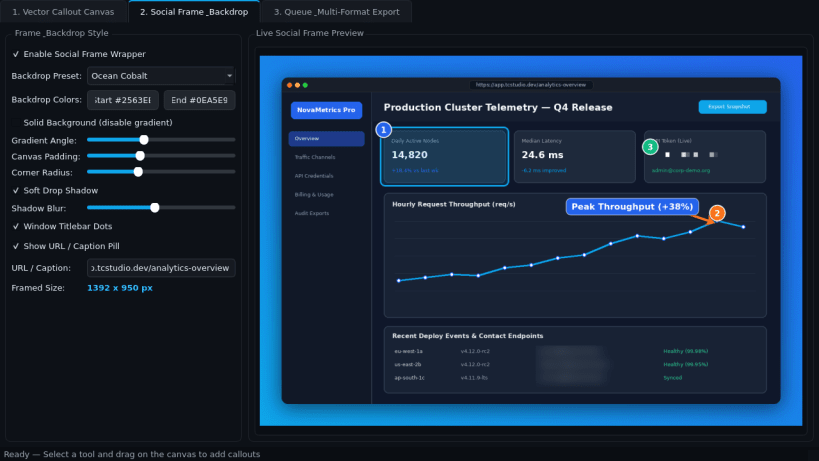
- Social Frame & Gradient Backdrop: Wrap annotated images with rounded corners, soft drop shadows, custom solid or gradient canvas padding, optional window titlebar dots, and a URL caption bar.
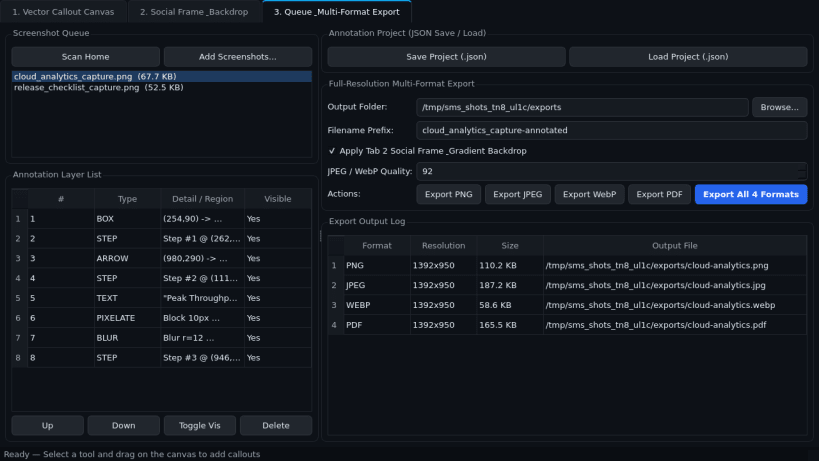
- Layer Queue & Multi-Format Export: Manage every annotation layer in an ordered list, save and reload editable JSON annotation projects, and export at full resolution to PNG, JPEG, WebP, and PDF.
Disclaimer: Screenshot Markup Studio is an independent open-source project by TC Studio and is not affiliated with, endorsed by, or sponsored by Greenshot.
| Revision | Channel | Version | Build | Commit | Download SBOM |
|---|
The build and commit information is derived from build infrastructure records.
Install Screenshot Markup Studio on your Linux distribution
Choose your Linux distribution to get detailed installation instructions. If yours is not shown, get more details on the installing snapd documentation.


