

Screention
Install latest/stable of Screention
Ubuntu 16.04 or later?
Make sure snap support is enabled in your Desktop store.
Details for Screention
Package name
- screention
License
- Proprietary
Last updated
- 10 November 2026 - latest/stable
- Yesterday - latest/beta
Websites
Contact
Source code
Report a bug
External link warning
You are about to open
Do you wish to proceed?
Report a Snap Store violation
Report Screention for a Snap Store violation
Snap Store Violation Report submitted successfully
Thank you for your report. Information you provided will help us investigate further.
Error submitting report
There was an error while sending your report. Please try again later.
Share this snap
Generate an embeddable card to be shared on external websites.
Capture, annotate, read and share screenshots
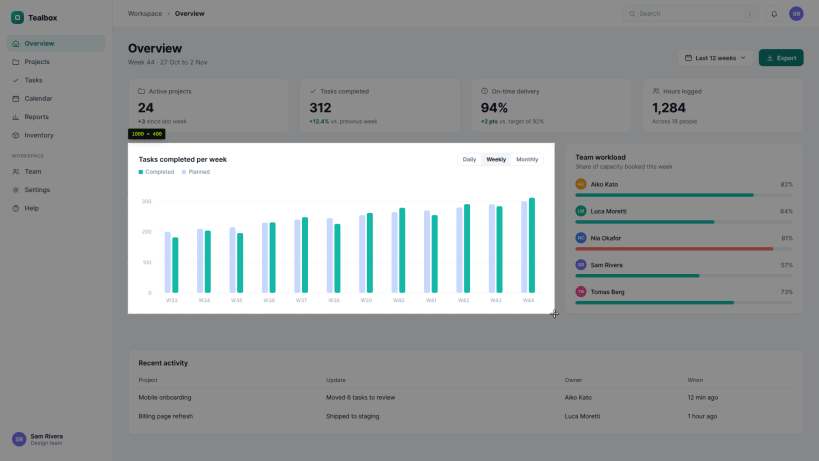
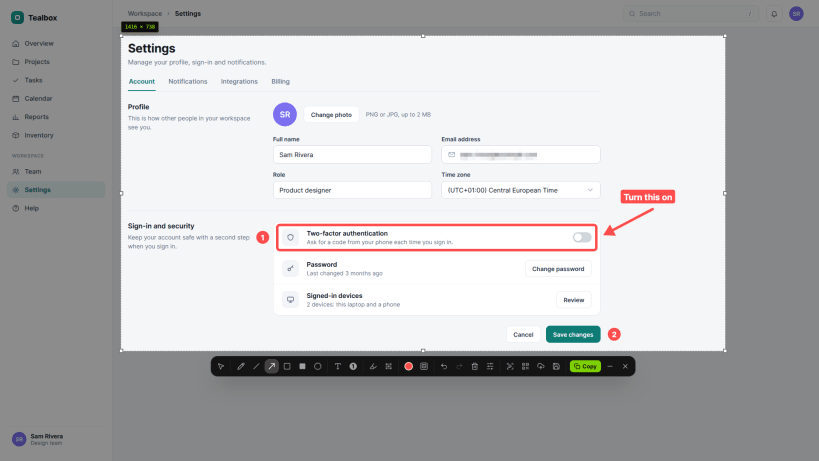
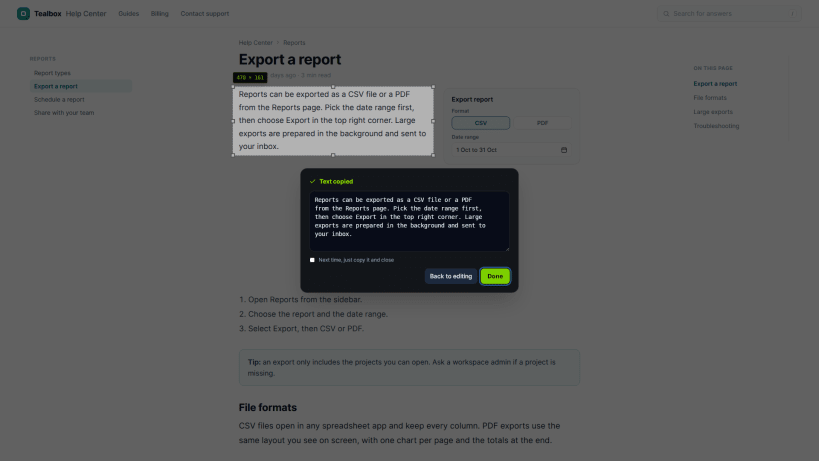
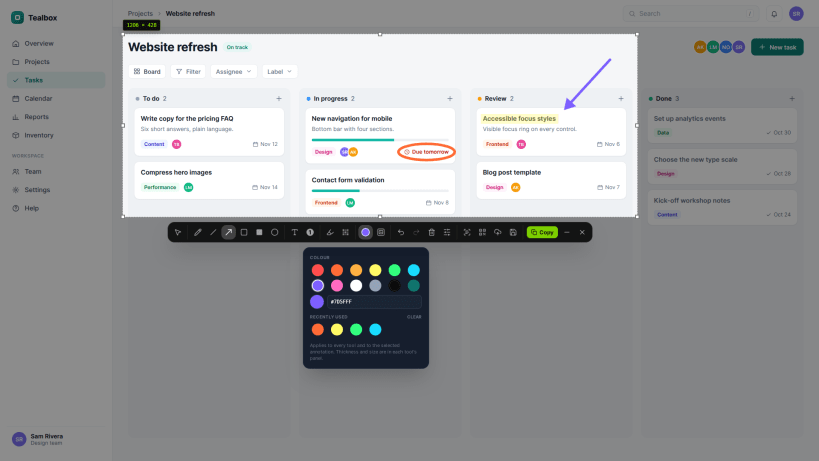
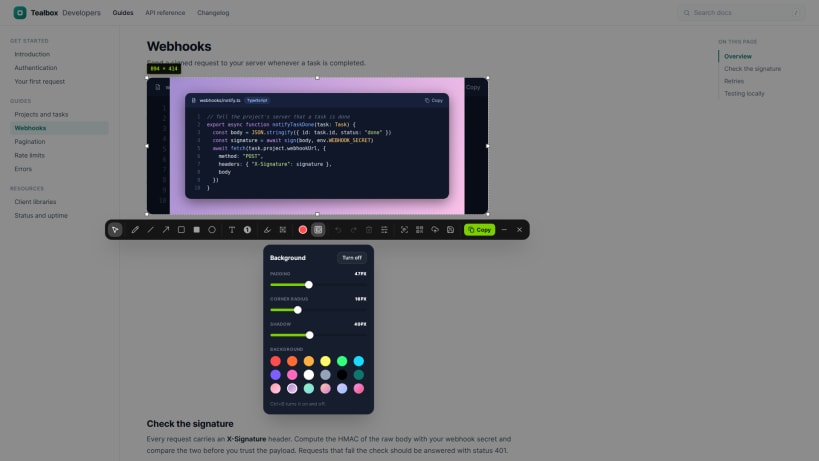
Screention captures any part of your screen with Ctrl+Alt+A or from its tray menu. Mark screenshots up with arrows, shapes, text, numbered steps, highlights, blur and redaction boxes, add a styled background, copy the text with on-device OCR, read QR codes and barcodes, then copy, save or upload them for a share link. A gallery keeps saved screenshots with notes and search.
This snap repackages the official Linux release; the source code is not public. Screention sends anonymous usage counts by default, which you can turn off in Settings > Privacy. Updates arrive through the Snap Store.
| Revision | Channel | Version | Build | Commit | Download SBOM |
|---|
The build and commit information is derived from build infrastructure records.
Install Screention on your Linux distribution
Choose your Linux distribution to get detailed installation instructions. If yours is not shown, get more details on the installing snapd documentation.


