

SDL Minesweeper
Install latest/stable of SDL Minesweeper
Ubuntu 16.04 or later?
Make sure snap support is enabled in your Desktop store.
Install using the command line
sudo snap install sdl-minesweeperDon't have snapd? Get set up for snaps.

Details for SDL Minesweeper
Package name
- sdl-minesweeper
License
- MIT
Last updated
- 3 August 2026 - latest/stable
- 3 August 2026 - latest/edge
Websites
Contact
Source code
Report a bug
External link warning
You are about to open
Do you wish to proceed?
Report a Snap Store violation
Report SDL Minesweeper for a Snap Store violation
Snap Store Violation Report submitted successfully
Thank you for your report. Information you provided will help us investigate further.
Error submitting report
There was an error while sending your report. Please try again later.
Share this snap
Generate an embeddable card to be shared on external websites.
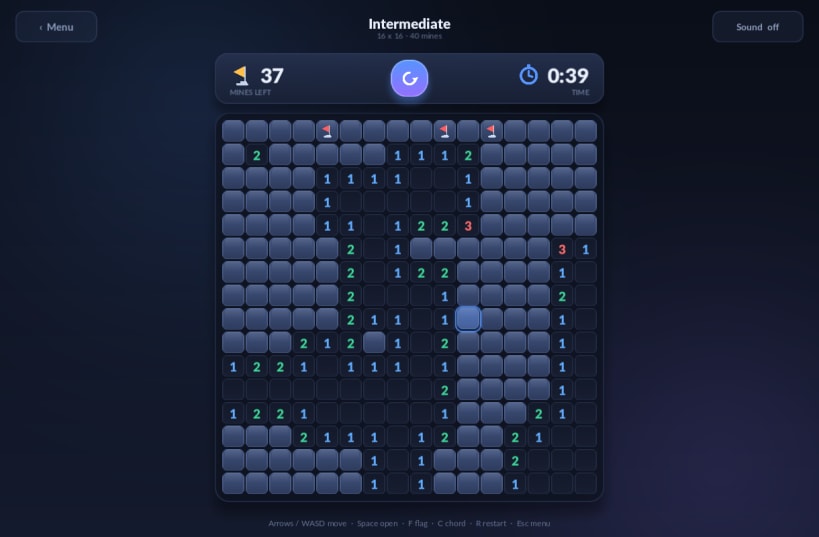
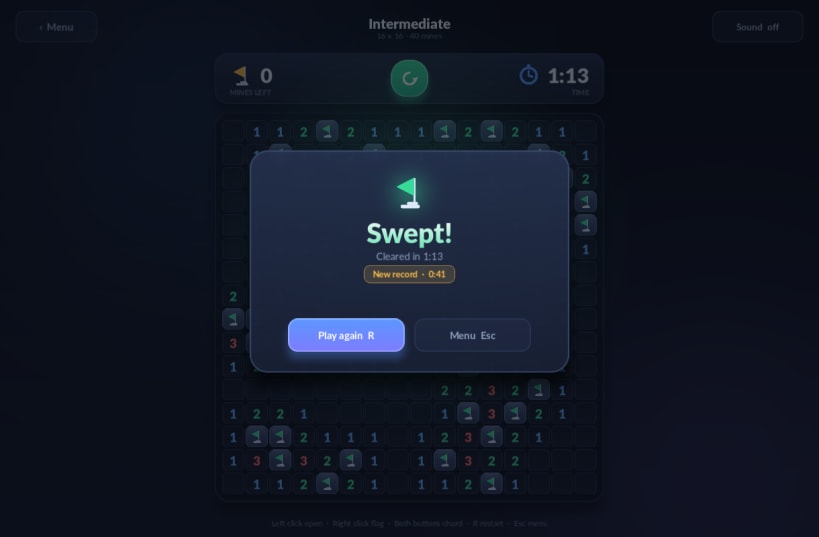
Minesweeper with modern graphics, for mouse or keyboard
A modern-looking Minesweeper built on SDL2. Anti-aliased rounded tiles, soft shadows and glows, animated reveal cascades that ripple out from the click, particle explosions and a procedural sound synthesiser — with no image, font or audio assets: every shape and every sound is generated at runtime.
Playable entirely with the mouse or entirely with the keyboard:
- Mouse — left click opens, right click cycles flag and question mark, both buttons (or a click on a satisfied number) chords.
- Keyboard — arrows, WASD or HJKL move the cursor, Space opens, F flags, C chords, R restarts, Esc goes back to the menu.
Difficulty presets are Beginner (9x9, 10 mines), Intermediate (16x16, 40) and Expert (30x16, 99), plus a custom board editor for anything from 5x5 up to 40x30. The first click is always safe. Best times per preset are kept between plays.
| Revision | Channel | Version | Build | Commit | Download SBOM |
|---|
The build and commit information is derived from build infrastructure records.
Install SDL Minesweeper on your Linux distribution
Choose your Linux distribution to get detailed installation instructions. If yours is not shown, get more details on the installing snapd documentation.











