
sftp-commander-studio
Install latest/stable of sftp-commander-studio
Ubuntu 16.04 or later?
Make sure snap support is enabled in your Desktop store.
Install using the command line
sudo snap install sftp-commander-studioDon't have snapd? Get set up for snaps.
Details for sftp-commander-studio
Package name
- sftp-commander-studio
License
- MIT
Last updated
- Today - latest/stable
Websites
Contact
External link warning
You are about to open
Do you wish to proceed?
Report a Snap Store violation
Report sftp-commander-studio for a Snap Store violation
Snap Store Violation Report submitted successfully
Thank you for your report. Information you provided will help us investigate further.
Error submitting report
There was an error while sending your report. Please try again later.
Share this snap
Generate an embeddable card to be shared on external websites.
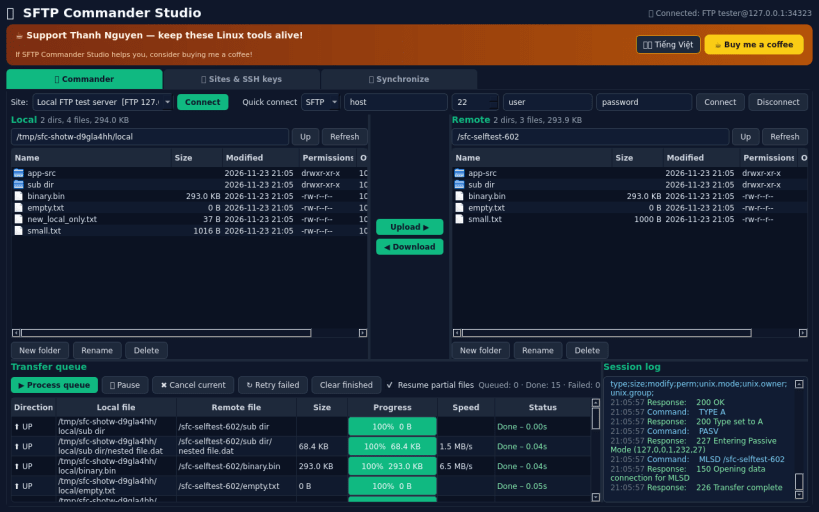
Dual-pane SFTP, FTP & FTPS file commander with queue and folder sync
SFTP Commander Studio is a fast, native dual-pane local and remote file manager for SFTP, FTP and explicit FTPS servers on Linux.
FEATURES:
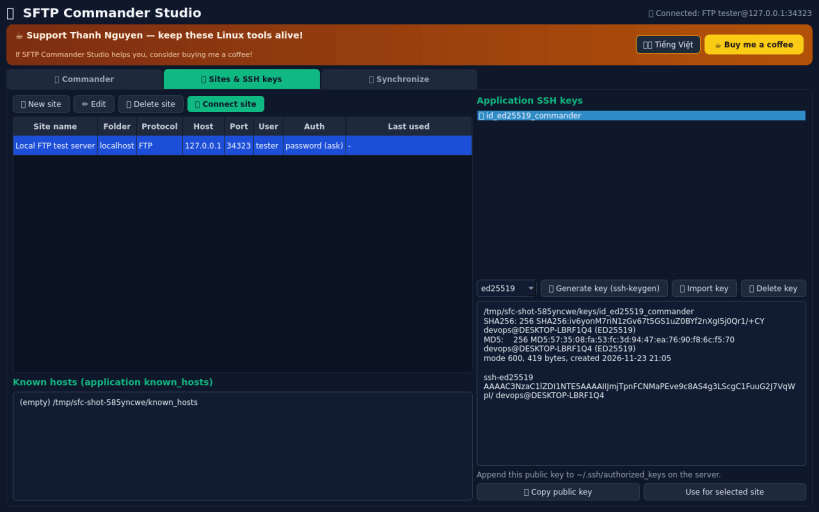
- Real SFTP via the bundled OpenSSH sftp/ssh client over a multiplexed connection, supporting SSH key or password login with an isolated application known_hosts store.
- FTP and explicit FTPS (AUTH TLS, protected data channel) via Python ftplib.
- Upload, download, rename, recursive delete, and folder creation on both panes.
- Transfer queue with real-time progress, transfer speed, cancel, retry, and resume of partial transfers (sftp reget/reput, FTP REST/APPE).
- Encrypted Site Manager in local SQLite: passwords are optional and encrypted with a master passphrase (PBKDF2-HMAC-SHA256).
- Built-in SSH keypair generator (ed25519 / RSA-4096 / ECDSA) with fingerprints and one-click public key copy.
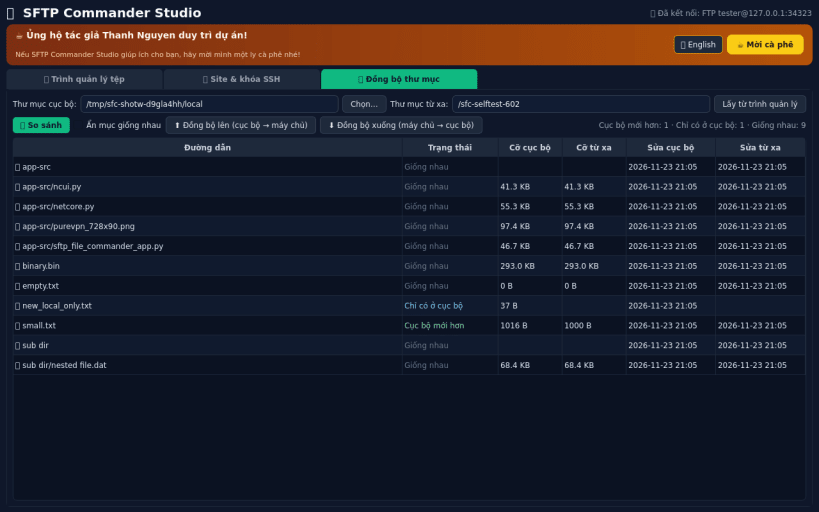
- Folder Synchronize: recursive local vs remote comparison (only local, only remote, newer, size differs) with one-click sync up or down.
- Full bilingual English and Vietnamese interface.
NOTES: Inside strict snap confinement the app uses its own isolated SSH key folder; generate a key inside the app or import one from a visible directory.
Support development: https://buymeacoffee.com/thanhnv128b
| Revision | Channel | Version | Build | Commit | Download SBOM |
|---|
The build and commit information is derived from build infrastructure records.
Install sftp-commander-studio on your Linux distribution
Choose your Linux distribution to get detailed installation instructions. If yours is not shown, get more details on the installing snapd documentation.











