
SFTP File Commander
Install latest/stable of SFTP File Commander
Ubuntu 16.04 or later?
Make sure snap support is enabled in your Desktop store.
Install using the command line
sudo snap install sftp-file-commanderDon't have snapd? Get set up for snaps.
Details for SFTP File Commander
Package name
- sftp-file-commander
License
- MIT
Last updated
- Yesterday - latest/stable
Websites
Contact
External link warning
You are about to open
Do you wish to proceed?
Report a Snap Store violation
Report SFTP File Commander for a Snap Store violation
Snap Store Violation Report submitted successfully
Thank you for your report. Information you provided will help us investigate further.
Error submitting report
There was an error while sending your report. Please try again later.
Share this snap
Generate an embeddable card to be shared on external websites.
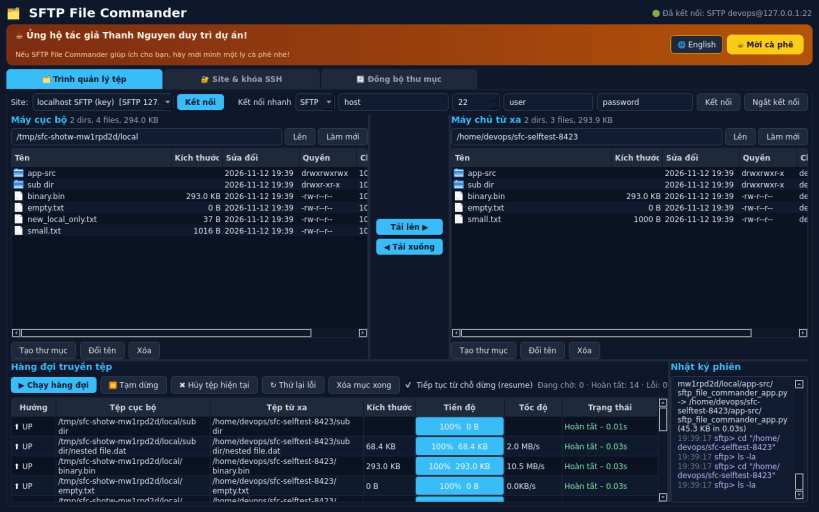
Dual-pane SFTP / FTP / FTPS file manager with transfer queue and folder sync
SFTP File Commander is a Linux alternative to WinSCP: a dual-pane local/remote file manager for SFTP, FTP and explicit FTPS servers.
FEATURES (all really implemented):
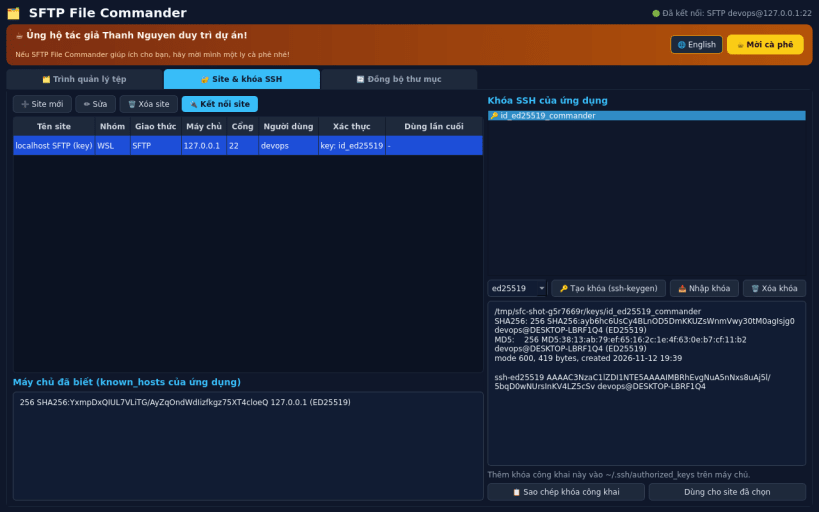
- SFTP through the real OpenSSH sftp/ssh client (bundled from Ubuntu's openssh-client package) over a single multiplexed connection; login with an SSH key or a password. Host keys are accepted on first use and stored in the application's own known_hosts file.
- FTP and explicit FTPS (AUTH TLS, protected data channel) with Python ftplib.
- Upload, download, rename, delete (recursive), create folders on both sides.
- Transfer queue with real progress, speed, cancel, retry and resume of partial files (sftp reget/reput, FTP REST/APPE).
- Saved sites in a local sqlite database. Passwords are never stored in plain text: they are saved only if you tick "Remember password", encrypted with a master password (PBKDF2-HMAC-SHA256). Key authentication is recommended.
- SSH key generation (ed25519 / RSA-4096 / ECDSA) with the real ssh-keygen, fingerprints and one-click copy of the public key.
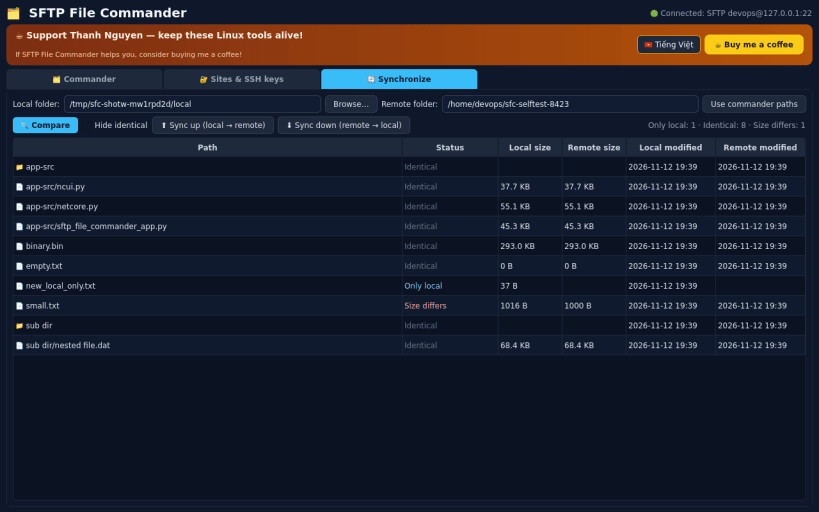
- Synchronize: recursive compare of a local and a remote folder (only local, only remote, newer, size differs) and one-click sync up or down.
NOTES: inside the strict snap sandbox the app cannot read your hidden ~/.ssh folder; generate a key in the app or import one from a visible folder. Not affiliated with or endorsed by the WinSCP project or Martin Prikryl.
Created by Thanh Nguyen - support development: https://buymeacoffee.com/thanhnv128b
| Revision | Channel | Version | Build | Commit | Download SBOM |
|---|
The build and commit information is derived from build infrastructure records.
Install SFTP File Commander on your Linux distribution
Choose your Linux distribution to get detailed installation instructions. If yours is not shown, get more details on the installing snapd documentation.


