

Side by Side Differ
Install latest/stable of Side by Side Differ
Ubuntu 16.04 or later?
Make sure snap support is enabled in your Desktop store.
Install using the command line
sudo snap install side-by-side-differDon't have snapd? Get set up for snaps.
Details for Side by Side Differ
Package name
- side-by-side-differ
License
- MIT
Last updated
- Yesterday - latest/stable
Report a Snap Store violation
Report Side by Side Differ for a Snap Store violation
Snap Store Violation Report submitted successfully
Thank you for your report. Information you provided will help us investigate further.
Error submitting report
There was an error while sending your report. Please try again later.
Share this snap
Generate an embeddable card to be shared on external websites.
Dual-pane file diff, hunk merger, folder compare, and patch/HTML exporter
Side by Side Differ is a dual-pane file and directory comparison tool for Linux built on Python's difflib and filecmp engines. Inspect line and character-level differences side by side, merge selected hunks in either direction, audit entire folder trees, and export clean patches or HTML diff reports.
Key Features:
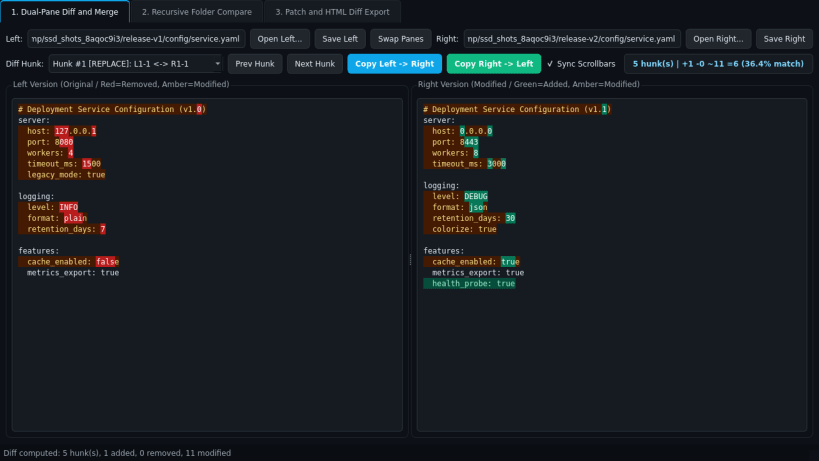
- Dual-Pane Line and Character Diff: Highlights added (green), removed (red), and modified (amber) lines with inline character-level change spans, synchronized scrollbars, hunk navigation, and bidirectional Left-to-Right / Right-to-Left hunk merging with file saving.
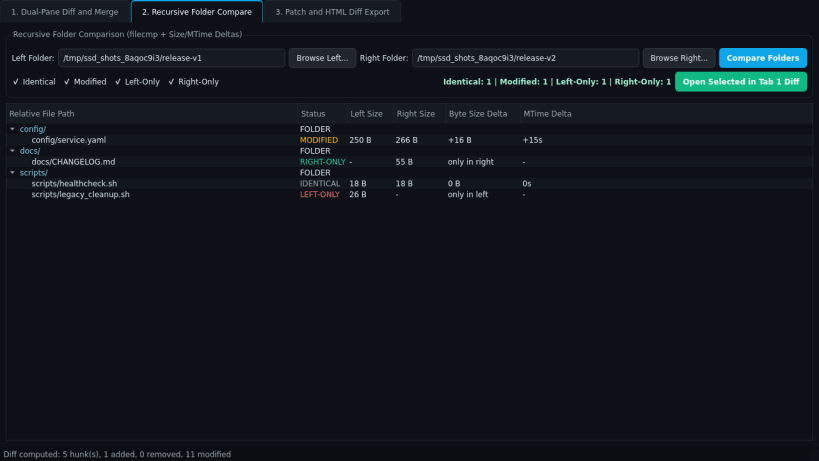
- Recursive Folder Compare: Compares two directory trees recursively using byte content verification, displaying identical, modified (size and mtime deltas), left-only, and right-only entries in a filterable tree table.
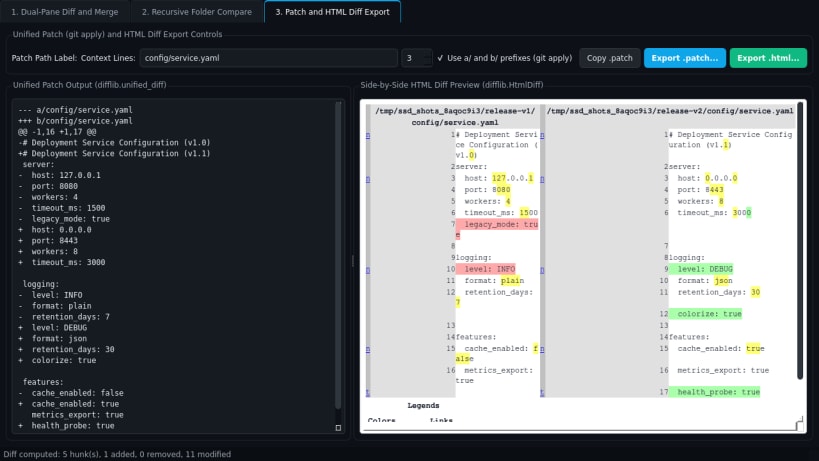
- Unified Patch and HTML Diff Exporter: Generates git-apply-ready unified .patch files (difflib.unified_diff) and self-contained side-by-side .html diff reports (difflib.HtmlDiff).
Disclaimer: Side by Side Differ is an independent open-source project by TC Studio and is not affiliated with, endorsed by, or sponsored by Meld.
| Revision | Channel | Version | Build | Commit | Download SBOM |
|---|
The build and commit information is derived from build infrastructure records.
Install Side by Side Differ on your Linux distribution
Choose your Linux distribution to get detailed installation instructions. If yours is not shown, get more details on the installing snapd documentation.


