

Skillful
Install latest/stable of Skillful
Ubuntu 16.04 or later?
Make sure snap support is enabled in your Desktop store.
Details for Skillful
Package name
- skillful
License
- unset
Last updated
- 12 June 2026 - latest/stable
Websites
Donations
Source code
Report a bug
External link warning
You are about to open
Do you wish to proceed?
Report a Snap Store violation
Report Skillful for a Snap Store violation
Snap Store Violation Report submitted successfully
Thank you for your report. Information you provided will help us investigate further.
Error submitting report
There was an error while sending your report. Please try again later.
Share this snap
Generate an embeddable card to be shared on external websites.
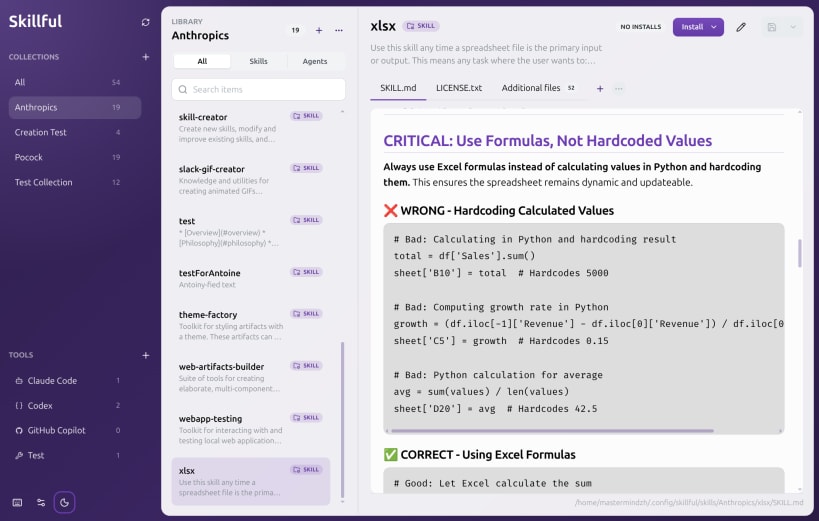
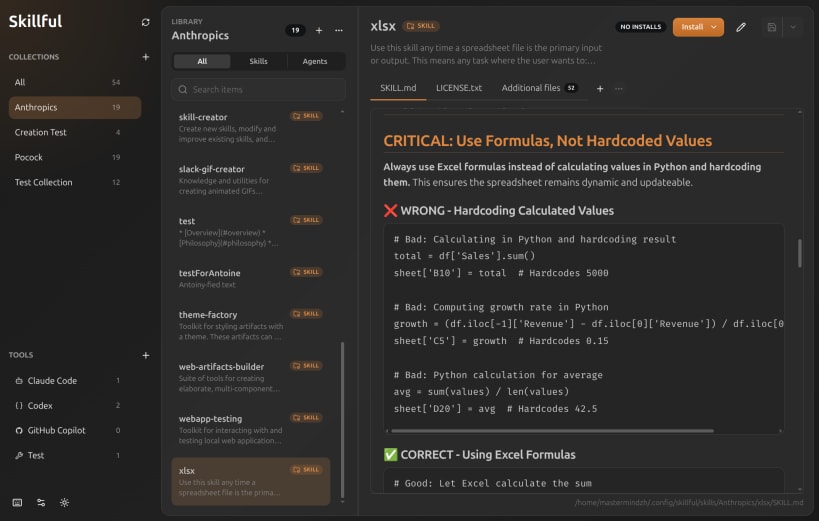
Local AI skill and agent manager
Skillful is a desktop app for building reusable AI skills and agents as folders you own. Edit markdown and supporting files, then install them into tools like Claude Code, Codex, Copilot, Gemini, Cursor, Junie, and opencode without duplicating files.
Check out https://github.com/Mastermindzh/awesome-skillful for some awesome starting libraries
Highlights
- Manage folder-based skills and agents
- Create, rename, delete, move, import, and export collections
- Edit and preview markdown files
- Keep screenshots, scripts, examples, and other supporting files beside each item
- Install the same item into multiple tools without copying source files
- Detect and repair broken installs
- Import folders,
.skillful.ziparchives, and public GitHub source archives - Open Skillful import links from repositories that publish GitHub-safe import buttons
- Validate frontmatter metadata and warn before incomplete entries drift into your library
- Search and filter large local libraries by collection, tool, and item kind
- Works offline, with the filesystem as the source of truth
| Revision | Channel | Version | Build | Commit | Download SBOM |
|---|
The build and commit information is derived from build infrastructure records.
Install Skillful on your Linux distribution
Choose your Linux distribution to get detailed installation instructions. If yours is not shown, get more details on the installing snapd documentation.











