

Skykeep
Install latest/stable of Skykeep
Ubuntu 16.04 or later?
Make sure snap support is enabled in your Desktop store.

Details for Skykeep
Package name
- skykeep
License
- GPL-3.0-only
Last updated
- 23 November 2026 - latest/stable
Websites
Donations
Source code
Report a bug
External link warning
You are about to open
Do you wish to proceed?
Report a Snap Store violation
Report Skykeep for a Snap Store violation
Snap Store Violation Report submitted successfully
Thank you for your report. Information you provided will help us investigate further.
Error submitting report
There was an error while sending your report. Please try again later.
Share this snap
Generate an embeddable card to be shared on external websites.
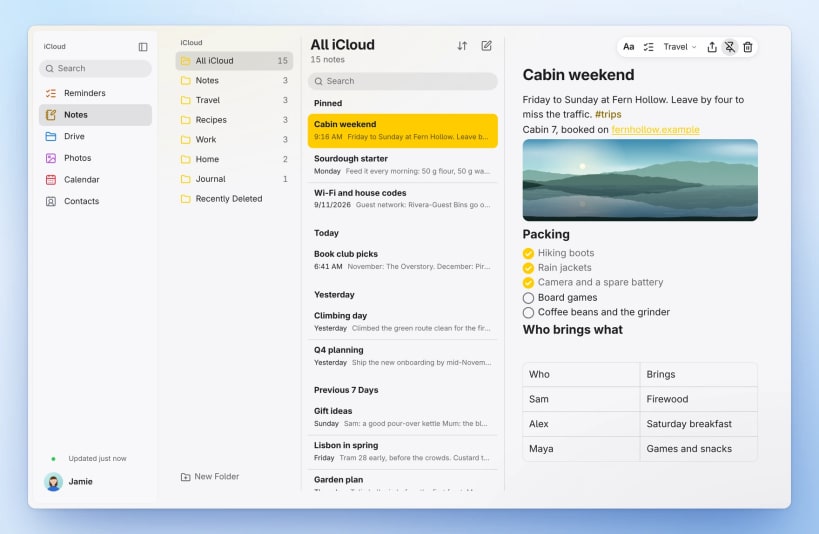
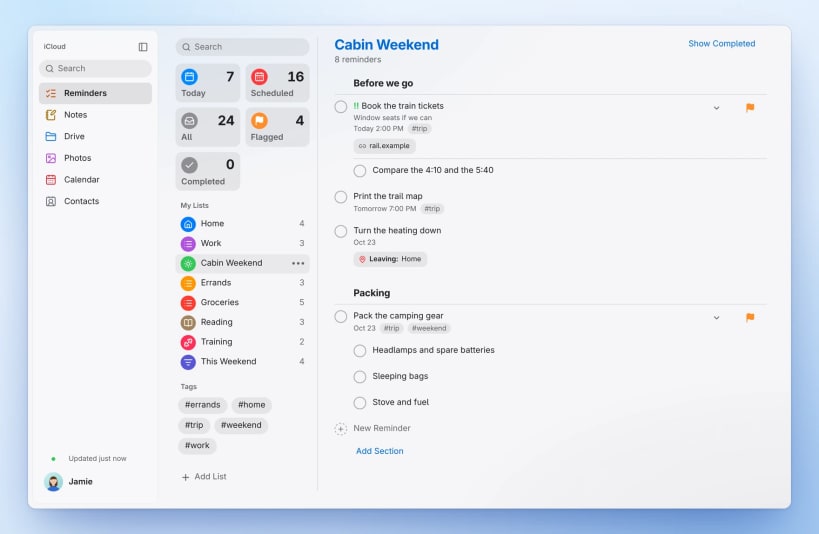
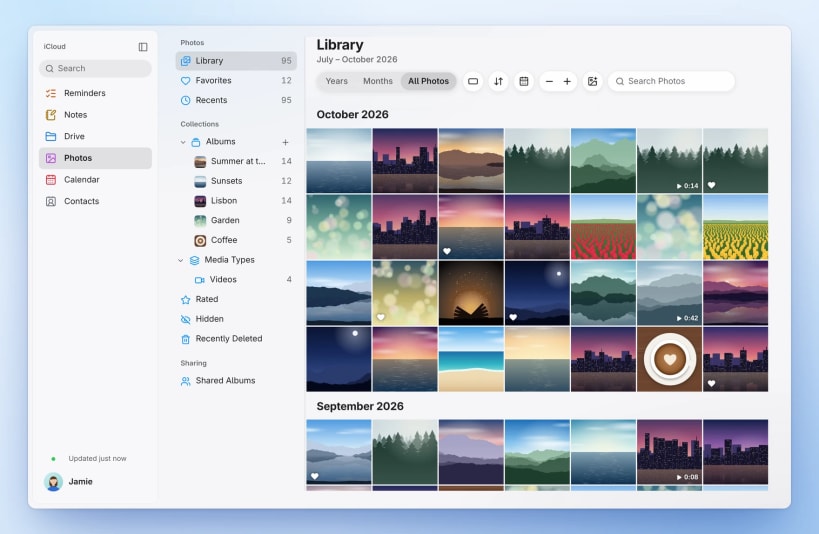
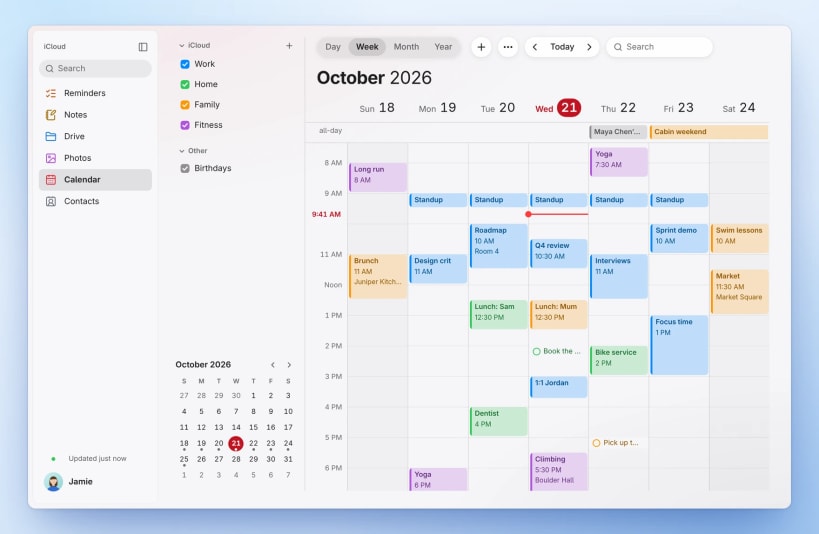
Your iPhone's iCloud as native Rust apps: Notes, Reminders, Photos, Drive with Cross Sync
Notes, Reminders, Calendar, Contacts, iCloud Drive and Photos as real desktop apps, on a native Rust engine that keeps your library on your computer. They open instantly, work offline and stay in sync with your iPhone, iPad and Mac.
- Edits you make here show on your iPhone, and changes from your iPhone arrive in about a second
- Works offline: keep writing, and it syncs when you're back online
- iCloud Drive and Photos can appear as folders in your file manager
- Reminder alerts with Complete and Snooze
- Export everything to Markdown, iCalendar and vCard any time
Free and open source, with no Skykeep account and no analytics. Sign-in is Apple's own, with two-factor, and your password is never sent.
After installing, run this once so Skykeep can keep you signed in through your system keyring: sudo snap connect skykeep:password-manager-service
Skykeep is an independent project, not affiliated with or endorsed by Apple Inc.
| Revision | Channel | Version | Build | Commit | Download SBOM |
|---|
The build and commit information is derived from build infrastructure records.
Install Skykeep on your Linux distribution
Choose your Linux distribution to get detailed installation instructions. If yours is not shown, get more details on the installing snapd documentation.











